Showing posts with label Data. Show all posts

Sunday, May 14, 2017

GDPR Doesn't Mean You Need a New Database


Last week, Civil Society reported that "almost 40% of charities are considering reviewing their current CRM system with the launch of the FPS [and] GDPR." My message to such charities is: hang on, wait a minute, do you really need a new CRM system or fundraising database? Buying and implementing a new system is complicated, expensive and takes up plenty of your resources. So before you do that, there are a number of things you should do first:
  • Talk to your current database supplier. This has to be your first course of action. What do they recommend? What are their plans? If you have a "fundraising system/package" such as Raiser's Edge, thankQ, DonorFy etc then such suppliers will still want to be selling their software to other charities now and post-GDPR, so they will need to ensure their systems are compliant or they won't sell anymore.
  • If you have a CRM platform (Salesforce, Microsoft Dynamics 365 etc) then you almost certainly will be able to manage FPS and GDPR on them but of course it could be simple or more complex depending on your current design, if you have access to any IP (Intellectual Property) issues etc. So, again, talk to whichever supplier/business partner implemented your system. And if you don't have any such relationship and your in-house staff don't know how to change your platform then call on a Salesforce/Dynamics specialist developer - there are lots out there.
  • Talk to other users of the same system that you are using. If the above doesn't get you any joy then talk to other charities who are using the same system as you are. If you've got issues then other organisations will almost certainly be/have been in the same boat as you. Maybe they have already found a solution and can give you some tips; or if not, then maybe you can all get together and put some pressure on the developer to get something done.
  • Talk to other charities who are ready for FPS/GDPR and ask how they've done it. Even if they have created a solution in a different system/platform to the one you use, it is quite possible you can learn the concepts of what they have done and see if you can replicate that in your database. You could even look at third-party specialist solutions such as Wood for Trees' Consentric Permissions or Syrensis' The Preference Centre.
  • And do talk to a qualified professional about what you really need for FPS and GDPR (i.e. a lawyer, compliance expert, a consultant specialising in this area etc). I have read and seen too much conflicting advice over the previous months and 'data protection' is unfortunately one of those things where many people think they know what is needed but many people don't really... And it is one area which you can't afford to get wrong.

Finally, if it turns out that you must change your current CRM system/fundraising database then don't rush it. Do it properly, get a formal procurement process in place, implement any new system with a correct timetable and budget; and if necessary keep your FPS/GDPR data in a separate system in a consistent format which you can import into your new system at a later date.

Friday, December 09, 2016

Five Golden Things Which Underlie CRM Systems

On the fifth day of Christmas, my truelove gave to me... 5 Golden Rules (which are not about the software)

Whenever an organisation is reviewing or implementing a database, it is important to understand that it is not just the CRM software/the database which needs to be considered. There are at least five other key factors which influence any CRM system.

  • Strategy - i.e. your fundraising strategy, management structure, communication strategy etc. This may sound obvious but if your fundamental strategy for fundraising, your communication policies, your IT strategy, even your management structure is not well structured then how can you expect your database to support your requirements. This underlies all aspects of CRM and indeed most technology projects. (And trust me, I have consulted at one or two organisations where some of the above were definitely not in place).
  • Data: The best CRM system in the world will not be efficient for your use if your data is not up to scratch. You need to consider what data you are recording, how you capture it, data quality issues, data consistency, data integrity across fields and tables and so on. (There are plenty of other posts on this blog about data if you want to read more). Of course, any CRM software needs to be able to store the data you want and manage it well, but these days that should be the case with most contemporary solutions.
  • Processes: When reviewing/implementing a new fundraising or CRM system, you should review your business processes. In my experience, there are three reasons that any process linked to your CRM software exists:
    1. No-one knows why they are as they are, it is just done that way because it is..; or:
    2. Because your current computer software makes you do it this way; or:
    3. Because you have thought about it carefully and your current process is the most efficient way to do things. 
    • Sadly, as much as I wish it was, the third option above is rarely what I find when I talk to charities. So: before you blame any poor database for the situation you might be in with it, have a look at your business processes and decide if they really are setup as best they could be, or whether there is room for improvement. I would bet there is.
  • People: Are your staff trained on how to use the software? Who by? How is a new starter shown what to do? Do you have enough and the correct database support staff? And if you are going to buy a brand new CRM system, then be aware that your current database staff structure might not necessarily be what you need going forward.
All the above are, in my opinion, more important than the software/CRM system itself. i.e. You can have the best software but if you have rubbish data, if your staff aren't trained and supported, if your business processes have not been thought through, then you will find it difficult to get the most out of your CRM system.

  • I also used to say the same about the final, fifth factor: your IT infrastructure. I would describe how if your server was too old and under-powered, if your internet connection was too slow, then again, your CRM software would suffer. And of course that is still true. But with hardware being so much more affordable and powerful now, with Cloud systems and access to the cloud so much more robust, I hope that this is now rarely such an issue. Of course, it is still important and it can still mean that good software will not work so well, but it is one of those things - given the correct budget - that should be more manageable.
If all this sound obvious to you then that's great, I'm delighted. But if you are finding that your current CRM system is not doing what you want, or you are looking at buying a new system then do bear all this in mind.


Monday, December 05, 2016

Implement A Single Source of Truth

On the first day of Christmas, my truelove gave to me... Details on Why a Single Source of Truth is so Important


It has always been important for charities to have a ‘single source of truth’ for their core data, but if anything, it will become even more critical in the years ahead.

What I mean by this is that if you want to know a supporter’s latest address, their most up-to-date communication preferences, who is stewarding them in your charity etc; or if you want to know the average income from your last n appeals, your total registration information for your events; and so on… then you need to know that you can get the correct information by going to one source system.

If you still have more than one database which stores the same information, multiple spreadsheets which have been created by different users, or if your data integration processes from your website or other data sources are not working, then it is highly likely that you will get a different answer depending who you ask or where you look.

You need a single source of truth.

However, do note that this does not mean you necessarily need to have only one database or even the infamous 360 Degree View. You could well have multiple databases but as long as you have a ‘central system’ where your core data is collated then you should be able to get the figures you need. And, of course, you need to ensure that there are not teams in your organisation who have their own spreadsheets “because they're my records…”.

Depending on your database setup, the goal of a single source of truth may not be too difficult - it may be more about consolidating data flows and processes - or it could be much harder f you do have many data repositories and a lack of organisational control/understanding for where data is stored and why. One good option for medium/large organisations is to have a data warehouse where you can collate all your important data and where specialist staff can create reports for your KPIs which everyone will trust and know is right.

Make this need your first organisational New Year resolution.

Tuesday, January 27, 2015

All CRM systems still need a Database Manager

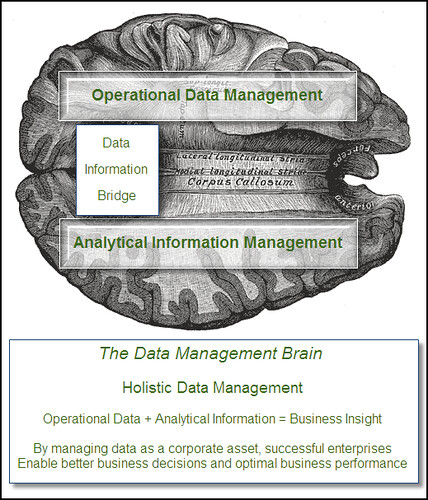
Holistic Data Management 
With the proliferation of the newer, generic CRM systems into the NFP marketplace (i.e. Salesforce, Microsoft CRM etc), it can be easy for a smaller charity who has never before had the opportunity to use such powerful systems to believe that such systems are so easy to use that they won't even need a "database manager". Please don't believe that. You will need someone, whatever they are called, to manage the database/data to some extent, no matter what size you are.

Just because you are going to run the new database through your browser - which may indeed make it more user-friendly on some occasions - that doesn't mean that it will be so easy that it will "run itself". Someone in your organisation still needs to "manage" it in one way or another.

The good news is that with some of these systems (and indeed, some 'traditional fundraising databases'), such a person doesn't have to be an old-school techie. They possibly won't need to write SQL code, learn a complex report writer or understand entity-relationship diagrams. But they will need to be "data aware" - data savvy as I often call it. In fact, job titles such as "Data Manager" and "Head of Data" are often more accurate and more suitable than "Database Manager" or "Database Administrator".

This is because someone still needs the following attributes: to be able to understand how data is structured and recorded on the system; to be able to review a new user request and then recommend whether a new field is added or whether new codes should be appended to an existing look-up table; to understand and interpret what benefits the new database can bring to your fundraisers and fundraising. To control duplicate records... Someone still needs to have some level of control so that not every user of the system is adding data (and codes) in any old way they want (because it is so easy to do so now…) And so on.

Because if you don't have good data, standardised procedures and trained users who understand what they are doing on the database, then don't be surprised if you can't create the reports you need, or you take much longer to segment the database for targeting your donors - or, after a few months of installing the new system, you find your users criticising it because it isn't what they were promised…

The database - and the data - is the very base of a charity's infrastructure for their information needs. New CRM systems may make data management easier but you still need someone to manage that.

Monday, November 17, 2014

Can End-Users Really Use Data Analysis Tools Without Data Experts?

There are some incredibly good end-user oriented data analysis software systems these days. Really user-friendly, lots of great graphical drag-and-drop functionality and one can get all sorts of analysis from them. Even the new CRM systems provide decent user-oriented tools which can be learned by non-technical staff in a comparatively short amount of time.

But herein lies the rub: if we make it so easy for end-users to be able to use what is actually quite sophisticated software, then how do we know they are using it correctly? Or more to the point: how do we know they are getting the correct data, getting the correct data which they really want, and interpreting the correct data correctly?

Let's take the simplest of examples: a user wants to know how many supporters they can mail for their next event. This means knowing how the database and data defines such supporters, knowing how to exclude deceased/gone-aways etc, knowing other opt-in and opt-out codes, knowing the opt-in and opt-out policies, knowing the meaning of the values within a specific field, knowing if other groups of users might want to approach the same supporters at the same time. And knowing exactly where and how all this is held in the database.

Maybe it isn't that easy after all… Add on any further level of complexity such as last raffle gift (not just any gift), average gift over the last 3 years, if they came or were invited to the same event last year, and you're starting to tax even the data experts.

Which is why so many charities have centralised, specialist data teams who do such work. Or at the very least, highly trained users in each fundraising team. With this approach, we can be sure that the specialists know not only the data and all the above conundrums but they also know what additional questions to ask the fundraiser who wants to know such answers.

All of which pains me a great deal to have to write. I want end-users to be able to run such queries themselves, I want them to be able to be empowered to ask 'what-if' type questions so they can see data patterns, I want them to be more self-sufficient so that it will help them and take some of the strain off the database team.

But to get such analysis software to a point where this is possible, to ensure the data is so easy to understand that anyone and everyone can do, to ensure that internal policies are fully understood - all that is not necessarily easy.

Which doesn't mean we shouldn't try to do it and it doesn't mean it can't be done. We just have to ensure that appropriate software and data and policy training is given to those who need to know - and probably to limit the sort of reasons for why they are doing it in the first place. i.e. As long as the users are doing such queries just to get rough counts, to get some idea of data, to be able to do a first data sweep of a data mining exercise, then I think that should be possible. But sadly I don't think even the best software in the world yet means that a end-user can do their own segmentation and create their own mailing files for their next big event. We still need the data specialists for that.

Monday, November 03, 2014

The new world of cloud storage - do you really need ALL your old data?!

Traditionally, when moving from one fundraising database to a new one, charities tend to migrate all their old data across - or very nearly all. Sometimes, small sub-sets of old or truly unneeded data may be left behind, but in the main, every single donation, communication, appeal record etc and every entity and every field is transferred as is to the new database.

Why? Well, understandably, fundraisers and marketing staff are worried about losing granularity of historic data, of not being able to do true and useful RFV calculations or similar analysis on summary fields, of not being able to look back at why someone responded to appeal X or came to event Y. And the thought of either not keeping their data in the most granular state possible, or even not transferring it at all, has been a complete anathema!

But recently, this is something which is being challenged. This is partly due to cloud CRM systems charging for extra storage, partly due to some performance concerns for complex processes on very large systems and partly to mitigate some of the risks and complications of data migration. And partly it is just good business practise to challenge such assumptions.

But Why?!
But just as pertinent a question for me is: Why - Why do you need ALL your old data? Really - why?! I mean, are you really going to look back at someone's communication history from ten years ago and want to see that a donor was sent a second letter because a particular acknowledgement letter didn't reach them first time? Do you really need to know that someone was invited to an event twelve years ago but didn't respond? I'm not sure if you do…

And although I completely recognise the need to keep a granular donation history for at least a set number of recent years (e.g. at least four years for gift aid claims), at what point are your fundraisers not going to use such data for segmentation and marketing analysis? Five years? Six maybe? In which case, do you really have to be able to see each individual donation for older periods as a separate financial transaction on your new system? Or actually, could a summary be acceptable? e.g. a summary by year/campaign/gift type/whatever is appropriate for you.

Of course, there are some data items you would definitely need to keep, such as first donation information, maybe upgrade details etc, but do you have to have more than that for donations over a certain age?

And if you do, if you have to or if your organisation is too paranoid not to keep such data, then maybe you can store it elsewhere for when (if!) it is needed. For example, a separate data warehouse, maybe a simple SQL Server database, even a separate marketing software system.

And what about any old data which you still have on your system but which almost no-one in your organisation trusts and so doesn't use anyway? Does that really need to be transferred? Really?! And data accuracy in general - just how good is it over a certain period anyway?

Or, Should we be asking, Why Not?
Now. One could of course ask why we shouldn't migrate all data and that's a fair question. Storage does cost but is it so much more? And contemporary systems are so much more efficient now than older systems, why shouldn't we have millions of records in our new database?

Well, maybe because more data does add extra data management, does add complexity when doing segmentation and reports/analysis, can slow down a system when running such processes, can make screens slower to load when they have lots of historic information, can make data migrations more complex etc etc.

I think it is an interesting challenge - one I encourage you to consider!

Monday, October 27, 2014

Why online giving platforms and your own fundraising database are not best friends

Drifting Platform 
The IoF/CFG recently published a new report, "A practical guide to selecting and using online giving platforms" and I was pleased to see that the data collected from such platforms and, to a degree, the integration with your fundraising/CRM databases was acknowledged as a factor. However, I think such integration is sometimes promoted as being easier than it really is; and sadly, integrating or importing said data into your own fundraising database is often much more awkward, time consuming and costly than charities realise.

There are therefore a number of things I think you should consider if you do want to get the data from your online giving platform into your own fundraising system:

First, the data basics
Just because a platform provides a file of donors/donation data in an Excel/csv format doesn’t mean you can import it quickly into your fundraising database; e.g.:
  • You need to consider duplicates - how will you identify if an online donor is already on your fundraising database? And even if you can, can you easily update data correctly? i.e. if you do find a duplicate then is there any data which you should update on your own database? Or should not overwrite?
  • Some fields in your downloaded file may need to be split (or even concatenated); e.g. name, address fields.
  • Some fields may exist in your downloaded file but not in a way which can directly be added to your database (e.g. Gift Aid declaration data/flags, opt-in/out flags).
  • Other fields not in the downloaded file may need to be added to a file before you can update a record on your database (e.g. source, fund/campaign codes) etc.
  • Gift Aid flags need to be carefully updated so there is no double-claiming in the future.
  • Then you have regular giving and how to distinguish/code/incorporate these, and match income when it comes in...
  • And you have the issue of Soft Credits and how to apply those to who…
There are also sponsored events to consider, which are of course where so much data comes from the online giving platforms. It's all very well including sponsors who have ‘opted in’ to receive more information from you, but if it takes more time/effort to import then what are the expected benefits? Are those people really interested in your organisation or just the person they sponsored? What is the real likelihood of getting a further donation from them?

And the reason all this is important is because if you do need to manipulate and change the files you are downloading from the online giving platforms, then someone in your charity (i.e. usually someone in your database team... if you have one...) has to do that. Some charities are better than others at doing that and some do automate such processes in Access/Excel macros etc, but I know many who still do at least some manual work, and some who do considerably more than "just a bit".

Some (potentially) better options
There are of course more automated ways of importing all this data. e.g. JustGiving provides an API which means you could import such data much more efficiently. And some of the fundraising packages and some of the fundraising templates now provided for Salesforce/Dynamics even have 'out of the box' functionality written for you to do this. Which is definitely a good start. But remember that even those pre-defined processes might not always do exactly as you want.

And if any online giving platform says “oh, we have an API so you can integrate us with your database…” then, well, just be aware - it ain’t necessarily as easy as it sounds! If you have internal programmers and techies then great, that’s an option. If not, it will cost you money.

The benefit and curse of multiple online giving platforms
Of course, the kicker is that for all the above points, you need to consider all of them separately for each online giving platform because each platform's data and file format will be different… That's why database teams groan (inwardly) when they hear about the "next, great online giving platform", because they know where the buck will stop in terms of getting that data into your own fundraising database.

And talking of bucks, this final step of getting the data into your own system is sometimes not considered when looking at the total cost of different systems. Sadly, it does seem to be assumed by some charities that if a database team can do one such solution then they can do another without any additional cost/work. And as I am saying, this is not the case.

Don't get me wrong: I love the fact these platforms exist and it has revolutionised fundraising. But to maximise future fundraising benefits, you need to get data from those platforms into your fundraising database and use that for future marketing. And that is not always as easy as it sounds.

Monday, July 14, 2014

Just what the heck IS a 360 degree view?!

360 degrees (cc) 

"We want a 360 degree view of our supporters," or "We can offer you a 360 degree view of your supporters" are much-loved expressions these days. By charities and by CRM vendors. And when it's said, everyone nods their head earnestly and agrees, Yes, that's exactly what we need. And why wouldn't you? It sounds great! But does everyone really understand what they mean by a 360 degree view? It may sound simple/obvious (?) but is it really?

Let's have a look at a few definitions I found with a quick online search:
  • Experian: "A 360 degree customer view gives a full picture of your customer and is essential for your organisation." Essential? Ooer.
  • Aberdeen Group: "Buyers [donors] benefit from better service and efficiency, and sellers [fundraisers] derive improved loyalty and, inevitably, more repeat business from established customers." Okay, that sounds better.
  • 360degreeview.com: "The 360° Customer View creates an integrated view of the customer – right across your enterprise. It gives you a business framework for integrating, enhancing, managing, and analyzing customer information, and allows for customized, phased implementations that deliver measurable business benefit." Wow, that sounds amazing!
  • Purple Vision: "Everything you know about each supporter in one place." Ah, good - nice and simple.
So are they all saying the same thing? Well, yes and no. To answer that we probably have to first ask two fundamental questions: Why do we want a 360 degree view? And then, What data are we actually storing in order to provide one?

So, why would someone want a 360 degree view?
One of the most common data - and thus fundraising - issues for a charity is that there are so many data silos in an organisation; i.e. multiple databases and spreadsheets. And therefore, we can't see every contact point (often called "touch points" if you're being data-cool) which a donor or supporter has had with us.

And if that is the case, then: we might be contacting them without knowing specific things about them; we might contact them inappropriately; different people might contact them without knowing a key point about the supporter; multiple people might contact them at the same time for different reasons and risk losing, say, a key donation; we might not be maximising the most we could get from a supporter; we might not be keeping up with data protection/FOI requirements; we might not be able to analyse a supporter/groups of supporters as comprehensively as we could do - and as importantly as all that, we might not be treating the supporter as they would like to be treated.

These are all good reasons for potentially wanting a 360 degree view.

So what about the data itself?
But even if we want a 360 view and we know why we want it, then what should that view show? Does it really have to show "everything" about a supporter? And even if it should do, can it?! Can we ever see/collect all contact points?

I guess, ideally, yes it should show everything - that is the only way to really see a "complete" picture of a supporter. But how do we really know we are collecting everything? Is everyone in the charity entering every interaction with every supporter? Unlikely. Or even if they are, then it could well be on a local version of Outlook, a spreadsheet somewhere, a third-party online database.

I should also clarify "everything". A 360 degree view does not necessarily mean creating one behemothic, single database which is your only database where you store all your data. Very often, a 360 degree view (almost by definition of "view") will just contain key data sourced from multiple databases within your organisation - just enough to ensure it can do... whatever it is you are trying to do with the 360 system.

So do you really want one?
Could be. Their potential benefits can be great. And don't let my last few paragraphs stop you from trying to create your 360 degree view if you do decide it is right for you! Even if we can't definitely say we are collecting everything, then that isn't a reason not to try to set-up a 360 degree view if you see the benefits of having one for your organisation and your needs. Just be aware it might not be everything. Start-off with what you know and build it up as you find more sources, more people who might use it and as you identify more benefits from doing so.

Finally, assuming you do have multiple systems at your organisation - highly likely no matter how centralised you try to make a centralised CRM/fundraising database - then there is always the technical challenge of actually achieving a 360 degree view. That is not always as easy as one might hope.

Monday, January 20, 2014

No More Chinese Walls

Great Wall 
Sometimes, users will tell me, "I'm happy for my contacts' records to be held on the database, but I don't want anyone else to see them. At all." Which rather makes my heart sink - as this almost completely defeats the object of having the records on the database in the first place. It’s a scenario known as a "Chinese Wall":  And I don't want to have to climb it.

To clarify, a Chinese Wall means that if, say, the Celebrity department are managing Richard Branson, and thus they obviously need to access his supporter record on the database, if the Community Fundraising team were to search for Richard Branson then they wouldn't even see that his record was on the database at all. Period. To them, he doesn't exist on the system full stop.

The problem with this is several-fold

These are just some of the issues with this:
  • First, if the Community Fundraising team do have a genuine reason to need to view/add data about Richard Branson, then if they don't know he already has a record on the database then they will add a new one - a duplicate record.
  • Secondly, both teams, including the Celebrity department, will be none the wiser that the other team has or is building a relationship with the charity. This can clearly lead to all sorts of problems, from multiple communications, multiple asks, embarrassment, DP issues and so on.
  • What if the Corporate team then look at the Virgin Group's record. Are they allowed to see that Richard Branson is the Founder of Virgin? One would presume so. But if they then try to click-through to his record, they'll find they can't. Is that a good thing? So will they keep information on Branson on some other part of the Virgin record?
  • What is Mr Branson phoned Supporter Care for some reason, and they couldn't see his record or his interaction & involvement with the charity? And yes, okay, I realise that specific scenario is unlikely but other VIPs etc might well do.
  • Or what if someone else in the charity is going to meet his spouse, who may not be managed by the Celebrity department? Are they allowed to see Richard Branson is married to her? Surely yes; but then… [return to above…]
I know some teams who "own" records like this say, Oh, well, all the other users have to do if they come across Branson is come and talk to us. But that of course presumes everyone else knows Branson already has a relationship with the charity, that they will do that, that they can be bothered to do that, that someone in the Celebrity team is available to talk… And okay, Richard Branson may be a well-known person in the charity, but what about the other celebrities/VIPs who are not? And if a Chinese Wall stretches to cover us more common folk then this doesn't even bear thinking about.

So what to do instead

When this request does happen, I try to dig further to see what the user really means, and usually it is one of the following points:
  • I don't want other users to contact my records; and/or:
  • I don’t want other users to see sensitive information about my contacts.
Both are potentially reasonable requests, but in both instances there are better ways to address the issue than just completely blocking access. I say "potentially" because the first point above, that you don't want someone else to contact your records, is something I bang on about a lot. Firstly, they are not "your" records - see my other blog on that - and secondly, if everyone in the charity does agree that you are the best relationship manager for such contacts then that still doesn’t mean that you should blanket stop other people from seeing such records.

Instead, for both instances, the first thing that can be done is that the record can be flagged as such, with whatever appropriate code/wording which will help everyone in the charity understand the relationship. And ensure processes are in place to manage that.

Secondly, protecting sensitive information such as Richard Branson's giving history or personal phone number, is clearly an important point, but what the database should do is still give limited access to such contacts' records so that other people can see they do exist on the database and understand the relationship, and simply block the sensitive information so that only those users who should be able to see it can see it. That's a far more effective and open approach.

This is my belief anyway.

The only walls I want to see on a fundraising database are Kim Wall, Roger Water's Wall, Max Wall, Wall's Ice Cream… [that's enough Walls - Ed].

But no Chinese Walls thank you.

Thursday, January 16, 2014

Data Dictionary Example Content

Standard Dictionary, twentieth century edition. [inside]  
Following my last post on why a data dictionary is so useful, I have provided below some specific information you might want to store in a data dictionary. For a simple dictionary, you probably don't need to record everything listed below (although for larger systems you might even want more?) - it of course depends on your specific needs and issues. But hopefully this is a good start.

Fields - broken down by "area" of the database or by table
(e.g. if you are using a traditional fundraising database, then you might break it down by screen; if you have a bespoke SQL database then by table. Whatever makes sense and means you can find this information simply later on).
  • Data element name
  • Field name
  • Field label if different
  • Description/Meaning (in English, not technical)
  • Active? (i.e. is it still being used or is it just historic data)
  • Data Type
  • Data source (e.g. if it uses a Lookup table - cf below)
  • Max/Min length
  • Default value
  • Mandatory?
  • Unique?
  • Hidden?
  • Calculated field? (e.g. Age, Total Donations)
  • Causes dependency on
  • Dependent on
  • Other Business Rules/validation rules
  • Security notes
  • Primary Key/Foreign Key - if appropriate for more technical requirements

Lookup Tables
aka Drop-down lists, picklists, reference data etc.
  • Table name
  • Description/Meaning (in English, not technical)
  • Field(s) where it is used
  • All values - cf below

Each value in a Lookup table
  • Value
  • Meaning
  • Active? (i.e. is it still being used or is it just historic data)
  • Causes dependency on
  • Dependent on
And possibly other similar attributes to the Fields above


You can of course add Entity Relationship Diagrams (ERDs) which can be very useful and show the relationships between the tables.

Monday, November 26, 2012

The Challenge of Secure Communication Records in a Single, Shared database

Secret Bunker 
Most database systems can record contact/communication history with your contacts, prospects, donors, benefactors et al. i.e. letters/emails, meetings, phone calls, services used etc. But what if your organisation and security needs mean that only some of your users should only see some such communication records?

Let me give 2 examples:
  • If John Smith is a major donor, then you will want your major donor fundraisers to be able to see the communication record of the important meeting you had with John last week; but what if the detail in that meeting was so sensitive that you don't want fundraisers in other teams to be able to see it?
  • Or, what if you are using your database for benefactors as well as donors, and what if Jane Smith is both a donor and a benefactor - thus, if you add a communication about Jane which only your charity's "Services' users" should be able to see, maybe a Counselling Session she attended, then how do you stop the fundraisers from seeing the fact she attended that session?
Now, some database systems offer functionality around security so that they can completely hide such communications from specific users. However, if you completely hide all such communications, then what about the following case: a fundraiser opens Jane's record and because he can't see that Jane had 3 communications in the last month with your charity's service users, he thus has an incomplete picture of Jane's interaction with you and might therefore approach Jane with insufficient or inappropriate knowledge.

And if they can't see the total communication history, and you are basing any appeal letters, event invites on recent or total communications made, then such analysis may be skewed.

So, how do we show all database users that some sort of contact/communication was made with a donor/contact, but only show relevant users the details of such communication?

It isn't necessarily as easy as it might first sound. Many systems have "one line" (summary) overviews on a Communication History form showing all communications at a 'top level', and then you drill-down (double-click) into each instance to see the details of a particular communication made. So at the most basic level, you want to stop some users from being able to drill-down into the separate communications where they are of Type X etc. This might be possible in some databases.

But taking this a step further: if you, say, have the communication "subject" or communication "type" on that one-line overview, even those few words might tell the "wrong" users too much about that communication - especially in the example of where donors and benefactors are all held on the same database; in that instance, even a subject such as "Counselling Session" might be considered inappropriate for fundraisers to see.

So, ideally, you want one user to see a view where the subject/type is the full details, but another user should only see that "some form" of communication was made but not the details. That can be trickier than it sounds for database developers.

So I throw this question out to you all: if you use a database where this problem has arisen and has been resolved, then do let me know how in the comments below. Or if you are a database supplier who has got around this problem, tell us how in the comments below. Or if you have ideas/thoughts on any of this, or further examples of similar issues, again, add them below. I'd love to hear more.

Tuesday, November 20, 2012

Should We Be Buying Fundraising Software Anymore?

The case for not using fundraising software per se...
It is highly likely that on your fundraising database, you will have donors or prospects who also have at least one other "type" of connection with your organisation. e.g. they may have bought products of some sort from you, they could be a ticket buyer, they might be a benefactor, a trustee, a volunteer, a subscriber/user of your website and so on. In which case, you may also hold their details on another database as well.

So if that's the case, then should we really be buying fundraising software anymore or should we be buying an organisation-wide system which can manage all this information?

Because the problems with having "isolated" fundraising databases include the following:
  • They only store fundraising-related information about your donors/prospects and so you don't know about their wider engagement with your charity. In which case you don't have the full picture which means you might not be getting the most out of them - or helping them as best they want to be helped - or you might be communicating with them inappropriately.
  • You might be writing to or contacting them at the same time as someone else in your organisation is also doing so - you can't manage an organisation-wide communication strategy or central contact management if you don’t know and can't control what other teams in your charity are doing.
  • Having isolated systems (fundraising and other) engenders the "But it's my data…" paradox and problem. (Why a "paradox"? Read my previous blog post on what to say when someone says "It's my data"...)
  • It is harder to do organisation-wide data analysis and marketing.
  • And if you do want to "integrate" systems - make different systems "talk to each other" - then sadly that really isn't as easy or as cheap as you might hope or be lead to believe. Even integrating two databases is tough, let alone multiple systems.

On the other hand...
But if it is that simple, that obvious, then why is there still such a market for fundraising software and why don't all charities start to use a single, centralised database. Unfortunately, it isn't that simple.
  • Specialist functionality: Fundraising needs specialist functionality in their database, from income processing, Gift Aid and managing direct debits, through to relationship management and prospect research. And other areas of your charity will need specialist functionality in their databases too: trading, websites, management of your services/service delivery and so on. And one, central, large database system may not be able to manage all that - or if it can, then can it do so with the same high levels of functionality that 'best of breed' systems can do?
  • Data/database/organisation/change management. Having one, large database makes data management and change management a lot more difficult, involved and time-consuming. If you only have fundraisers to think about then any change or new data item only needs to be considered for them. But if you have more teams and users, then it will be far more work when considering and then implementing any such changes. Similarly: where would the database management reside for a charity-wide system? It probably isn't appropriate for fundraising to manage such a broad database and, often, IT aren't really the best people to do this sort of thing. You could have a dedicated "CRM" department but that's probably only cost-effective and practical in larger charities.
  • Budgets/Organisation policies. Many charities have budgets specifically for each particular department so if you want to buy an organisation-wide system then that needs to be addressed.
  • It's hard work! Organisation-wide systems take a lot of work, time, effort, resources, discussion, buy-in and money. And often present a riskier proposition.
  • They aren't always appropriate. For some charities, it might be appropriate to completely separate the departments and functions and thus the databases. I think this is getting less common but it could be the case. Of course, even if it is right for one organisation, that doesn't necessarily make it right for another. Organisation size can play a part - smaller charities might actually find it easier to create a single, central database than larger NFPs.

But still - will we buying Fundraising Software? Should we...?
Having said all that, none of the above are necessarily reasons not to consider an organisation-wide database, they just need to be understood and planned for. And if it is the right route for your organisation and you can plan for and implement it successfully then it could well offer you significant benefits.

It's also true that some of the 'traditional' fundraising database suppliers are getting smarter and are offering systems which can manage more (much more in some cases) than just fundraising functionality. That may well be an option for some charities.

But in the meantime, whilst we are still working around some of the issues listed above, we will still be buying fundraising software at least for now.

Monday, August 06, 2012

What I've Written About So Far in 2012: According to Wordle

Word cloud

Just for fun, I plugged all my blog posts I've written so far this year into Wordle, and the above word cloud is what came out.

It's mostly what I would expect although I'm a bit disappointed that words such as 'support', 'costs' and 'processes' are so small - and maybe 'data' and 'people' should be larger. But I'm glad that (apart from my more obvious keywords) that 'suppliers', 'requirements' and 'need' stand out.

Tuesday, April 03, 2012

Do fundraisers ever really create queries themselves in fundraising databases?


'THAT WAS EASY!' 
Almost all fundraising/CRM software suppliers promote the fact that a key benefit of their system is that fundraisers and “end users” – i.e. non-database/data-savvy/IT staff – can create their own, especially ad-hoc, queries and reports. And I have always wanted to believe this – and often I do! But is it really the case? Surely it must be possible in 2012 – mustn’t it?

Yes, sometimes
In some organisations I have worked with, it does happen. It tends to be in smaller charities where they don’t have much of a dedicated database/IT team anyway, or where an organisation is fortunate that they have got a fundraiser who “really gets databases” and is comfortable with queries and reports, and who can thus do such work. But sadly, this can be rare.

But it does depend…
Of course, much of this does depend on the complexity of the query required – the question the fundraiser wants to ask – the reason for the question and of course the ease-of-use of the software itself. I know a number of packages where to do comparatively simple queries, many fundraisers are indeed able to use the software’s query/report functionality to do this. And if it is a comparatively simple question such as, say, How many individuals live in London, or how many people have given a donation in the last x months, then that is viable.

Of course, the more pedantic of my readers will – quite rightly! – point out that even that requires some thought; e.g. what if a database stores multiple addresses for individuals, do we really want all individuals, what about deceased/gone aways, and do we mean all donations, what about regular givers/legacies… and so on.

The problem is, it is always about the data
And there-in lies the rub. There are of course many such questions which we should ask about so many of these seemingly simple queries/reports. There is a need to think about this, there is a need to know the data and coding structure on our database, and we do need to consider why we are asking the question at this time. If it is to get rough counts then maybe some of the exclusions matter less (or maybe not…). But if we are producing a report for the Director of Fundraising about income from last year then we need to ensure that we know what we are producing is correct.

And I haven’t even started on the need to add a second variable to a question. E.g. find me everyone who has given a donation last year and who lives in London or Leeds. How many fundraisers and end-users really understand Boolean logic and truly know their ANDs from their ORs. And then of course we have nested brackets…

Some software can help
E.g. simple templates, ‘query-by-form’ (rather than a separate query module), cut-down versions of field lists; and parameters are always useful. i.e. many times a fundraiser wants to ask a similar question on different days but just change the city name, the amount in the donation value field etc. So data people can create a standard query for such a request but include a parameter in the query - so when a fundraiser runs said query, they are prompted to enter the city/donation amount etc on-the-fly without having to 'get under the bonnet' of the query to do so.

But it still comes back to the data…

Hence the central data team
All of the above is why so many organisations still have a central person/data team to create these queries and reports. Because the database/data person does understand these points and therefore, as long as they understand the question the fundraiser is asking (another point altogether…and shows again my point of the need for "bridgers" in our sector) then they should be able to create such queries/reports easily enough. I also know a few organisations who have a ‘data’ person in a fundraising team such as Direct Marketing, so that they can specialise in such requirements. 

Or is your organisation different?
Prove me wrong - please! Leave comments below about how you or the fundraisers/end-users in your charity do create new and even semi-complex queries or reports. I'm sure there's plenty of people who would love to know.

Sunday, January 15, 2012

Infographics: can you produce them directly from a CRM database?

Think of it this way...
Everyone loves a good infographic. (I somehow assume everyone knows of David McCandless’s Information is Beautiful but if not then check it out now). And the source of infographics – the data – will very often come from an organisation’s (CRM) database. And although lots of good databases can produce useful reports and graphs, I don’t know of any which are used in the charity sector which can produce infographics direct from the database. (I know one who considered it, Lamplight Database Systems, who posted a blog last year with a few ideas).

Now there may be good reasons for this lack of CRM database functionality: I’m sure it isn’t easy to automate something like this; infographics are often an individualistic approach, almost an art form in their own right, and a database probably can’t produce such pictures in that way; infographics are dependent on the creator looking at the data and interpreting it in a way in which an automated system might not be able to; infographics may source data from multiple databases and data repositories; and so on.

But even with those caveats, surely it isn’t beyond the wit of extremely clever and bright designers and programmers to be able to create some form of infographic which could be automated from the database?

For instance, let’s take a comparatively straight forward fundraising income report. We know we can produce that from the database as a report or as pie chart/bar chart etc, but think of how interesting it would be, and the messages you could deliver, if that could be produced simply as an infographic.

And maybe that could be done like this: Maybe the database could have a selection of backgrounds which a user could choose (e.g. a collection box, a church, maybe a map or a selection of photos of people etc – or even an image which the user could upload, that would be even better); then a selection of icons which the user could select instead of the bar graph, different fonts and font sizes, boxes for free text and so on; and ideally let them move these items around on the page in some way. Thus, by combining these different factors, one could produce at least a few varieties of an infographic. Even better if they could then be exported in a format which could be imported into Photoshop or similar so the charity could make it a bit snazzier there.

Even that could give some charities without the skills or resources to create sophisticated infographics the ability to create some basic ones which might still look good on their web site for a particular campaign or in their annual report.

Or am I wrong? Do you use a database which can produce infographics direct from it? Or do you sell one? If so, let me know.

A Challenge to Fundraising & CRM Database Suppliers
But assuming not then… how about this as a bit of a challenge to the database suppliers out there?! Come on you software companies - what do you say?! Can any of you show me that you can produce infographics direct from your database? If you can then let me know and I may produce a follow-up post to this one with the best of them. And surely a good infographic has got to be good for your sales demos hasn’t it?!

Taking a leaf from David McCandless: let’s make things beautiful – even database output.

Thursday, January 05, 2012

Could your new database replace multiple existing databases in your organisation?

Todos
If you are considering procuring a new database but you know that you currently have multiple databases within your organisation, then this may be a great opportunity to see if you can merge all or at least some of those multiple databases into one, new system. (And if you don’t know whether other teams or departments in your organisation use other databases then ask if they do – they almost certainly will!).

Why do this? Well, the following benefits are just a few examples which might be appropriate to consider if you do have multiple databases and thus potentially have the same supporters on more than one system:
  • Better Supporter Care: e.g. knowing that someone has run the marathon and also donates £5 a month; ensuring a supporter’s address is up-to-date; only sending them information on what they are interested in.
  • Improved Efficiency: a simpler (technical) approach; improved data integrity, data accuracy, data consistency and data updates; and possibly saving costs (although that can depend on anything from software licenses to HR requirements).
  • Maximising Marketing & Fundraising Opportunities: better marketing/targeting/data mining/predictive modelling; cross-marketing; the ability to raise higher income and higher average donations through improved knowledge; increased donor retention. And preventing multiple approaches -  the last thing you want is for that prospect you are after for £50,000 to be asked for £10 in another mailing at the same time.
  • Support your Central Communication/Fundraising Strategy: no doubt a single system/view does this best.
  • Help comply with data protection: no more issues with having to update multiple databases when people move address, opt-out of mailings, tell you that someone has died.
There are plenty of technical and business/organisational challenges if you do go down the route of a single database but the benefits can be huge.


Click to see information on the bookThis is just one tip taken from my ebook, "101 Tips on How to Buy Fundraising Software and Charity CRM Systems".

Also now available on Amazon.


Monday, April 18, 2011

9 Guaranteed Ways to Improve the Use of Your Database : Part 2

This is the second part of my blog on guaranteed (really!) ways to improve the use of your database. (But please do refer to my first part for a couple of caveats on the Ease, Time and Cost points...)

6. Instigate a structured training (and learning) culture

One of the most common complaints from end-users of CRM systems is that they have not received sufficient training. The training may have come from the person who’s job they were replacing, it may have come from someone else entirely who knows a bit about the system, it may come from someone who has been at the charity for years and is still following processes which are way out of date. Or they may have just been given an old, dog-eared collection of papers and told that is the user manual – or they may not have had any training at all!

If you want your database to be better then you need people to use it as it is intended. And therefore you need to train them. Properly. By people who know what the database should be doing, who know what the latest processes are, who have the time to train someone, who are happy and comfortable training someone - and, of course, training someone who has the time and inclination to learn. Being trained on your organisation’s database should be part of someone’s induction plan when they join your charity.

I also distinguish between a 'training' and a 'learning' culture: individuals should be encouraged to learn more about the system(s) they are using. This isn’t necessarily easy! Why should they bother learning something or asking more about something or wanting to improve something if it doesn’t help them with their job? So make it so that such practise does help them with their job. If they can’t do something on the database then encourage them not to remain quiet but to tell someone. If they have a good idea then get them to tell someone. The more people learn about what is possible on a database then the more they, you and the organisation will get out of it.


Ease: No technical skills, but needs Senior Management support Time: On-goingCost: Free


7. Create reports (and dashboards) your users and managers really want

If you really want to improve the use of your database, then you need to give users and managers information which they really want. So ask them what information they want, ask them what would really help them in their every-day role and with their strategic role, ask them what is most important to them and what they have always wanted to know! You might want to “manage expectations” around this by explaining that you might not give them what they want tomorrow... but you will try! You might also find that they can’t get such reports because no-one is collecting the data they want. So they can then help you rectify that.

Then create reports which they can use. And dashboards – managers love dashboards.


Ease: Needs technical skills Time: Each report might take from a day to many days!Cost: Free if you can do it internally (Otherwise you'll need to pay someone)


8. Create a Business Analyst role

This is one of the best ways you can get more out of your data and database, but it is also one of the more expensive. Human Resources always is. But what a Business Analyst (BA) will bring you to your organisation, if you don’t akready have one, might change and improve the way you do things so that they will more than pay back their salary.

Because what a good BA can do is go out to the users and discuss their needs, ask the managers what information they want, examine the procedures and processes you have, work on strategic documents with your staff, analyse data, analyse the database, produce options for change, make recommendations and help implement. They can act as the “bridge” between your database team and your users.

I realise this might sound like some “impossible creature” to some people, but really, they can be one of the most important roles in any organisation. To have someone who understands data and databases and what they can and can’t do, but can talk to your users and understand their business is gold-dust. If you find someone who can do this for you, hang on to them!

I should also say that although I use the term "Business Analyst" and define it here as a specific role, if you have someone who can do this sort of work even if they are formally called the "Database Manager" or any other similar position, then that is just as valuable. It's the skills and process which are important, not the job title per se.


Ease: Can be quite difficult to find someone good Time: Permanent roleCost: Expensive, as in you need a full-time employee on a reasonable salary


9. Get rid of any Data Ownership hang-ups

I’ve blogged about this before, so to summarise here:

Many charities are now moving away from "data silos" and the concept of "owning one's records". Which is great news and about time. So the next time one of your users/colleagues/staff says to you, "I don’t want my contacts to be stored on a central database because I don't want anyone else to be able to contact them…" then this is the response I recommend you give them:

The fundamental problem with this is that if they don't store their contacts on the central database (and instead, for example, keep them stored in Excel) then, in actual fact, it will be impossible for them to stop anyone else contacting them - assuming that such contacts have - or will have - other relationships with your organisation which are already stored on the central database. For example, if your user is the events manager, then if any of their event registrants are also donors, volunteers, prospects, on other mailing lists etc and as such they are already stored on the central database, then how can the events manager stop them being mailed? No-one using the central database will know that they are also on the separate events spreadsheet. Moreover, they will probably need to be contacted sometimes by other users anyway.

And anyway, it isn’t “my data”, it is the charity’s data. Start using it for the holistic benefit of the charity.


Ease: In theory easy, but you get stubborn individuals! Time: Instant to instigate, may take time for everyone to buy-inCost: Free


I hope you find all these suggestions useful. They really will improve your database if you put them into practise in a structured and considered way.

And if you have any other suggestions then by all means leave a comment below.

Thursday, April 14, 2011

9 Guaranteed Ways to Improve the Use of Your Database

Each of the following processes will improve the use of your database - really! Some are simpler than others, some are free and some definitely require investment, some require technical skills and some just need a new business approach. But they are guaranteed to bring you benefits if you don't already follow such practises or you haven't implemented such functionality. And you can quote me on that!

I have also tried to indicate for each one how easy it is, how long it would take and how much it would cost. Please bear in mind these will of course vary depending on your specific requirements, your database, your in-house skills and so on. So don't quote me on those figures quite so much...

I have split the blog into 2 posts, so ideas 6-9 will follow in a separate posting.


1. Clean your data (and do a data audit)

It doesn’t matter if you have the best database software in the world – if your data is rubbish then you won’t be able to use the database efficiently. End of story. Because if you have records without key data, incomplete addresses, blank fields where they shouldn’t be blank, duplicate records, inconsistent data in the same field, different use of the same field, if you can’t store specific data items which your users need, unreliable data and so on and so on, then how can your users trust the database, how can they produce reports or do queries or segment the system properly or base decisions on correct data, plan their strategies and do their every day work.

So clean your data. Ideally, do a data audit: create a report which shows the different areas of your database, what fields you have, the type of data, record counts, counts on data items in key fields, data integrity issues and so on. Then you can plan your data cleaning exercise properly and in a structured way.

Ease: Not too difficult Time: Audit: 1-2 weeks. Data Clean: several weeks upwardsCost: Free if you can do it internally (Otherwise you'll need to pay someone)


2. Add data integrity rules

Following on from (1), we need to keep our data clean and one of the best ways to do that is at the point of data entry, and one of the best ways to help enforce good practise for data entry is to implement data integrity rules into the database. So, for example:
  • Ensure that a drop-down table (a.k.a. look-up or reference table) is used on fields which have a set or finite number of options within their data set. E.g. Counties, ethnicity, appeal code, type of interaction. (And don’t let end-users add their own codes to such tables!)
  • Make fields “Required” where they must have data recorded in them (e.g. an individual’s last name, a specific code). But bear in mind that if you do that, then there must be an option for all possibilities. E.g. if you make Post Code required then what does a user add if they really don’t know a contact’s post code?
  • Use defaults. For fields where there can be a default, add one. Users can over-write if appropriate.
  • Manage rules on date fields; e.g. don’t let dates get added which are after today’s date where this shouldn’t happen; e.g. date of birth.
  • Use calculated fields. e.g. Automatically calculate age based on date of birth, as opposed to asking a user to key that data.
  • Automatically populate fields based on other fields: e.g. gender based on title (where possible), cost centre based on fund designation.
  • Properise fields where possible and appropriate; i.e. with an initial capital letter. e.g. First Name.
And run “data integrity checks” against your database at regular periods. So where it isn’t possible to create a simple rule on a specific field, create a query/report whereby you can at least produce lists of any data anomalies. For example, appeal codes which shouldn’t be on specific record types, individuals marked as deceased who are still giving donations, UK counties on a record with a foreign country.


Ease: Often needs technical skills Time:  From a few days to on-going Cost: Free if you can do it internally (Otherwise you'll need to pay someone)


3. Don't allow people to use any spreadsheets instead of your database

If you have a database which your staff should be using then don’t allow them to use spreadsheets instead. As soon as the first, external spreadsheet is created, then the data integrity between the two will be lost. Data updates won’t be done, your other users won’t know about specific information now stored on that spreadsheet, you can’t keep tabs of communications with the people on the spreadsheet, there is no security on the spreadsheets etc.

Keep all data which should be on your database on your database. You may need to get a central message from senior management to help you enforce this but it will all be worthwhile.

Ease: Easy to start! (Can be harder to enforce...) Time:  Immediate... but then on-goin Cost: Free


4. Automate what isn't automated

This will always help your database, whether it is for the database team or the end-users. If you can automate something then it will be quicker, more efficient, more accurate, more timely and really optimise what a database is for.

For example: Gift aid claims, reports, mailings, acknowledgement letters, exports to fulfillment houses, importing data from fulfillment houses, extracting data for your finance system.


Ease: Need technical skills Time: Depends on task but each will probably take timeCost: Free if you can do it internally (Otherwise you'll need to pay someone)


5. Integrate it with your web site

If you take online donations, accept online event registrations, let people sign-for newsletters or if you would like to let your supporters update their own address and contact details, opt-in/out to specific communications etc, then you need to update your fundraising/CRM database in one way or another with such data. If you do it manually at the moment then the time and effort is likely to be pretty high.

Integrating your database with your web site so that this can be automated in one way or another will bring great benefits. But it isn’t the simplest thing to do from a technical point of view, nor the cheapest. And you’ll need input and co-operation between different teams so it may not be the easiest in that way either and may take some time.

But if you can automate such integration then you will save so much time and effort internally and add some great data capture, so that the benefits you can get from doing so may well outweigh the cost.

Ease: Often difficult Time: Allow several months from start to finishCost: Potentially high

In the next post, I will consider training, reporting and the benefits you can get from a business analyst.

Friday, December 03, 2010

How to Stop Duplicates from Getting into Your Database

I’m starting this blog post by saying I was tempted to just write “You Can’t” and leave it at that! Thus you will see that there is no perfect answer to stopping duplicate records (a.k.a. dupes) from getting into your system, but that is no reason not to try and so I hope that the following will help you.

The first thing to confirm, therefore, is that it is almost impossible to have zero dupes in your database. This may be because of human error, unknown pieces of biographical/contact information, individuals not updating you with changes of address, individuals giving you different personal details on different occasions, or from technological problems such as poor database structure, lack of data integrity or weak duplicate checking tools. And data degrades. Fast. Millions of people move address every year and data management and data quality considerations on databases often slide after any initial implementation.

So first, consider how you are inputting new records and the different sources. You almost certainly will be doing some manual data entry and it is quite probable you might also be importing new records electronically, for example from a fulfilment house, your web site or another system within your organisation. Secondly, don’t forget that is not only when you enter new records when you might be creating a duplicate; updating records can also create dupes, and again this might come from manual keying of data or from loading data from an outside source.

The first line of defence against dupes is actually a simple one: user training. Make users aware of the issues of creating dupes and what it can mean to your organisation. Train them how to check for dupes, how to enter data consistently and accurately, how to ask for full and accurate supporter information and so on. But of course they can forget or do it badly or the name/address details may be too different/complex for them to be able to find a dupe simply, so don’t just rely on this approach.

Secondly, if you haven’t already, consider if there are ways of improving data integrity and accuracy through the database technology you currently have. For example, if you store counties, ensure they are in a look-up (a.k.a. drop-down) table; limit post code fields to 8 characters (ideally, check the data format!); split the name fields; and help users check for dupes by enabling them to use “wildcards” when searching for existing records. (e.g. w*wright will find Wainwright, Wainewright, Waynewright etc).

The next thing to have is a duplicate record checker which is native to your database and which is automatically invoked when you add/update records. At this point of data entry, you actually want such a check to be “broad” rather than “100% precise”. i.e. when you enter a new name and address, you don’t want the system to check for an exact match on all such data fields. You want it to be able to check whether there could be a duplicate record based on some of the criteria you have entered. Take my name for example: Ivan Wainewright. If you keyed a new record from me but forgot that my surname had an e in the middle, then an exact check would not find me. So, the dupe checker should check on a set number of characters within a name and address fields.

Ideally, such dupe checkers should even use fuzzy matching, something which the latest Enterprise level of SQL Server now comes with as standard. i.e. With fuzzy matching, a dupe check should find my surname with or without the e, and if I had a vanity address (e.g. Rose Cottage, 1 The Avenue etc), then it should be able to account for that too. It’s a pretty powerful tool and well worth using if you can.

But when you import data electronically you need to consider dupes slightly differently. If you have thousands of records being imported then clearly you can’t check each one by hand. But if you do want your import process to merge dupe records automatically, then in this instance, if you have too “broad” a dupe check then you could end up merging two records which the system thinks might be the same but which may well not be. And there isn’t a much worse thing to do in terms of supporter management! So, for electronic imports, you may decide that you do need a 100% match on data items (or as close to 100% as we can ever really be) in order to know that there is an existing record on your system; or maybe even consider asking for human interaction on a limited number of records which the system cannot definitely match but where it reports there could be a dupe.

Specialist software can also help with all of the above, the most common such system being PAF software, which will help you add and update addresses accurately by using the Royal Mail’s post code system. It isn’t the cheapest of options if you need many licenses but it’s well worthwhile. (And you might only need such software for users who do add/update biographical data). You can also get online PAF systems to help with data entry on web forms.

You might also want to consider using email addresses and mobile phone numbers as additional dupe checks; just because someone moves house doesn’t mean they get a new email address or mobile number, so see if that can help.

You could also introduce a supporter self-update system on your web site which supporters can fill in if they change address. And if they do then remember, there is very little which is more indicative of a keen supporter than someone who pro-actively tells you they have moved house. Treat them well! And if you do collect data online/electronically, whether it is on your web site or through a third-party, then it’s clearly going to be more accurate if you can add it to your central database electronically rather than re-keying it.

But despite all your best efforts, it is highly likely you will create dupes, so you also need to have a regular data cleaning protocol. Again, your database may be able to help by running a duplicate record report on your records (and at different ‘levels of confidence’ so you can automate some merges and check others manually), and/or you can extract your data to analyse and check it outside your system. There are plenty of good dupe checking software packages and there are lots of agencies and companies who will help you clean your data. You can also use services such as the NCOA (National Change of Address) register to check for people who have moved house and thus identify dupes that way.

And a final thought on a far too common issue for charities: if you have multiple databases in your organisation, then, amongst all sorts of other problems, if you transfer data between them then you can significantly increase the likelihood of dupes – cut down on multiple databases whenever possible.

Tuesday, November 30, 2010

Getting Data Out of Your Database

I still come across too many database implementations where the users simply cannot get the data out of their system unless they have a degree in rocket science (well, a qualification in normalisation and ER diagrams at least), and even then, it doesn’t always give them what they want. And it is such a fundamental aspect of any database that it negates half the purpose of implementing the system in the first place: so many of the benefits of a database come from reporting, analysis, querying, mailings, data extractions, segmentation and so on, so if you can’t get the data out of your database then what is the point of having it?

Remember this incorporates two key elements: obviously, the creation of the actual reports, mailing fields etc is one, but the ability to select and segment on the required records/data is another. Even if you can get the necessary data fields out of the system, you still have to be able to extract/report on just those records/supporters which you are interested in on a specific occasion. That is an area which some systems still fall down on unless you do have technical skills.

So what you can do about this to prevent this from happening?
The ideal scenario for most small to medium (and many larger) charities and NFPs is that trained users – there will always be an element of training – can get the data out of the system for many of the above purposes, at a fundamental level at least, without recourse to an IT/database expert. That usually means having a GUI approach (Graphical User Interface) of some sort (i.e. rather than having to write SQL) and/or having flexible enough reports and screens that are parameter-driven so that users do not have to understand how the data is stored or structured. They clearly still need to know where the data is stored, in which fields, and how the data is used but not so they have to know any programming skills.

Such interfaces might be native to the product (perfect if they are flexible enough) and if a product has a good built-in report writer and query tool then that is a great option. That said, the key word there (rather obviously) is “good”, because if it still can’t extract the data the users want then it may as well not be there.

An alternative, and often still a good option for flexible data reporting/extraction etc is through a third-party reporting/analysis application which can access the database; e.g. Microsoft SQL Reporting Services, Crystal Reports, QlikView. Such tools do vary in their level of ‘technical knowledge’ which a user needs, so you need to choose carefully to ensure your users are comfortable with whichever product is selected.

Ideally, the database supplier would bundle such software with their system so that it is integrated ‘tightly’ enough in order that there is minimal additional work needed by the users to get the data integration aspects set-up and then use the data. Or at least provide documentation on how to integrate with their table structure. Even Microsoft Access query tool is a start – it leaves plenty to be desired, and there are better ways of querying a database - but at least you don’t have to know SQL..

Extracting all data
But even if the above is not possible (and actually, in most cases, even if it is) then the system must at least allow you to be able to do a straight forward data export of the data into another system where you can query it and use it further; e.g. Excel, Crystal Reports, SPSS and so on. And again, ideally by selecting the data and records through a native interface within the database. The problem with this is that very often extracting data from what is probably (hopefully!) a normalised database into a “flat file format” means data manipulation in another system can be complex and time-consuming because of “duplicates” created from “one to many relationships”.

But if your database can’t do that, or if it only offers limited tools or limited access to particular data entities, then you may need to resort to using SQL to enable the reporting, analysis, segmentation et al. But that means having serious IT skills and also learning and understanding the underlying database structure and that is not always easy if you didn’t design it yourself. Certainly it is not for the faint of heart and I sympathise with anyone who is not an IT person and has to do this.

The other critical factor…
However, even after saying all that, and even if you can get to the data in one way or another as per above, then there is another critical factor which must be considered: and that is that you must be able to access, query, extract, report on any item of data which you are storing - and unfortunately, some database packages do not always allow this, which is incredible, frustrating and very disappointing. If you are using SQL then that shouldn’t (?!) be a problem, but if your database has its own native analysis/extraction tool, then it isn’t always the case. 

So if you are looking at procuring a new database or you are about to take over the management of an existing system, or even if you are a fundraiser who would like to ensure that they can access their data in a useful and meaningful way, then do ensure that you can get the data out of the system as well as getting it in.