Showing posts with label Data Migration. Show all posts

Monday, November 03, 2014

The new world of cloud storage - do you really need ALL your old data?!

Traditionally, when moving from one fundraising database to a new one, charities tend to migrate all their old data across - or very nearly all. Sometimes, small sub-sets of old or truly unneeded data may be left behind, but in the main, every single donation, communication, appeal record etc and every entity and every field is transferred as is to the new database.

Why? Well, understandably, fundraisers and marketing staff are worried about losing granularity of historic data, of not being able to do true and useful RFV calculations or similar analysis on summary fields, of not being able to look back at why someone responded to appeal X or came to event Y. And the thought of either not keeping their data in the most granular state possible, or even not transferring it at all, has been a complete anathema!

But recently, this is something which is being challenged. This is partly due to cloud CRM systems charging for extra storage, partly due to some performance concerns for complex processes on very large systems and partly to mitigate some of the risks and complications of data migration. And partly it is just good business practise to challenge such assumptions.

But Why?!
But just as pertinent a question for me is: Why - Why do you need ALL your old data? Really - why?! I mean, are you really going to look back at someone's communication history from ten years ago and want to see that a donor was sent a second letter because a particular acknowledgement letter didn't reach them first time? Do you really need to know that someone was invited to an event twelve years ago but didn't respond? I'm not sure if you do…

And although I completely recognise the need to keep a granular donation history for at least a set number of recent years (e.g. at least four years for gift aid claims), at what point are your fundraisers not going to use such data for segmentation and marketing analysis? Five years? Six maybe? In which case, do you really have to be able to see each individual donation for older periods as a separate financial transaction on your new system? Or actually, could a summary be acceptable? e.g. a summary by year/campaign/gift type/whatever is appropriate for you.

Of course, there are some data items you would definitely need to keep, such as first donation information, maybe upgrade details etc, but do you have to have more than that for donations over a certain age?

And if you do, if you have to or if your organisation is too paranoid not to keep such data, then maybe you can store it elsewhere for when (if!) it is needed. For example, a separate data warehouse, maybe a simple SQL Server database, even a separate marketing software system.

And what about any old data which you still have on your system but which almost no-one in your organisation trusts and so doesn't use anyway? Does that really need to be transferred? Really?! And data accuracy in general - just how good is it over a certain period anyway?

Or, Should we be asking, Why Not?
Now. One could of course ask why we shouldn't migrate all data and that's a fair question. Storage does cost but is it so much more? And contemporary systems are so much more efficient now than older systems, why shouldn't we have millions of records in our new database?

Well, maybe because more data does add extra data management, does add complexity when doing segmentation and reports/analysis, can slow down a system when running such processes, can make screens slower to load when they have lots of historic information, can make data migrations more complex etc etc.

I think it is an interesting challenge - one I encourage you to consider!

Monday, April 14, 2014

Data Migration: It won't make an implementation succeed on its own but a bad migration can make it fail

Transferring 

In almost all fundraising and CRM database implementations, there will be some element of data migration - getting data out of your old database and into your shiny new one. But that isn't easy. Data migration takes time, skill and a knowledge of not just the new system itself but of how you are going to use it at your organisation.

And although data migration is not the most important thing in an implementation, it is still a very important thing. Hence: although data migration won't make an implementation succeed on its own, a bad migration can make it fail.

One of the problems/risks with database implementations is that it can start to be seen just as a data migration project. We lose sight of the benefits and process improvements and all the other good stuff we wanted to do with the new system and it just becomes an exercise in forcing the damn data from the old system into the new one. It's an easy thing to do. Try not to let it happen to you.

What you should be doing is running the 'functional and business process' stream(s) in parallel with the data migration. There may of course be some data which is comparatively easy to map to the new system (i.e. name, address, hopefully basic cash donation fields) and that can be done early on in the project; but as much of the project will be taken up with deciding how you are going to use and configure the new system for your organisation, then the data migration needs to reflect that - not the other way round.

I've seen good data migrations with good implementations; I've seen good data migrations and still seen the final implementation struggle, but I've never seen a bad data migration and a successful final implementation. Consider it carefully, spend time on it, get it right.

Thursday, January 16, 2014

Data Dictionary Example Content

Standard Dictionary, twentieth century edition. [inside]  
Following my last post on why a data dictionary is so useful, I have provided below some specific information you might want to store in a data dictionary. For a simple dictionary, you probably don't need to record everything listed below (although for larger systems you might even want more?) - it of course depends on your specific needs and issues. But hopefully this is a good start.

Fields - broken down by "area" of the database or by table
(e.g. if you are using a traditional fundraising database, then you might break it down by screen; if you have a bespoke SQL database then by table. Whatever makes sense and means you can find this information simply later on).
  • Data element name
  • Field name
  • Field label if different
  • Description/Meaning (in English, not technical)
  • Active? (i.e. is it still being used or is it just historic data)
  • Data Type
  • Data source (e.g. if it uses a Lookup table - cf below)
  • Max/Min length
  • Default value
  • Mandatory?
  • Unique?
  • Hidden?
  • Calculated field? (e.g. Age, Total Donations)
  • Causes dependency on
  • Dependent on
  • Other Business Rules/validation rules
  • Security notes
  • Primary Key/Foreign Key - if appropriate for more technical requirements

Lookup Tables
aka Drop-down lists, picklists, reference data etc.
  • Table name
  • Description/Meaning (in English, not technical)
  • Field(s) where it is used
  • All values - cf below

Each value in a Lookup table
  • Value
  • Meaning
  • Active? (i.e. is it still being used or is it just historic data)
  • Causes dependency on
  • Dependent on
And possibly other similar attributes to the Fields above


You can of course add Entity Relationship Diagrams (ERDs) which can be very useful and show the relationships between the tables.

Monday, January 13, 2014

Why a Data Dictionary is So Useful During a Data Migration

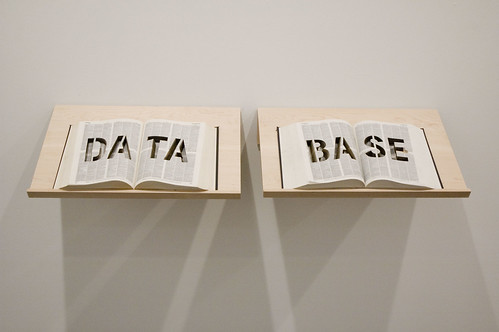
DATABASE at Postmasters, March 2009

Whilst working recently on a long, rather drawn-out database implementation and data migration project, it became clear as to how useful a better data dictionary would have been for the project. And if you are unsure what a data dictionary is, then the definition provided by the IBM Dictionary of Computing (via Wikipedia) is a good one: "a centralized repository of information about data such as meaning, relationships to other data, origin, usage, and format."

Why? Because on all projects, and especially the longer, more complex, larger ones with multiple team members (and team members who may join half way through), someone somewhere will eventually ask about your current system with questions such as: What does this field do? What does this value mean? How does this field relate to that other table we have? And so on.

And if you have a data dictionary then you can answer that! Sounds simple, and it is (if time consuming), but you might be surprised (or maybe you aren't…) at how few organisations have such a document. You will also continue to find it useful once you are up and running with your new database - it's not just for data migrations - e.g. for reports, trainers, integration projects, development projects, for new database managers and technical staff etc.

So if you haven't got a data dictionary, then as soon as you start a new database project, even at the stage of requirements gathering, business analysis, investigation phase and the like, start one. And if you have got one, check and update it. It will save you a whole heap of time later.

And if you haven't created a data dictionary before then in my next post, I will provide an example of the sort of elements you could store in one.

Wednesday, April 18, 2012

How do you compare like-for-like on CRM Suppliers’ Professional Services?

Apple Square Dance 
I’ve recently had several discussions with charities and database suppliers about how difficult it can be to compare different suppliers’ Professional Services during a database procurement. This is partly in terms of comparing the specific services/options they are offering, but of course it is often about being able to compare like-for-like in terms of cost.

The charities have thus been confused or surprised that one supplier can claim to do something so much more cheaply than another; and some of the suppliers have themselves been cheesed off that a competitor has quoted so much less when they really believe that their competitor can't come close to offering the same services as they are doing with such a budget. (Some database suppliers do have a fair idea of what some of their competitors charge for services). Which, sadly, can entice the first supplier to 'minimise' their options too when they know they should be recommending the charity buys more. And thus the charity can't compare all the suppliers' professional services equally.

This is of course one reason as to why some charities use consultants to help them with procurement because consultants do such work more often and can thus help their client compare like-for-like and with the knowledge of how specific suppliers work.


So, for the benefit of all, I've listed here a few tips as to how I approach this potential conundrum and some specific things to look out for.
  • Comparing like-for-like is important as much as possible. I understand this is the core of the matter but the important thing is to break down the suppliers' services costs into comparable sections; e.g. Specification, Development, Deployment, Data Migration, Post go-live support, Project Management etc. It is quite likely that different suppliers may have different terms for the same thing (e.g. discovery phase or requirements document; configuration or development) but you need to understand that and thus be able to compare apples with apples. Ask suppliers to detail what they are actually offering in their written proposal and that should help you. But be aware that, say, if one company is offering 2 days training and another 10 days then that isn’t truly like-for-like, and the question therefore is whether one is under-estimating or the other over-estimating, or whether both could be right! See below for more thoughts on that awkward point.

  • Ensure you include/consider all possible costs for all suppliers – even if some suppliers haven’t included them in their quotes/proposals. Some such costs will definitely be needed for all suppliers’ proposals (e.g. training, data migration), so if a supplier has not quoted for such an item at all, then ask them why not or make an allowance. That said, some costs may not be critical for all implementations (e.g. additional report writing, even go-live support for smaller projects) so in some instances it may genuinely be that some solutions will require different services.

  • Comparing ‘traditional’, dedicated fundraising packages vs ‘generic’ CRM systems. I wrote a whole series of blogs recently about this, but in terms of professional services, for the “average size charity”, it might well be that some of the services required for the CRM systems are not needed at the same detail by fundraising package suppliers – and thus this aspect of the CRM systems will either genuinely be or appear to be more expensive. For example, a fundraising package may have Gift Aid, Prospect Management and income structure all built-in as standard, but some CRM systems may need to be configured or bespoked to manage these needs. (NB: this doesn’t make one better or worse! Again, read my blog posts giving a far more comprehensive comparison).

    Likewise, because CRM systems by their definition will need more configuration (but probably will have cheaper license costs), it may be more difficult for CRM suppliers to give accurate (or even ball-park) figures at the time of a proposal. They are more likely to need to do more work with your charity before they can provide such costs, and sometimes that discovery or feasibility work will be chargeable. Nothing (necessarily) wrong with that – but you need to build it into your cost comparison.

  • Training: There can be all sorts of different ways of quoting for training, aside from the fact that one supplier may, say, recommend 3 days and another 12 days. For example, on/off-site training; user vs admin/power-users; “generic system training” (e.g. Salesforce admin training) vs system-specific; training all users vs train-the-trainer approach; and so on. Check each quote. And see below about my thoughts on dramatically different recommendations of, say, the number of days required.

  • Integration with your website: Integrating with your website to automate data integration with your fundraising database for online donations, event registrations etc can really vary in the functionality being offered, the simplicity, ability, technical approach, comprehensiveness, customisation, automation and, thus, cost. Check out exactly what each supplier is or is not quoting for and how accurate they feel they are being about such pricing.

  • Remember other integration; e.g. third-party software, data feeds etc. If one supplier does include integration costs and another does not, then check with the one who has not as to why not. It might be that some such costs are standard functionality and are thus not needed, or it might be a package offering they are providing; or they might have “forgotten” or just not included it.

    Integration can be one of the most expensive aspects of any implementation so don’t brush this under the carpet.

  • Data Migration. This is one of the hardest costs to compare. It is one of the hardest areas for any supplier to provide a quote on unless they spend some time looking at your data or unless they have a standard cost and just accept that they may spend more time on some project than others in doing this work. Although I would personally be cautious of that approach as I would be wary of what they were really offering and at what level of quality. I personally prefer quotes specifically oriented at my client's requirements.

    You can therefore take the estimate the supplier has given you and balance that against the other suppliers, but I would also talk further to any supplier who has quoted significantly less than the others. Why have they done that? What does/doesn’t it include? Do you have simple or complex data? A single or multiple sources? Are they allowing for multiple trial migrations as part of the project and thus charging less/more? And so on.

    One simple if crude approach, unless you have solid reasons to think otherwise, is to take the highest quote of all your suppliers and put that against them all. This takes this out of the equation in terms of pure costs.

  • Of course, some systems will be different. Some will require less or more configuration, even if both are fundraising packages. Some may require less/more training, and so on. Talk to the suppliers, talk to their customers when you take references, talk to other charities online, at events etc.

  • Some suppliers are more/less expensive. Some will have different day rates, some will insist on more project management, some will have pre-configured solutions/templates, some will offer discounts. And so on and so on…

A good rule of thumb is: if one supplier has quoted for a specific service but another has not, then ask yourself - and then probably the second supplier - why this is. There may be a good reason for it - e.g. it may be incorporated in another cost - but if it is needed and they haven't included it in their costs then bear that in mind...

In general, if one company quotes a lot less the other(s)…
… then go back and ask them about it. There’s nothing wrong with telling them that other suppliers (although I wouldn’t personally, necessarily say the names of such suppliers) have quoted for a lot more, so why are they quoting so much less. They might be able to explain why you need less development time, or their in-house knowledge of your current system means that they know they can do something in less days; their software might be much simpler/limited in terms of functionality/customisation etc so they might really not need to do so much work on it (although you then need to remember that when comparing different systems...); or, for example, it might be that they genuinely believe you don’t need so much training.

Or it might be that they had a caveat somewhere else in their proposal which stated they were only offering x days training and that you would need more if you wanted X,Y,Z… You’ll then at least be able to compare better, and you can then decide if that was a genuine oversight by that company or whether it was bit disingenuous.

Do not assume that if company X has said you only need 10 days of their time, and company Y and Z have both said you’ll need 30, then X will ultimately be cheaper or better or right for you. Of course they may be - but it may be that they are offering less, both in terms of work and functionality, or they may be implying you “might” need more but haven’t included that in their “core costs”.

Thursday, August 05, 2010

The 3 Most Important Things To Do in a Data Migration Project

Most times when you implement a new database, you will need to migrate the data from an existing database (or databases, or spreadsheets…) to your new system. And assuming you don’t have just a few hundred records – in which case, it might be far more pragmatic to re-key them into your new database – you will need to perform a data migration exercise. Below are what I consider the three most important things to do in a data migration project:
  • Create a Mapping document. You need to define exactly where in your new database all the fields in your old database will be mapped to. Put it in writing. Review it, clarify it, validate it. You might also define specific rules so that data from certain old fields could get mapped to different new fields depending on the value in the old field, or certain records do/don’t get migrated at all depending on a particular code/field value.
  • Test Test Test. The minimum number of ‘trial iterations’ you should do is two, and for more complicated data migrations you may require more. After each iteration, test. Test record counts, financial totals, eye-ball records for field level matching, do performance testing, stress testing, test business processes, security, do regression testing. And so on and so on. Test test test.
  • Make sure you don’t treat a new database implementation purely as a data migration project - and don't do a data migration project without remembering why you are implementing the new database in the first place. It is easy to do, to get so involved with the granular level of data that you lose sight of why you are implementing a new database in the first place. Remember the project benefits. Of course the data migration is a key element in a database implementation, and it can make-or-break at least the initial phase of such an implementation, but it’s not the be-all-and-end-all.
There is of course far, far more to the actual database implementation and many factors from that will feed into the data migration exercise (e.g. workshops, database design, change management and so on). So the caveat to the above is that this is written purely from the specific angle of the data migraiton itself.

Thus, whereas the first two points above are the most important in terms of the specific exercise of data migration, there is no doubt that the final point is the more important for you as an organisation and for your business needs.