Showing posts with label User engagement. Show all posts

Tuesday, December 20, 2016

12 Key Lessons From My Last CRM Project

On the twelfth day of Christmas, my truelove gave to me... Twelve Key Lessons I Learned From Managing My Last CRM Project


I thought I would finish this set of blog posts with a quick-fire set of some of the most important lessons I learned from the last CRM project I managed. Each point really deserves its own dedicated blog post, but I hope they provide a succinct set of tips in themselves:

  • Configuration not Customisation where possible: I have blogged about this before and it remains true. The more you can Configure and use the software's built-in tools and GUI to configure and define your system, the better. Each bit of Customised code will add cost, time, risk, pain and something you should try to avoid unless you can see real benefits, at least during implementation.
  • Don't try to re-create your existing database: It is so easy to go down the path of replicating exactly what you do now but just in a new CRM system, when what you should be trying to do is use the functionality and approach and benefits of the new CRM system. If you have bought system X then use it as it was meant to be used. Long-term that will set you up so much better.
  • Yes, ask users what they want, but then start with a simple base configuration and go from there: i.e. don't try to do every little single thing which users ask for, don't try to change every form on every screen for n different teams, don't bend and change the software in complicated ways when you are still learning and building it. Instead, get the basic requirements, use the software in as simple way as possible to get a starting point and then show the users that - if there are then things which you really have to change then you can consider them at that point or even post-live.
  • Don’t under-estimate the challenge of data integration: Integration is hard, no matter how you do it. Think of all those external data sources you need to import, that other system you want to share data with/update from your new system. It takes time, effort and money. Some suppliers may have starting points for some things such as JustGiving etc and that's good, but you may still need to change things.
  • Treat reporting as its own workstream: Reports are always one of the things in a project where you start off with great intentions and then as the project goes on, you can find they slip down the order of priority. I would recommend managing them in a dedicated workstream, with a dedicated member of staff leading on them. Remember: reports are one of the key reasons you have a fundraising/CRM system in the first place!
  • Work hard at supplier relationships: At some point in your implementation, it is highly likely that something will go wrong and you will need to discuss something painful with your supplier. The better your relationship with your supplier at that point, the more likely you will be able to come to a mutually satisfactory conclusion. It needs work but it's worth it.
  • Consider a Product Owner/Solution Owner: In a large CRM project with a significant timeline and budget, consider including a role of Solution Owner (aka Product Owner). This is a role for someone who understands not only the charity's requirements and strategies but also fundraising/charity requirements more generally, as well as CRM software and technology. The reason for this is because the implementation of sophisticated, flexible (and often expensive) CRM software systems is of course not just about the software but about building/configuring and using it with the people and processes in mind - and understanding the whole approach, design, dependencies and implications of design. The role provides a central point of contact for design understanding and fundamental decision making.
  • You will always need more people on your team: As the project progresses, you will no doubt find that you could do with more people working on your project, although it could be that you don't know all the exact roles when you start the project. So think about this up-front, budget for it and bring on some roles as you go through the project. Ideally, have a budget for future roles but have an agreement with your project board that you can define the actual roles later. And backfill if you can - always good to up-skill both the people you bring on to the project and the staff who step-up to do the BAU whilst those other people are on the CRM team.
  • Think about the post-live structure of your database support team ahead of time: It could well be that the roles you have in your current database support/CRM team will be different to those which you will need with your new CRM/fundraising system, especially if you are moving from a traditional/proprietary software to a CRM Platform,  Think about this as far ahead as possible and make plans.
  • You can mix-and-match your approaches to cost within the project: There is always the question of whether you should go for a Time and Materials (T and M) or a Fixed Cost budget. In fact, you could mix and match even in the same project. For example, some of the development work might be T and M but the data migration could be a fixed cost. Etc.
  • Post-Live: Use a Roadmap, not Phases. I will point you to my older blog post on this as the principle still stands. I believe that having a roadmap approach to post-live development is far better and more efficient than the concept of Phase 2, Phase 3 etc.
  • The importance of fun in internal comms: When you are engaging all your users, staff and stakeholders with your regular communications (which you have planned, yes?), then think of the one word which many people would describe such comms. Go on, close your eyes now and do it... Okay, got that word? Was it... "Boring"?! Sorry, that is often how it is! So make your internal comms more fun: whether it is with more innovative emails, interactive demos, screens in the staff room, lunchtime meetings with food, competitions with chocolate... It doesn't matter so much what it is, but try to think what would make you read something you didn't want to read and do that.

Monday, June 09, 2014

When Users Don't Know What They Want: Keep it Simple

I have previously blogged about my belief that you should keep database implementations as simple as possible, configuring as much as possible and not customising etc. This post is a subtle but important variation on that: this post is based on my observation that much of the time end-users don't actually know what they want or what they could have - or even (completely understandably) what the software can do - and yet we continually ask them. (And even good business analysts may not always get to the crux of the matter). Unsurprisingly, perhaps, we therefore sometimes get a system which, when it goes live, is either far more complex than the user wanted, is not really what they expected, or you even get told, "Oh, actually, that bit wasn't really that important at all. In fact, we don't really do that anymore…"

So: why not give users the basics to start with, the as-close-to-vanilla as possible, and then adapt that later once they do start to really know what they want, once they understand the software and what it can do.

E.g.: Let's keep the forms simple, the data entry straight forward, the processes matching how the software has been designed. And if that means that a user has to do two or three clicks to achieve something rather than one, then that isn't such a terrible thing to have to do in the first place.

This should mean quicker, simpler, less risky, cheaper database implementations. And implementations which are likely to succeed. And happier users.


Thereafter, once we have gone live and the users realise what they have got, then they will realise what they have is either fine or, no, they really could do with process x being streamlined further or data items a and b being linked together. Great. Then do it.

Of course, this approach does require a strong project manager or solution owner, a good project board to support the PM when necessary and a clear, open approach to explain to the users that this is what we are doing.

Do note I'm not suggesting you just say No the whole time and hide all the really funky things the users actually do want and end up giving them the very bare bones possible. You can think a bit past that! Just be open and inclusive.

And of course, as I have written before, if you do take such an approach and if during your analysis and implementation you do find processes which would benefit from more automation or a more sophisticated approach - and which can be proved to have benefits to be that way - then by all means do it. Ultimately that is one of the great benefits of a CRM system so I am not saying don't do it at all. Just keep it under control.

Monday, June 02, 2014

The Immediate Effect of CRM System Change On Staff

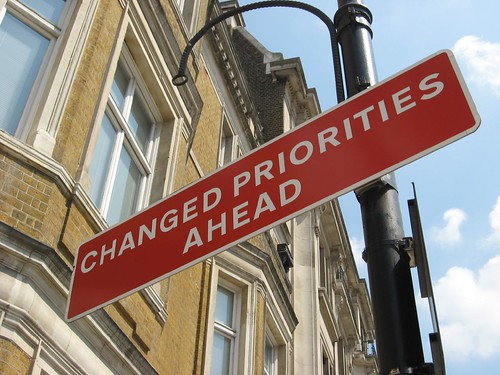
Changed Priorities Ahead sign 
Recently on LinkedIn, there was a question which asked: "Does anyone have any indicators that would give me a steer in terms of what would be normal to expect when you bring in a new [CRM] system which changes the way people work?" I loved this question as it is so insightful and recognises that clearly this is going to be one of the key impacts and factors in the success or otherwise of the new system. I gave an answer online at the time, but here are my extended thoughts:
  • You should expect more calls to your help desk in the short-term. Users will inevitably need to ask how to do things, even if they have had good training. As well as comprehensive and appropriate training, floor-walking during the initial days of go-live can also help.
  • There will be more pressure on your Database Team (or equivalent) in the short-term. There is bound to be so much going on that your poor database team will probably have (or feel they have) twice as much to do now with this wonderful new system than they ever did before. Some of that might be true! Hopefully it will calm down as everyone learns the new system and its capabilities, but in some instances it might well be that there is more work for the database team even as the new system progresses.
  • It is quite possible to see a drop in productivity in the first instance for some areas such as batch donation processing - this might sound awful and ultimately you of course want it to go the other way, but there's no getting away from the issue that some people might find a new system slower to use at first.
  • No matter how much you've tested and re-tested, something will go wrong! And no matter how much you did some great business analysis to get the users' requirements, something may have been forgotten! I say this as a (mostly) serious point because I think it's a good thing to warn users in advance (i.e. during implementation) that this might be the case…
  • Some people may not have the functionality they used to have with the legacy system and they especially need careful managing. i.e. there may well be people who actually do lose something they used to have perfectly with the old system. Work with them closely to make the transition as painless as it can be.
  • Some processes may not be optimised yet. Not a problem, they can be optimised over the coming weeks - but be aware, don't think every process will immediately be better and be open to reviewing such processes and even having to re-consider if/how some should be managed differently.
  • If you do have any areas with many more problems than you expected, encourage users to always report everything to the help desk/database team as appropriate. If they don't then it won't get fixed. I know this sounds obvious but some staff might not bother and either just not use function x or start to find workarounds. And then you're right back to where you started…
  • BUT there will hopefully be good things too! Some users will (hopefully) love the new system, so they are great people to use as advocates for some quick-win stories for everyone else. Getting reports, information & insight that you couldn't get before is great.
Oh - and somebody, somewhere is going to say, "I don't know why we had to get rid of the old system…"

Sunday, August 12, 2012

CRM Gamification - Useful for Charities? Or Just Not Right?

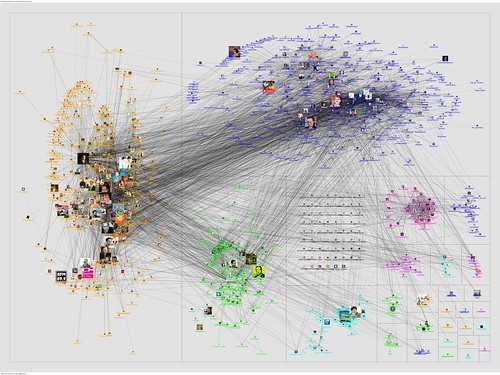
20110429-NodeXL-Twitter-gamification 

I don’t know yet if I think it is cool or whether I really hate the word, but Gamification is one of the latest buzzwords to hit the commercial CRM marketplace, and I’m wondering if it is something which could also be adopted by charities with their CRM technology. There is even one CRM supplier, Zurmo, who provides open source CRM software and their whole business model is based on Gamification. Fascinating.

What is Gamification?

For those who don’t know, Gamification (within this realm) refers to the adoption of using gaming techniques and ideas within business systems. So, for example, within the area of CRM and Sales,  salespeople are encouraged to identify more opportunities, have more meetings, close more sales etc by winning points and gaining more awards the more they do. Commonly this is in the form of ‘badges’ and different levels of badge, league tables, points and so on. i.e. it is not just financial, although in theory the financial rewards will come for the better “Gamers”.

Unfortunately, this is why my initial thoughts are that Gamification might not work in the NFP sector for database usage. After all, fundraisers are not paid commission, they are not “just selling something”, they are not competing internally within their charity and they are hopefully already driven by honourable motives to raise as much money for their organisation as they can anyway. And fundraisers often work together and (hopefully!) do not try to undermine colleagues and just raise a few pounds towards their target from a particular prospect when the charity could better benefit by another fundraiser raising a lot more from that same prospect.

On the other hand, I’m certainly not saying that fundraisers aren’t competitive! I know many who are! So maybe there is a way in which Gamification could be used in charity CRM systems too? (An example of Gamification within the realm of campaigning/the public fundraising for you was recently discussed in The Guardian).

level magnificent badgemega-achiever badge 

User Engagement

One of the key issues for charities is User Engagement/User Adoption of fundraising and CRM systems. As much as we all know how important the database is, and as much as we try to make it user-friendly, quick and easy to use and provide better user interfaces, there are still very few fundraisers who love databases (in the way that that tech folk do!). So could Gamification make users use databases?

Maybe such awards and rewards could be focused differently? Maybe less directly competitive and more recognition-oriented, or even an attempt at fun! Maybe teams could “compete” but not necessarily on financial targets – could there be other goals (KPIs?) we could use? Maybe even something as simple as running reports! Or perhaps volunteers could be encouraged through Gamification more attune to the commercial approach?

I know one organisation who, during their implementation of a new database, introduced an incentive scheme to encourage users to make themselves familiar with the new system: each month for several months, they had a mini-competition/challenge amongst the users whereby staff had to use some aspect of the forthcoming database in order to win a prize. In the early months, this was a simple as getting users to look-up a specific record on the database and email the competition organiser with, say, a donor’s last donation on that record (which of course meant they had to learn and understand the system to find that information), and for that they got a chocolate bar. But by the time they were going live, the challenges were more difficult/involved and the ultimate prize was a day’s leave (just for one person of course!) – something many staff would certainly value.


So I don’t know…

When I first heard about CRM Gamification I was fascinated and desperately wanted to believe charities could use this, but then I thought not. But now I am trying to look more laterally - are there in fact other ways in which we could adopt such processes? Or is the whole approach just wrong in a sector whose very basis could be seen as the antithesis of commercial competitiveness – at least within an organisation.

Any thoughts?

Wednesday, April 11, 2012

15 Questions Fundraising Managers Should Ask About New CRM Projects

Fundraising 
Too often, fundraising managers are not close enough to the implementation of a new fundraising database or charity CRM system; sometimes (incorrectly) by the nature of procurement and sometimes (incorrectly) by choice. But for a fundraising system, they are more likely than not going to be the key reason for why it is being implemented, so why wouldn’t they want to get more involved?

So if you are a fundraising manager and there are plans in your organisation for a new fundraising database, then what questions should you ask during the procurement process and before the project kicks-off?

  1. How do I know it will meet my requirements? When do you need my input? How will it be documented?
    The most basic of questions. What is the process to capture your requirements and how can you be assured that it will capture all your needs? The latter point may be very difficult but you need to ask. Is all the reliance going to be on you and your team, or is the database/software supplier or a third-party going to be more heavily involved?
  2. How will it help my [DM team/Major giving team/etc]?
    Although this goes hand-in-hand with (1) above, there is no harm in asking specifically about how the new system will help your different teams and aspects of fundraising. What are the actual benefits you will get which will have an impact on your fundraising and income?
  3. How is the project being managed? What input do you specifically need from me and how often?
    Has the project got a project manager – part-time or dedicated? If not, push for one! And don’t rely on just the supplier being the project manager – that isn’t the same as your organisation having a PM. And will there be a Project Board or steering committee? If so, how will you be involved and when? You need to be involved somehow – at the end of the day, it will be “your” system, so don’t think it will just magically happen without you needing to be involved.
  4. What fundraising experience does the software supplier have?
    And not just the supplier as a company, but the staff who will specifically be working on your project. Most “traditional/dedicated” fundraising packages should have staff with plenty of experience, but for the newer, “generic” CRM systems, is that definitely the case? If the answer is “not a lot”, that doesn’t mean you still can’t work with them, but there could well be more dependency on you.
  5. Will we need to change our business processes? How will that be decided and when?
    It is highly likely that you will need to at the very least review your business processes. In fact, if the answer to this is “no – you can keep your existing processes”, then this may sound beneficial, but ask yourself, are your existing processes actually the best processes you can have? Why do you have them? Is it because your current fundraising software has forced you into a certain way of working – in which case, why would you necessarily want to carry on with them?
  6. How can the software interact with our website? How can we load data from JustGiving/VMG etc?
    This may result in a technical answer so try to get someone to explain (as much as possible) in layman’s terms. At least find out what the options are, the benefits for each option, the different costs, the level of complexity/sophistication and timescales.
  7. How will it impact on our other systems and suppliers?
    You are bound to have other software systems which interact with your current database (e.g. PAF software, banking software, Word/Excel etc) and you may well have third-parties who provide you with data files, such as fulfillment houses, data cleaning companies, online websites etc.
  8. What training will my team need?
    Ensure you ask this and if in doubt, ask again. Training is often perceived as a double-edged sword by fundraising teams: everyone seems to want it at the start of the project, but when they are later told that they will need 3 days out of the office, this suddenly becomes less attractive/important. Find out, break it down, insist on it, plan for it.
  9. What reports/dashboards come as standard with the database software? What skills do we need to create more?
    At the end of the day, if you can’t get the data out of your new system in a meaningful way to show you reports and appropriate information, then why are you using it. Are there any standard reports and dashboards which come with the software, and if so, how flexible and appropriate are they for your needs? And you are bound to want other reports, so who will be creating those? Will you have to rely on the supplier, or can someone in your organisation (your team?) create them?
  10. How will testing be done? What input will you require from my team?
    Another thing which everyone knows is essential but somehow gets pushed under the carpet if you are not careful. Find out what the training plan will be and what will be needed from your team and when. How will they be supported. And do you have any “business critical” processes which you will need to be 100% assured of working (e.g. direct debit claims) and if so, how will they be tested and what will the fallback plan be in case they don’t work (even after testing!).
  11. What input/time will you need from my team during the implementation and at what stages of the project?
    This should incorporate much of the above (i.e. requirements gathering, testing, training) but it’s very useful to get an overall understanding of the sort of work you and your team will be needed for. Is there going to be any need to back-fill any positions for any part of the project?
  12. Do we have a contingency for the budget?
    Sadly, projects do go over-budget, so has this been considered? How was it decided, and how will any contingency be approved during the project?
  13. What happens if the project over-runs?
    Again, it is quite feasible that the implementation will take longer than initially envisaged. If this does happen, what will the impact be? Can you carry on using your existing database, and for how long? What are the cost impacts? Will there be any impact on your fundraising or planned activities?
  14. How will you keep me updated during the project? How will you keep other stakeholders updated?
    A key thing is to ensure that you – and the other key stakeholders in the project – are continually and regularly kept updated. This doesn’t mean you have to meet every week or receive a 10 page technical report, but you need to know how often you can expect updates, how and what will be in such updates. This does go hand-in-hand with point (3) above on project management, but is one of the most crucial parts of that.
  15. What will the supplier’s involvement be after we go-live?
    Once you do go-live with the new system, what will the supplier do. Will they just walk away and let you get on with it? Will they be around for a period of time? What other input and help can they provide over the subsequent months (and years).
And having limited myself to 15 questions, there are in fact many more which now spring to mind. But I hope the above provides a solid base for you to start from.

Anyone else got any more questions which they think are useful for fundraising managers to ask? Or has anyone had any experience of when fundraising managers did/did not get so involved and thus when a project did/did not succeed?

Tuesday, June 07, 2011

It's not the technology that's difficult, it's Everything Else

for Ally

I recently visited a comparatively small charity who wanted to extend the use of their fundraising database beyond the fundraising and marketing department. It soon became clear from our meeting that there was no problem with the technology in terms of doing that, they have a good fundraising package and it can certainly manage the other departments’ requirements.

But what was also evident quite quickly was that the main problems with the project would be the non-technology aspects: some objections from other people, training, data migration, standardising codes and terminology, adjusting business processes, finance flows, data protection, the time it would take other departments to enter what they saw as less useful data, record ownership, user licenses, ensuring new users attend workshops, planning future communications, budget… and so on and so on.

All of which just went to re-enforce my understanding and belief about all such CRM implementations in that the technology is the simpler part and the People, Processes and Everything Else is always the challenge. (NB: I’m not saying technology is necessarily simple, just simpler…).

This is of course what I have been banging on about recently to anyone who will listen (and, as anyone who knows me will testify, I can go on a bit…!) and my apologies if I am starting to sound like a broken record. But I hope that if I keep doing so, then even if just a few organisations who read this take on board the message and thus plan their future database and CRM implementations with this in mind, then that will make me feel much happier.

Monday, May 16, 2011

Lessons Learned from Implementing Single Supporter Systems (Part 1)

one I have helped implement and been the project manager on a number of Single Supporter Systems over the last few years, and last week, I gave a presentation about some of the lessons I have learned from doing so at the Institute of Fundraising Technology Group conference. This post incorporates the details I discussed at that session plus a bit more. 

I have split the post into 2 parts because there is quite a lot to say, although as I mentioned at the conference, I can sum up my lessons learned thus: it’s the people and processes which are the difficult parts, the technology is the simpler bit. Although do note I said simpler, not simple…

Lesson 1: What is a Single Supporter System?
For the purposes of this blog, I am going to define a Single Supporter System as something which enables you to see everything about a defined set of constituents in one place. I use those words carefully as the actual system (the 'something') could be a single database or it might be a ‘marketing view’ of several source databases. I’m not going to go into the technical issues and the pros and cons of all such approaches in this post, but the heart of my lessons learned will be the same regardless of how you do it technically.

I also have a slight assumption that if you are building a Single Supporter System then you have, or have had multiple existing systems, or you may have one system but you are now implementing it with new and different departments or teams who have never used it before. That said, if you are planning a new CRM system which is just for one team, such as Fundraising, then most of these lessons will be equally applicable.

It is interesting that it can be difficult to define a Single Supporter System and there are many similar terms and words which we could use instead, all of which could be easily inter-changeable. For a bit of fun, click on this diagram and you will see what I mean! My favourite is “360 degree customer relationship management database”; that’s some TLA…

That said, there is also a serious point to mentioning all these buzzwords, because one lesson I have learned is that it is often better to give the system a more “user friendly” name than The Single Supporter System or the name of the software package you are using. A short, well-understood moniker can help users’ understanding and acceptance, especially if it is an organisation-wide database and not just in one department such as fundraising.

The other key point which you need to define immediately is that middle word in all these phrases: is it supporter, donor, contact etc. Again, this is important from a comprehension and acceptance point of view amongst all the users, but more critically, we have to define just what records are going to be stored on the system and which are not. That may sound obvious but if you do not define your scope right at the start of the project then you will heading down a long, dark path of confusion.

Lesson 2: Define a (Strong) Business Case
Following on from my last point, let’s take a step back. Not only do we need to define the make-up of the system but there are lots more things we need to define and agree on first. And for this, we need a Business Case – i.e. not just something we say, but a properly structured and well defined document.

There are many reasons why and it requires a whole separate blog post to discuss [and indeed at the IoF conference, there was a separate seminar examining this] but for me, and especially from my experience as a project manager, one of the key reasons for having a Business Case for a Single Supporter System is so that we can absolutely define the scope and benefits of the project; so that if, during the implementation, someone in the organisation says that their database should also be included in the new system, then, if it wasn’t in the original Business Case then I can very simply say that isn’t something we are doing. Or, if they really think it should be, then they can ask for the Business Case to be reviewed, and if that is agreed to, then, if the Business Case subsequently changes, then we can decide if the Business Case still holds water and thus if the project should still continue.

So my three key reasons for having a business case for such projects are:
-         To define the scope of contacts/records being held in the system (as discussed above);
-         To define the functionality;
-         To set the objectives and measurable benefits we are aiming to get from the system;
The Business Case also needs to have top level management support, the more senior the better.

A quick word on the fact I said the benefits should be measurable. I know this is difficult but we have to do it. If we don't then how can we truly say if a project is successful or if it has reached the goals and benefits it set out to achieve.

Please note that there are many more reasons for having a Business Case and many other things which should be included in a Business Case – this post is just to emphasise the key ones I think are useful for a Single Supporter System. For a very interesting discussion on this very point, have a look at the IoF Technology Group’s LinkedIn Group discussion board.

Lesson 3: Manage User Engagement
So if I think that the people are the harder aspect of implementing such systems, then what can we do to manage user engagement?

I have actually written several other blog posts about this, so I am going to sign-post to them here:

-         16 Ways to Improve User Buy-in, and

I do want to emphasise the second post. Because when it comes to Single Supporter Systems, we cannot afford for individuals to be maintaining their own data silos (typically, spreadsheets…). They may well have good reasons for wanting to ensure they control communication to their contacts (e.g. VIPs, major donors, MPs etc) but this does not mean they should not store their data centrally. The fundamental reason being that if they don't store their contacts on the central database then, in actual fact, it will be impossible for them to stop anyone else contacting them - assuming that such contacts have - or will have - other relationships with your organisation which are already stored on the central database. In addition, more and more, organisations are understanding that the concept of "my records" is not helping the charity holistically – and the end of the day, it is the organisation’s data, not yours.

Lesson 4: We need to Define our Business Processes
This is a classic, now quite old “cartoon” which shows the evolvement of IT practises. Click on it and have a look if you have never seen it before! It is frighteningly accurate too many times!

And it emphasises an important point: it isn’t easy defining business processes but it is necessary in order to implement a new system – especially a Single Supporter System where it is imperative that everyone uses the system in the same way. It is also very hard sometimes for users to sign-off processes when they are written-up and given back to them, especially if/when they are written up in “tech speak” and/or “system-specific speak” even if the document detailing the processes tries not to be technical. We have to recognise this and need to work very hard to make such documents as understandable as possible to such users. I have also found that mocking-up the system to actually show users how it will look can help this process.

We also have to remember that a new system gives us the chance to ask the question, “Why do we do the following process as we do now anyway…?” And in my experience, it is likely that the answer will fall into one of 3 categories:
i)                    We investigated and it is the best way of doing the process;
ii)                   Er, dunno, we’ve just always done it that way…;
iii)                 Because our existing computer system made us do it that way.

A new system is thus a great catalyst for us to address the above and decide on what is the best approach for the new system. And over the years, I have come round to thinking that the following works best: you should, where possible, fit your business processes around the database you buy – and not fit the database around your processes. This does presume that you are implementing a package of some sort and not creating a bespoke solution.

Why? Many reasons again, but the key benefits are:
-         The database has been designed (hopefully) using good practise and has evolved over the years for many other organisations to use, so why can’t you use it that way too?
-         You’ve bought the software, so use it! If you decide to start customising and changing it left, right and centre then is it the right system anyway?
-         It is more future-proofed; when new releases come out, there are no customisations to break, no bespoke practises to change.
-         It is (usually) cheaper and quicker to change your processes than the software. Usually…
-         And, for Single Supporter Systems, you are likely to have many different views from lots of different people as to how we should be doing something; so having a base of ‘this is how we do it’ can be useful.

I also realise that rules are there to be broken so although the above is always my opening gambit, it does not mean you should always follow this rigidly. I recognise that there are some business processes which really have to follow certain processes (e.g. batch entry, gift aid processing) but I have to presume at this point that your initial procurement was good enough to have ensured that such important processes could be done as you needed them to be. So, if you haven’t done your procurement yet and you are reading this, then take note!

Part 2 of this post will cover the following areas: Technology,  Project Management and a final key point which brings it altogether.

Monday, April 18, 2011

9 Guaranteed Ways to Improve the Use of Your Database : Part 2

This is the second part of my blog on guaranteed (really!) ways to improve the use of your database. (But please do refer to my first part for a couple of caveats on the Ease, Time and Cost points...)

6. Instigate a structured training (and learning) culture

One of the most common complaints from end-users of CRM systems is that they have not received sufficient training. The training may have come from the person who’s job they were replacing, it may have come from someone else entirely who knows a bit about the system, it may come from someone who has been at the charity for years and is still following processes which are way out of date. Or they may have just been given an old, dog-eared collection of papers and told that is the user manual – or they may not have had any training at all!

If you want your database to be better then you need people to use it as it is intended. And therefore you need to train them. Properly. By people who know what the database should be doing, who know what the latest processes are, who have the time to train someone, who are happy and comfortable training someone - and, of course, training someone who has the time and inclination to learn. Being trained on your organisation’s database should be part of someone’s induction plan when they join your charity.

I also distinguish between a 'training' and a 'learning' culture: individuals should be encouraged to learn more about the system(s) they are using. This isn’t necessarily easy! Why should they bother learning something or asking more about something or wanting to improve something if it doesn’t help them with their job? So make it so that such practise does help them with their job. If they can’t do something on the database then encourage them not to remain quiet but to tell someone. If they have a good idea then get them to tell someone. The more people learn about what is possible on a database then the more they, you and the organisation will get out of it.


Ease: No technical skills, but needs Senior Management support Time: On-goingCost: Free


7. Create reports (and dashboards) your users and managers really want

If you really want to improve the use of your database, then you need to give users and managers information which they really want. So ask them what information they want, ask them what would really help them in their every-day role and with their strategic role, ask them what is most important to them and what they have always wanted to know! You might want to “manage expectations” around this by explaining that you might not give them what they want tomorrow... but you will try! You might also find that they can’t get such reports because no-one is collecting the data they want. So they can then help you rectify that.

Then create reports which they can use. And dashboards – managers love dashboards.


Ease: Needs technical skills Time: Each report might take from a day to many days!Cost: Free if you can do it internally (Otherwise you'll need to pay someone)


8. Create a Business Analyst role

This is one of the best ways you can get more out of your data and database, but it is also one of the more expensive. Human Resources always is. But what a Business Analyst (BA) will bring you to your organisation, if you don’t akready have one, might change and improve the way you do things so that they will more than pay back their salary.

Because what a good BA can do is go out to the users and discuss their needs, ask the managers what information they want, examine the procedures and processes you have, work on strategic documents with your staff, analyse data, analyse the database, produce options for change, make recommendations and help implement. They can act as the “bridge” between your database team and your users.

I realise this might sound like some “impossible creature” to some people, but really, they can be one of the most important roles in any organisation. To have someone who understands data and databases and what they can and can’t do, but can talk to your users and understand their business is gold-dust. If you find someone who can do this for you, hang on to them!

I should also say that although I use the term "Business Analyst" and define it here as a specific role, if you have someone who can do this sort of work even if they are formally called the "Database Manager" or any other similar position, then that is just as valuable. It's the skills and process which are important, not the job title per se.


Ease: Can be quite difficult to find someone good Time: Permanent roleCost: Expensive, as in you need a full-time employee on a reasonable salary


9. Get rid of any Data Ownership hang-ups

I’ve blogged about this before, so to summarise here:

Many charities are now moving away from "data silos" and the concept of "owning one's records". Which is great news and about time. So the next time one of your users/colleagues/staff says to you, "I don’t want my contacts to be stored on a central database because I don't want anyone else to be able to contact them…" then this is the response I recommend you give them:

The fundamental problem with this is that if they don't store their contacts on the central database (and instead, for example, keep them stored in Excel) then, in actual fact, it will be impossible for them to stop anyone else contacting them - assuming that such contacts have - or will have - other relationships with your organisation which are already stored on the central database. For example, if your user is the events manager, then if any of their event registrants are also donors, volunteers, prospects, on other mailing lists etc and as such they are already stored on the central database, then how can the events manager stop them being mailed? No-one using the central database will know that they are also on the separate events spreadsheet. Moreover, they will probably need to be contacted sometimes by other users anyway.

And anyway, it isn’t “my data”, it is the charity’s data. Start using it for the holistic benefit of the charity.


Ease: In theory easy, but you get stubborn individuals! Time: Instant to instigate, may take time for everyone to buy-inCost: Free


I hope you find all these suggestions useful. They really will improve your database if you put them into practise in a structured and considered way.

And if you have any other suggestions then by all means leave a comment below.

Thursday, April 14, 2011

9 Guaranteed Ways to Improve the Use of Your Database

Each of the following processes will improve the use of your database - really! Some are simpler than others, some are free and some definitely require investment, some require technical skills and some just need a new business approach. But they are guaranteed to bring you benefits if you don't already follow such practises or you haven't implemented such functionality. And you can quote me on that!

I have also tried to indicate for each one how easy it is, how long it would take and how much it would cost. Please bear in mind these will of course vary depending on your specific requirements, your database, your in-house skills and so on. So don't quote me on those figures quite so much...

I have split the blog into 2 posts, so ideas 6-9 will follow in a separate posting.


1. Clean your data (and do a data audit)

It doesn’t matter if you have the best database software in the world – if your data is rubbish then you won’t be able to use the database efficiently. End of story. Because if you have records without key data, incomplete addresses, blank fields where they shouldn’t be blank, duplicate records, inconsistent data in the same field, different use of the same field, if you can’t store specific data items which your users need, unreliable data and so on and so on, then how can your users trust the database, how can they produce reports or do queries or segment the system properly or base decisions on correct data, plan their strategies and do their every day work.

So clean your data. Ideally, do a data audit: create a report which shows the different areas of your database, what fields you have, the type of data, record counts, counts on data items in key fields, data integrity issues and so on. Then you can plan your data cleaning exercise properly and in a structured way.

Ease: Not too difficult Time: Audit: 1-2 weeks. Data Clean: several weeks upwardsCost: Free if you can do it internally (Otherwise you'll need to pay someone)


2. Add data integrity rules

Following on from (1), we need to keep our data clean and one of the best ways to do that is at the point of data entry, and one of the best ways to help enforce good practise for data entry is to implement data integrity rules into the database. So, for example:
  • Ensure that a drop-down table (a.k.a. look-up or reference table) is used on fields which have a set or finite number of options within their data set. E.g. Counties, ethnicity, appeal code, type of interaction. (And don’t let end-users add their own codes to such tables!)
  • Make fields “Required” where they must have data recorded in them (e.g. an individual’s last name, a specific code). But bear in mind that if you do that, then there must be an option for all possibilities. E.g. if you make Post Code required then what does a user add if they really don’t know a contact’s post code?
  • Use defaults. For fields where there can be a default, add one. Users can over-write if appropriate.
  • Manage rules on date fields; e.g. don’t let dates get added which are after today’s date where this shouldn’t happen; e.g. date of birth.
  • Use calculated fields. e.g. Automatically calculate age based on date of birth, as opposed to asking a user to key that data.
  • Automatically populate fields based on other fields: e.g. gender based on title (where possible), cost centre based on fund designation.
  • Properise fields where possible and appropriate; i.e. with an initial capital letter. e.g. First Name.
And run “data integrity checks” against your database at regular periods. So where it isn’t possible to create a simple rule on a specific field, create a query/report whereby you can at least produce lists of any data anomalies. For example, appeal codes which shouldn’t be on specific record types, individuals marked as deceased who are still giving donations, UK counties on a record with a foreign country.


Ease: Often needs technical skills Time:  From a few days to on-going Cost: Free if you can do it internally (Otherwise you'll need to pay someone)


3. Don't allow people to use any spreadsheets instead of your database

If you have a database which your staff should be using then don’t allow them to use spreadsheets instead. As soon as the first, external spreadsheet is created, then the data integrity between the two will be lost. Data updates won’t be done, your other users won’t know about specific information now stored on that spreadsheet, you can’t keep tabs of communications with the people on the spreadsheet, there is no security on the spreadsheets etc.

Keep all data which should be on your database on your database. You may need to get a central message from senior management to help you enforce this but it will all be worthwhile.

Ease: Easy to start! (Can be harder to enforce...) Time:  Immediate... but then on-goin Cost: Free


4. Automate what isn't automated

This will always help your database, whether it is for the database team or the end-users. If you can automate something then it will be quicker, more efficient, more accurate, more timely and really optimise what a database is for.

For example: Gift aid claims, reports, mailings, acknowledgement letters, exports to fulfillment houses, importing data from fulfillment houses, extracting data for your finance system.


Ease: Need technical skills Time: Depends on task but each will probably take timeCost: Free if you can do it internally (Otherwise you'll need to pay someone)


5. Integrate it with your web site

If you take online donations, accept online event registrations, let people sign-for newsletters or if you would like to let your supporters update their own address and contact details, opt-in/out to specific communications etc, then you need to update your fundraising/CRM database in one way or another with such data. If you do it manually at the moment then the time and effort is likely to be pretty high.

Integrating your database with your web site so that this can be automated in one way or another will bring great benefits. But it isn’t the simplest thing to do from a technical point of view, nor the cheapest. And you’ll need input and co-operation between different teams so it may not be the easiest in that way either and may take some time.

But if you can automate such integration then you will save so much time and effort internally and add some great data capture, so that the benefits you can get from doing so may well outweigh the cost.

Ease: Often difficult Time: Allow several months from start to finishCost: Potentially high

In the next post, I will consider training, reporting and the benefits you can get from a business analyst.

Monday, January 10, 2011

5 Innovative Challenges for Your Database Team for 2011

If you manage a database team, or you are part of a database team at a charity, then why not challenge yourself this year and do something a bit different and innovative! The suggestions below will take time and commitment and maybe even some financial input, but I believe that you and your organisation would get excellent benefits out of them (and slightly different from the norm). They are probably best suited to charities who have a bit of manpower in their database team and a reasonable sized user-base, but even if your organisation doesn’t fit that model then you could still adapt them to your own structure.

And even if you don’t like my suggestions, what about thinking of alternative but new and different challenges of your own? Share any you come up with in the Comments section below this post.

Enjoy!


5 innovative challenges for your database team

1) Hold an Internal User Conference. i.e. In the same way that your database supplier might hold an annual conference for their customers. Put aside a day (or a half day if a whole day is too much) and have a couple of 'streams' of seminars, invite users to speak at some sessions, invite a keynote speaker (try your supplier, ask a funder, invite me!), consider workshops or one-to-one "consultancy sessions" and of course put aside time for coffee and networking. Yes it will definitely take some serious organisation, yes it could cost to do it and yes it could be a challenge to get managers to let all your users go, but, hey, it wouldn't be a challenge otherwise!

2) Spend a day in a data/database department at a commercial organisation, learning what they do and how they practise database management. We can be very insular in the charity sector, and although I know plenty of NFPs who run wonderfully good database teams, we could definitely learn from for-profit companies too. Ask your fundraisers if any of their contacts, sponsors, funders etc might be up for helping, or just use your own contacts – we all have friends who work in large companies and other sectors. One thing you could consider is not simply selecting a company “similar” to your charity, i.e. a bank or a retail organisation. Why not try somewhere completely different? A leisure centre, a construction company, a vet! Surely we can learn something from other such industries. And if you have a large enough database team, send different people to companies in different sectors and then compare notes.

3) Think of new ways to use all the data fields which you already store in your database. I have done this a few times (admittedly with varying degrees of success!) but it’s always interesting, even if it’s just as an ice-breaker for a meeting. For example, why do we store an individual's first name? Just so we can write to them? Boring! Think of something else. How else could we benefit from knowing someone’s first name? How could we use that data/information? And what about your other fields - Date of birth? A job title, zip code/postcode, first gift date etc etc. Brainstorm. Who knows what it could lead to.

4) Dedupe your entire database, just for once! Now that would be a challenge… Can we ever say that we have no dupes in our database?!

5) Do some brand new data analysis on areas never looked at before on your database. So often, database teams are asked to do specific data analysis by fundraisers because of specific campaigns, or because we/they know (or we think we know) that tried and tested analysis techniques work. Which is fine and should of course be followed. But try instead, for example, to test whether there is any correlation between 2 or more factors/data items on your database which your fundraisers have never thought of using/comparing. Compare fields and data against each other, against time, against demographics, income and so on. This might well involve a lot of data mining to come up with anything new and useful, but if you do find something then that might create a whole new fundraising opportunity or income stream. Fundraisers are not data or database experts – you are; so don’t rely on just being reactive to their requests, be pro-active and think of some ideas yourself.

Tuesday, September 21, 2010

What does make CRM software user-friendly?


In almost all ITTs I have helped with, the client has asked that “the database software must be user-friendly”. But what does that really mean? Is it such a personal thing that no database package can ever be fully user-friendly for all users? And who should it be user-friendly for? Just the end-user or the database manager/technical staff as well? Can we really define user-friendly? Well, I’ve seen a few CRM packages in my time, the good, the bad and the really ugly, so these are my top requirements for user-friendly database software:
  • Screen layout
o       This is generally what people think of when they mean user-friendly. Clearly, screens (forms) should not be too busy - don’t cram fields together on one screen, keep it ‘clean’, keep common fields together on one screen/tab, don’t use really small fonts. It’s all common sense but unfortunately it isn’t always that common.
o       Screens should ideally be customisable for different users/types of users. This can really help: why would the DM manager want to see the same fields or menu items as the volunteer assistant? And no end-user wants to see all the hundreds of icons which the database manager needs to see, so don’t display them to such users.
o       List columns can be changed by users using click-and-drag. A very specific point, but databases inevitably have lots of forms with lists of records and ‘one to many’ type entities (which when clicked on, show much more information behind them); so if a user themselves can simply change what is important to them on such lists, and continually change that if their requirements change, then that can really help user-acceptance.
o       Not a clunky look-and-feel. Okay, that’s hard to measure and a little obvious but I have seen some dreadfully clunky systems even in the last few years and there is nothing more off-putting as a first impression.
  • Overall navigation
o       Standardisation and familiarisation. There is little reason not to use a standard approach for the look-and-feel of a package’s general navigation. Whether it’s the familiar Windows/Mac environment, an “Outlook look-and-feel” (e.g. MS CRM), the use of browser/hyperlinks, good use of double-clicks, and increasingly, the ability to click-and-drag a la Google maps/finance graphs etc.
o       Consistency across the whole package. Please!
o       The ability to add ‘bookmarks/favourites’ (as per web browsers) so that, rather than having to remember which 4 clicks are needed to get somewhere, common functions and records can be accessed from a user’s front/home screen – especially on feature-rich databases and those with multiple screens and icons.
  • Customisable terminology. Users love to see terminology they are used to. They don’t want a field which says ‘region’ if their organisation uses ‘areas’. They don’t want a ‘donor analysis & performance report’ if they run weekly ‘donor update’ reports. There are limits, of course, and packages are still packages, but the more an organisation’s own terminology and language can be used, the more user-acceptance you are likely to get.
  • Automation: automating tasks can be extremely beneficial. Mostly in processes (e.g. when sending a mailshot, the ability to do the mail merge and update the communication history on a donor’s record – all using one click), but also in terms of data integrity; if you enter ‘Mr’ on a supporter’s record, then surely the gender should be ‘Male’.
  • Simplicity when creating queries/reports. This is one area where the trade-off between sophistication and simplicity may be difficult. It should be possible to use a GUI to create simple ‘list’ type reports, and I like the ability to make reports parameter-driven so that a user can learn how to use just one report but run it against multiple sets of records or for multiple scenarios. But when it comes to more sophisticated requirements, there is no getting away from the fact that a report needs to be created by an experienced/database-savvy individual – but hopefully they can make that available as a simple report for the end-users. No SQL for end-users, please.
  • Intuitive. This is the second-most common request by organisations, that the software “must be intuitive”. But this is so different for different types of people, for different levels of skills, for people with different experience of databases and so on. I would say that if much of the above can be met, then the intuitiveness of the software should follow. But that doesn’t mean you won’t need training…
  • Other points:
o       Simple integration with other packages: Word, Excel etc. Yes, great. One-click to make a report into a Word or PDF document; right-click to export to Excel.
o       Speed? A lightning fast database won’t make the software automatically user-friendly, but a slow database sure can make it feel unfriendly.
o       Easy to update. One for the technical guys and support staff (and implicitly the end-users): if software updates can be centrally deployed rather than having to go round each PC with a CD…
o       Small, specific features can really help. Just a few examples: the ability to drill-down in reports (to further levels of the report or even into supporter records), predictive text on drop-down fields, simple moving between records/opening multiple records at the same time, colour coding for specific records/statuses. I’m sure you can think of others. 
o       Help screens? Even better if they are customisable by a client. Good error messages?

It is interesting that when considering much of the above, one does need to consider the pay-off/difference of user friendliness for end-users as opposed to database managers/the technical staff. It may take a database manager some time to make the database terminology correct for their organisation but it will help the end-users enormously; they may need to create multiple versions of a form for different groups of users, but it should cut down on their support calls. 

And what of the future? Is the iPhone generation going to change the way CRM databases can be used? Is touch-screen the future? Or voice control?! Basically, if the software is simple (okay, that’s still subjective), customisable and follows standards then that’s a good start, and our desire to minimise everything to the size of a mobile phone should still reflect that.

Monday, July 26, 2010

Top 10 Benefits of Project Management

I have been fortunate to have been a project manager at several leading charities over the last few years, mostly on database and CRM implementations, but also on other IT and finance projects. Here is my list of the key benefits I believe a good project manager should bring to any similar project:
  • The project team and staff will know what is going on and what is expected of them. This is possibly the most important aspect of any PM’s role – without this, there is a high potential for lack of leadership and the project failing.
  • The bottom line: a project manager must monitor, maintain and know the overall and current state of the project budget, timescale, resources required and deliverables and produce the associated reporting to the project board. This is clearly a key aspect for any PM.
  • Maintaining an up-to-date project plan, including milestones. (NB: It is usually not sufficient to solely use a project plan provided by a software supplier as inevitably that does not incorporate all the internal needs and issues which the client has).
  • Keep the project board up-to-date with monthly meetings and (usually) more regular highlight reports. A good PM can also work with the project board when it comes to discussing and making decisions on the project when it is not going as well as it should be.
  • Co-ordination and centralisation. With a large project, it is imperative that everything is fed through a central resource and everyone knows how to do this.
  • Monitoring resource allocation: Whilst the PM is not responsible for the actual resource allocation, it is important that they monitor how resources are being allocated and ensure that necessary resources have been planned for.
  • Communication: not just with the project board and the immediate project team, but with the users and potentially a wider audience to keep all interested stakeholders up-to-date.
  • Task dependencies: A key aspect of a project is that many tasks are dependent on other earlier tasks or must be started/completed before other tasks can happen. Again, this is something which needs to be monitored and understood.
  • Risk assessment and issues management. This is a critical requirement and incorporates maintaining a risk register and issues log; and if it doesn’t go quite as far as being a ‘trouble-shooter’ then it certainly involves identifying and understanding the risks when trouble might appear.
  • Prevent (un-authorised) scope creep.
  • Supplier liaison/management and co-ordination
Okay, if you counted, then you will see there are 11 benefits – sorry, I just had to sneak them all in!

Monday, July 19, 2010

16 Ways to Improve User Buy-in

Many database implementations are planned and considered with some input from the end-users, but if the project is a long implementation or there are many end-users who thus may not be involved day-to-day, then there is a risk that such individuals may become disillusioned or disenfranchised from the project.

Here’s a few bullet points (in no particular order) to help encourage user buy-in to a project:
  • Continual communication: probably the simplest and quickest but unfortunately the most under-utilised. It doesn’t need to be much, e.g. a regular email to the end-users and/or through their managers, updates on your intranet, brief presentation at team meetings etc, they all help. And you can get feedback from the users too. In addition, many of the points below by their very inference are continual communication, but having a structured approach can really help.
  • Involvement at design stage: Do involve key users at the time you are designing the database, whether it is the customisation of a package or the detailed design of a bespoke system. This may sound obvious (even necessary! I hope so) but it works. And do plan ahead for any such involvement; I find users really enjoy and want to get involved but not if you ask them to do 2 four hour workshops next week when they are just about to launch a new campaign!
  • Demos of the software & opportunities for hands-on experiences during the implementation: Show the software to the users – it’s a great way to get them excited about the new database and even if you do an initial demo at an early stage, then you can ask for their feedback and comments and make them feel even more involved.
  • Assurance of training: It’s always one of the top 3 questions from users – What sort of training will we have? So give them details as soon as you know, and even before that, pre-empt the questions by assuring users that training will be provided.
  • Ask for ideas – during implementation and after go-live: Continue to ask the users what they would really like, although you’ll need to this in a ‘controlled environment’. If you let them ask for anything and expect everything then that can be worse than not asking at all, so do communicate that ideas will be considered but may not all be implemented.
  • Keeping promises, so don’t over-promise! Hand-in-hand with the above, and in general, keep your promises but don’t over-promise. A slightly trite phrase is ‘Under promise and over deliver’ and even if I don’t like that specific thought process, the underlying concept is reasonable.
  • Remember, What are the benefits to them? When you’re selling a new database to the users, what are the benefits that they are going to get themselves? It should of course be the case that the organisation will benefit from a new database, and although that should ultimately mean the users will too, it can also mean that processes may change, more data entry may be needed etc. So, identify specific benefits which the users will get and communicate those. That will help them understand the need for any changes which they don’t like so much.
  • Pro-actively address the common objection of “I don’t know what I want from the database because I don’t know what a database can do” – because it’s (usually) a fair point. Don’t just ask, ‘What do you want the database to do?’ because many users quite simply will not know the capabilities of a database. If they have not had experience of a really good system then they may not be aware of all the benefits they can get from one. Instead, ask ‘What do you do in your job?’, ‘What are the problems you have?’, ‘What would make your life easier?’ and so on. Classic business analysis.
  • Stories of how other charities have benefited from it: Find out how other charities have benefited from the same database as you are implementing and tell your users.
  • Quick wins: It’s a slightly hackneyed expression, but can be very useful. If there are Quick Wins which you can implement when you do go-live then try to do those. It will show how the new database can help and keep up enthusiasm.
  • Listen! And acknowledge.
  • Automation: In pure technical terms, automating a process is one of the best benefits many users can have. For example, instead of having to enter a donation, then open Word, cut-and-paste an address, write the letter, insert the donation amount etc - automate it. Yes that is basic but even basic automation helps. And if you can automate even more complicated tasks then that’s even better.
  • Excite the users by implementing one or two really ‘whizzy’ things! E.g. Maps with donor details plotted on them, analytical graphs they haven’t seen before, automation and interaction with the web. It’s going to vary between organisations as to just what is considered whizzy, but by doing just a few high-tech things early on after go-live, it does get people excited.
  • Involvement at Testing. Again, I would hope this is a given, but do involve your users at the time of testing. It isn’t the most exciting of tasks but it encourages adoption and involvement.
  • Competitions: I have known charities who have run competitions during their implementations. For example, every week/month during the implementation phase, they send out an email with a question which relates to the project and to which the users will know the answer if they have got involved, if they check the intranet for updates etc. The charity then does a random draw and the winner gets a prize. A very small prize to start with but as they progress through the project, so the questions get more involved (e.g. when training users, ask specific questions about functionality) and one charity even finished their competition by giving the lucky winner an extra day’s leave.
  • Be realistic about implementing new changes. Having said all the above, be aware that implementing a new database is a time-consuming experience. Don’t expect to implement lots of new things on day one of go-live. Make sure you get the basics right and plan any key changes carefully. Users will thank you for that.
Anyone else got any suggestions?

Monday, April 26, 2010

The next time someone says, But They're My Records...

Many charities are now moving away from "data silos" and the concept of "owning one's records". Which is great news and about time. So the next time one of your users/colleagues/staff says to you, "I don’t want my contacts to be stored on a central database because I don't want anyone else to be able to contact them…" then this is the response I recommend you give them:

The fundamental problem with this is that if they don't store their contacts on the central database (and instead, for example, keep them stored in Excel) then, in actual fact, it will be impossible for them to stop anyone else contacting them - assuming that such contacts have - or will have - other relationships with your organisation which are already stored on the central database. For example, if your user is the events manager, then if any of their event registrants are also donors, volunteers, prospects, on other mailing lists etc and as such they are already stored on the central database, then how can the events manager stop them being mailed? No-one using the central database will know that they are also on the separate events spreadsheet. Moreover, they will probably need to be contacted sometimes by other users anyway.

Of course, you could introduce a system whereby you check both systems for duplicate records and do file transfers between the systems, and thus flag the central database with some sort of mailstop, but that can be potentially complex, unreliable, definitely time consuming, will invariably carry a cost of some sort (even if it is internal costs only), and it will immediately go out-of-date unless the routine is constantly repeated. And even then it isn't going to be definitely 100% reliable (e.g. because different systems may store name fields differently, have different coding systems, even have different addresses but for the same person, or their data structure may be updated in the future without the other system being aware of it).

The best way to manage this situation is to store all such records on the central database and then to introduce policies and procedures to manage a structured communication policy. And, if necessary, appropriate security to ensure that only appropriate staff can view/update specific records or entities within such records.

In addition, more and more, organisations are understanding that the concept of "my records" is not helping the charity holistically. It is against the central ethos of CRM and the benefits that can bring. Of course, particular individuals may need to be managed by one/some specific staff, and relationship management should be at the core of any system and CRM (SRM) itself, but it is equally or even more important that NFPs do know all their constituencies and the people who connect with them. The days of individual data silos should, thankfully, be numbered.