Showing posts with label Project Management. Show all posts

Monday, December 12, 2016

Six roles you need in your CRM project team

On the sixth day of Christmas, my truelove gave to me... A list of 6 roles needed in larger CRM Implementations


For larger CRM implementations in particular, the following are six roles which would be very useful. Some of them might not needed immediately when a project kicks-off, but they will be required thereafter.

  • Project Manager: A good project manager is central to the success of a CRM implementation. They run the project day-to-day and deliver the project, hopefully within the budget and timescales and of the quality required and, importantly, act as the central communication hub to all stakeholders and interested parties.
  • Solution Architect: This is a role which is becoming more and more important when you are implementing a Salesforce/Dynamics type project where the system design is so crucial. For such projects you should have your own in-house solution architect. They will translate user/business requirements into the (data) architecture for the CRM system at a technical level, and quite likely work alongside your supplier's solution architect.
  • Business Analyst(s): They will work with your users and Subject Matter Experts (SMEs), extract their business requirements, document them and quite possibly create business/data flows of the processes. They are essential so that you can identify all your needs and processes and will be extremely helpful when it comes to implementing the new CRM.
  • Data Migration manager: Although this might depend on who is doing the data migration (from the old to the new system) and how it will be done, at the very least you will need a person in your own organisation who really understands the in-depth detail of the existing database so that they can work with the new supplier. At the other extreme, it might be that they need to be even more hands-on in terms of mapping and migrating the data into the new CRM system.
  • Test Manager: Regardless of your project methodology, you will need to test the build of your new CRM system, the data migration, work with your users and so on. A Test Manager to manage and co-ordinate all this will be invaluable.
  • Trainer: Someone to train your staff on the new system. The best trainers I have worked with also understand 'the business' and don't just train in a 'press that button' style, but relate the new software to the users' needs and processes. They might even have some BA skills.
There are of course other roles such as in-house developers, product manager/solution owner, change manager, report writer, project support staff and so on.


Wednesday, December 07, 2016

Three Cartoons With a Useful Message

On the third day of Christmas, my truelove gave to me... A few things to make me smile and yet still learn about CRM!


It's Christmas and so I feel one of my twelve tips (well maybe two, but the other post comes later...) should have some jollity. So here are three cartoons which I think are funny but they can also be used to explain a useful (serious?!) message:

1. Dilbert - my favourite cartoon series and I could use a dozen of them to emphasise different aspects of CRM procurement and implementation. But here's the one I have chosen:


(Just in case the cartoon does not embed properly, then try refreshing the page or click here to see the original).

I guess the message is pretty clear! As I often comment on this blog, it doesn't matter how good your software is: if your staff aren't trained, or if processes aren't clear or they are not followed, or if your supplier isn't paying attention to your requirements (and you haven't noticed) then you can have the best CRM System in the world and people can still be the fly in the ointment.

2. The Cloud. Ah, that wondrous and magical thing, the answer to everything. But...


It doesn't mean it is always the right thing to use for everyone every time. Yes, there are tremendous benefits from the Cloud but don't think it always has to be that way. What if you have large volumes of data? What if you already have a well structured and well supported on-premise IT infrastructure? What if the software you like isn't actually cloud-based?! Just make sure that the Cloud is considered as one of your options, not the only option.

3. Project Management. This cartoon was originally created in the 1960s and rather sadly it is still as pertinent today as it was then!

I'll leave it to you to interpret it for your future projects, but the bottom line is that you need business understanding, consistency, documentation (as you can see!) and project management structure, whatever your project management methodology is.


Wednesday, December 10, 2014

Example Risk Register Template

In my most recent blog, I discuss the need for a risk register. But if you haven't managed one before, then where should you begin? Below, you can download the template which I start with on all my projects. Plus a few words of advice and ideas:
  • This is just an example! Just a sample template. I hope it is useful but don't just use it blindly. If it's right for you then great; but if you want to adapt it, simplify it, expand it then you should of course do so.
  • Likelihood and Impact ratings: I'm a bit of a fan of not simply saying High, Medium, Low without trying to clarify what each means. Otherwise it can be very subjective and different people can interpret such words differently. Hence why I use a key to try to clarify each level. But...
  • ... What this does mean is that I don't allocate 1,2,3 etc and thus this particular template doesn't have an 'overall risk' column where you multiply the Likelihood by the Impact; e.g. if you had a High Likelihood (and score it 3) and a High Impact (also scored 3) then multiply them together which gives you a simple 'risk factor' of 3x3 = 9. Some people like this sort of approach.
  • The Response column: is very Prince, so if you want to adapt that then go ahead.
  • Colours: I have added different sets of columns in the spreadsheet in different colours just to show a bit of structure. But once you get going you might want to make all columns the same colour and use a colour traffic light system for the individual rows.
And of course: there are many other ways of listing, recording and managing risks, and the risk register (and any template) is thus just one aspect of this. My way isn't necessarily best. There are many good ways of managing risks. And it won't make you a risk management guru overnight!
I hope this helps. If you have any questions or ideas/suggestions then please do add them in the Comments below.


Click on the image below to download the template

Monday, December 08, 2014

There is no such thing as a risk-free project - but that doesn't mean you should worry!

Risk - Onyx Edition (Ghosts of board games past) 
A few words only: I was recently contacted by a charity who had identified a number of risks with their up-coming CRM project procurement. And as a result, were panicking somewhat over what to do and how they could proceed considering everything they now knew about the risks involved.

In such instances, what is important to remember is this: there is no such thing as a risk-free project - never. Not even if you had pretty much unlimited time, money and people. Even then there will always be some risks.

But don't worry! This is not a problem. Don't panic if you identify risks - just manage them.

Identify risks, document them, understand them, understand their triggers and outcomes. Find out when they could happen in the project. Determine how likely they are to happen and what the level of impact could be. Then make a plan to mitigate them, assign someone to manage that plan and monitor it. Create a risk register and review it.

And if you haven't implemented a risk register before, then look out for my next post and I will publish the standard template which I use on all my projects.

Monday, November 24, 2014

So: what makes us think it will be different this time?

Albert Einstein painted portrait _DDC9387 

It's a sad fact that so many fundraising/CRM database implementations fail or are not nearly as successful as we hoped. And although there are various potential reasons for this which are central to many of my blog posts, we can also look at this problem in another way - if you have experienced a failed project at your organisation in the past, then ask yourself this: If we are about to launch a brand new CRM procurement and implementation project, what makes us think it will be different this time?

If this strikes a chord with you and you want to ask this question internally at your organisation, then here are some questions you could consider and try to address. Hopefully, they will (at least start to) give you the ability to decide whether or not you have learned from previous projects and tell you a lot about yourselves before you embark on another big project.
  • What were the reasons for failure on the last project? (Did we even hold a Lessons Learned meeting?)
  • Did we even define success criteria? Were they measurable, achievable, realistic?
  • Do we have a proper business case? Has it been ratified by more than just a couple of people?
  • Are we asking the same people to run and be involved with the new project? If so, why do we feel they can now do it? Do they have that much better experience now? Do they know all the pit-falls they could encounter this time? Have we sent them on any sort of training or learning programme since?
  • Have we got new people involved? Are they any better?! Do we need more people?
  • Are our senior managers fully engaged?
  • Do we understand what our risk is? Do we know how to mitigate or accept risk?
  • How do we really know we have got an appropriate budget this time around?
  • How do we really know our planned timescale is possible or realistic? Could it even be too slack?
  • Do we have a project manager? What sort of experience do they have?
  • Do we have project governance? Do we understand project governance?
  • Even if we do feel we have learned lessons, how will we monitor the next project to make sure it stays a success?
  • Was our actual data an issue? Do we have new faith in that now?
  • How can we be sure that the next salesperson we meet doesn't spin us the same lines as last time?
As I said above, in some ways many of my blog posts encompass the above in specific areas or in more detail. So please do search for anything particular in my blog archive which might come out of your considerations. (And hopefully the links within the above list are a good starting point for other useful posts).

Maybe I can use a famous Albert Einstein quote to sum-up: "The thinking it took to get us into this mess is not the same thinking that is going to get us out of it."

Monday, October 06, 2014

The importance of the client/supplier relationship

Untitled 

This is a slightly corny sounding subject at first sight, but it really is true and it really is important! The following are some of the things I have learned over the years which you might like to consider when buying and then implementing a fundraising, membership or CRM database (or anything else come to that!):
  • The first thing which helps in this area is that hopefully you will consider supplier empathy and approach even during procurement. Especially the lead/key staff you will be working with. If you select a company where their staff do appear awkward/unhelpful/blunt or just don't care about what you are doing, then that isn't going to help... You might do this if everything else about the company and software was so fantastic that you had to do so, but personally I wouldn't advise it. (This may be an obvious thing for me to say but in the NFP sector this can truly make a difference, compared to a hard-nosed commercial organisation)
  • The supplier should be on your project board/steering committee during implementation. This will really help the relationship and project. And if you also need to hold private board meetings without the supplier then that's fine, just make sure they are part of the key meetings.
  • Set ground rules for both parties in your kick-off meeting: start as you mean to go on. It's the best time to do this when you are both happy and enthusiastic!
  • Invite your supplier's key staff to one of your organisation's away-days, SMT meeting, fundraising planning workshop etc at the start of your implementation. It will give them a far better insight into what your charity does, what is important to you, what your staff are like and so on. (NB For suppliers who work with commercial clients too, you might well find their staff find it a refreshing thing to be working for a good cause - and the more engaged they are, the more likely they will pull out the stops to help you when push comes to shove).
  • Don't squeeze suppliers on costs til they bleed - it will backfire. They almost certainly will be a for-profit company so understand you do need to treat them as such.
  • Your contract should include a SLA (Service Level Agreement).
  • Ensure you have an Escalation Policy which covers what you will do and who will do it - for both parties - if anything does need escalating.
  • Build a more personal relationship with the supplier's key staff so that if you do have a problem or an awkward thing to discuss then it should be easier. Ditto if they need to come to you about such issues. Visit their office, meet their other staff, meet their CEO (or as high as you can go - you may not meet Marc Benioff or Satya Nadelle themselves!)
  • And when things go wrong, discuss them as openly and as honestly as possible. Don't shout! (I know this is basic advice but I have seen situations when it has not been followed...)

Monday, September 29, 2014

Beware fake implementation timescales

Time - one right one wrong 

This is a brief message: if you have been asked to plan a new CRM or fundraising database implementation, and you have been told to create a timescale for the project, then beware of the 'fake timescales' syndrome.

For example, if someone in your organisation (usually a senior manager…) says it must be done by date x, if there is no solid business reason for that date then don't just accept it. If you have over-run your procurement by a couple of months, then don't simply reduce the implementation time by 2 months - why has it suddenly become quicker to do just because you're starting later?! Or if your timeline is based on the fact that someone once did a project somewhere else in that timescale...

Of course, if you have an absolute deadline for a good reason then that needs to be accounted for, although even those can sometimes not be definite. e.g. if you are moving office, then is there no way you can continue to access your old database in your new office - or is that just an excuse to get a deadline? If your current software supplier is stopping the support of your current database on date x, then maybe you can accept the risk of still using it for just a short-time after that rather than rush your new implementation?

What you should do is work with your supplier and your project team, your key staff and your organisation's whole calendar, and work out how many months the implementation should take regardless of when you are starting. (Then review it again and see if even that is realistic…) Then you can allow for any periods which might mean it could take longer (e.g. Christmas/New Year, your big annual event, August holidays) and extend if it necessary. And if that really, really is unacceptable to your project board then you will need to explain you will have to de-scope something and/or increase resources.

But don't accept fake timescales - they don't do anything except increase the risk of failure.

Monday, June 23, 2014

Project Premortems: A Great Tool to Help Mitigate Project Failure

Doctors at the General Assembly 

It is well known that CRM projects can fail. Just choose a number, any number: 35%? 60%? Whatever the figure really is, it's significant. So I was very interested when another sector consultant, Richard Collings, sent me a link to a fascinating article written some years ago now about a concept called the Project Premortem. And I liked it so much, I thought I should share it.

It works like this: We all know about compiling Lessons Learned after a project has finished (a post-mortem if you like). Instead, a Premortem is held at the start of an implementation (or even during it I guess). It starts by gathering project team members in a room and telling them that "the project has failed catastrophically". Then you ask them to imagine why that has happened. Everyone writes down why they believe the project has failed so badly and then you discuss it. And anything goes. People shouldn't hold back from airing their concerns and should not worry about offending others or upsetting senior managers etc. (Or: if you think that some staff might not be so open/honest with, say, a senior director present in the room, then I guess you could hold multiple such sessions).

The theory is that by doing this, it gives people a chance to air their concerns in a specific, safe environment, when they would not do so in normal working mode. And it makes us think differently too - more imaginatively (and maybe even as a bit of fun!) The scenarios given in the original article are excellent examples to show the sort of things which people might say. For example, the project sponsor "left during the project" and interest in the project waned thereafter; or one I might add: the supplier "under-estimated the work involved with a mission critical function" and therefore the whole project stalled by several months.

I really like this. I am currently working on a large CRM project and we have decided that we will definitely use this technique when we do kick-off the implementation.

As the original article says: "Although many project teams engage in prelaunch risk analysis, the premortem’s prospective hindsight approach offers benefits that other methods don’t… It also reduces the kind of damn-the-torpedoes attitude often assumed by people who are overinvested in a project." And as it goes on to say, "Moreover, in describing weaknesses that no one else has mentioned, team members feel valued for their intelligence and experience, and others learn from them." What a great idea - let's bring premortems to the fore!


Since writing this blog post, I have also heard the wonderful Freakonomics podcast air a recent episode in which the author of the original article, Gary Klein, discusses this whole concept. Well worth a listen.

Monday, January 27, 2014

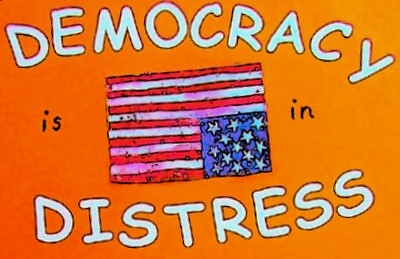
Why Database Implementations Should Not be a Democracy

Democracy in distress 
I fully believe in democracy - except when it comes to implementing databases. In which instance, one needs more of an approach of meritocracy with a touch of geniocracy but with a democratic input. (And maybe even some technocracy, which I never even knew really existed until I started researching this blog!).

But enough with the 'ocracies. What I am really saying is that there needs to be nominated, manageably-sized teams who are involved with and run database projects. When I hear of a project where everyone is trying to get involved, especially at the very top level or at the level of Subject Matter Expert, then I worry that is a recipe for disaster.

Why? Because when decisions need to be made, which they do all the time in projects, you need key people who are decision makers and who, yes, can take input and advice from other people, but who do not rely on waiting for lots of other people to actually make the decisions.

And if all this sounds like common sense to you and you are wondering why I am bothering to write this blog then fantastic! You can stop reading now! Unfortunately, in my experience, this is not always the case…

What you do need
You need a top-level Project Board (aka steering committee etc) but that needs to be a small group of key, high-level individuals who have the power to make decisions. And yes, you need input from Subject Matter Experts who already do the day-to-day work on the existing database(s) and who can provide the detailed input into what is needed in the new system.

But what you don't need and shouldn't have is a large team at either of these levels. That just won't work.

Have a large team at the top and you'll just get in-fighting, no decisions being made, or being made very slowly, and potentially a watered-down system which tries to cater for everyone by not being good enough for anyone. And it will almost certainly take much longer and cost much more…

And you certainly don't want so many Subject Matter Experts (SME) that you never get agreement on what people do or what they want to do. There can't be that many "experts". Build a hierarchy here so that we maintain the democratic input and the SME (or few SMEs) of each team can get input from their team members but when you hold design sessions, the SME can bring all that knowledge to the table.

In terms of the 'middle layer', what you need is a manageable project team who can do the day-to-day work on the project, with a strong project manager. I'm tempted to say that this too shouldn't be an uncontrollable size or that will get out of hand and everyone will abstain from responsibility. But in practise, at least in the NFP sector, it is a rare project that has too many people on a project team!

But don't try to make it a full democracy at every stage.

Unfortunately, many database implementations appear to be run as a kakistocracy. It's a real word - look it up if you don't know it; then you'll understand what I mean.

Sunday, October 20, 2013

The need for The Solution Owner role when implementing CRM systems

Middle Man 
For many years, I have discussed and promoted the need for a Project Manager (PM) for organisations who are implementing new fundraising databases and CRM systems. But I've been very aware that, sometimes for mid-size installations and definitely for large implementations, that there is an additional role - or skill-set - which is required and which goes beyond what a traditional PM would normally offer, although sometimes it falls on the PM. Which is the need for someone to become a central 'hub' to the project in terms of understanding the holistic solution - not the PM aspects. i.e. The Solution Owner.

The key thing for such a role is that it should be someone who understands (or can learn to understand) not only the charity's requirements and strategies but fundraising/charity requirements more generally, as well as CRM, software and technology. The reason for this is because the implementation of sophisticated, flexible (and often expensive) CRM software systems is of course not just about the software but about building/configuring and using it with the people and processes in mind - and understanding the whole approach, design, dependencies and implications of design. Something I discuss constantly.

This means that when someone on the project, or a user or manager in the charity, has a question as to how the solution will work or how something fits in, or queries what will happen if we change something or what it will mean if something is left out and so on, then that person can be in a position where they can provide an answer - or know who they should ask in order to get an answer. It's a key need.

Ultimately, the role provides the charity with a central point of contact for design understanding and fundamental decision making and would usually also help provide requirements information.

Clearly this is not just Project Management. Historically, when I have done all this, I have called myself a 'Project Manager Plus'. But the more I have worked on implementing larger fundraising databases and with the new 'CRM' systems, the more I have realised just what a critical role this 'Plus' bit is in any such implementation (whoever does it!).

Recently, whilst working on one project, this specific role - the 'plus' bit - was described to me as The Solution Owner, and this struck a cord with me - it is indeed what I think such projects need. (On top of the project manager, business analysts, trainers etc, as appropriate, depending on project size and complexity).

One thing I should emphasise is that this is not a technical role, not a Solution Architect, nor a post-implementation Solution Owner (a role you do sometimes see advertised for), where it is more likely that it will need someone who is closer to the technical aspects of the system.

And as I stated above, the principle thing is that such a role should ideally be someone who understands the business - fundraising - and technology too. That way, they can help the charity and advise them on specific options as the project progresses.

I've also come to the conclusion that this is an especially indispensable role when implementing the (new) CRM systems where you can do so much with such systems and where it is not just a matter of configuring an existing vertical sector solution (such as a fundraising or membership package) - although it is by no means exclusively a requirement for CRM. Without such input, there is a real danger that you could go off down one route without understanding the implications, that you could over-customise a system too much when a simpler, alternative option could have been better, or you could lose track of just what is dependent on what and what interacts with what, which a central resource should be able to resolve. And the project team, client-side and supplier-side, will not have a single point of reference to help co-ordinate central requirements.

The Solution Owner is, IMHO, becoming a pivotal role for CRM and database implementations and is only likely to become more so.

Sunday, April 15, 2012

Why it is a Bad Idea to have “Phase 2” of a CRM Implementation (andPhase 3, 4, 5…)

We're on the Road to Nowhere (Explored)

When you implement a new fundraising database or CRM system, you will always have requirements and wishes which you will want to implement after your initial go-live – often, many such wishes!
Traditionally, this has been managed by breaking down a project into “Phases”. Phase 1 is the initial implementation, i.e. the build-up to your “go-live” with the new database, and then you plan to implement Phase 2, Phase 3 and so on.

But I think this is a bad idea and we should look at alternative approaches.

The problem with Phase 2, 3 etc
Why? Because the problem with this is that, so often, Phase 2 and other subsequent phases just don’t happen. Or if they do, then they are either nothing like they were originally envisaged, they don't achieve the benefits that were planned or they are cut right back so much that they are barely recognisable as a "Phase" at all.

And why does that happen? Because during the initial implementation, there is all the drive, adrenalin and organisation about the lead-up to go-live and all the impetus which goes with that - and then (understandably) after that has happened, there is a huge sigh of relief and people just get on with what are/were doing. And what was for that first part of the project, quite possibly, a significant project team with senior management support and understanding, is no longer a recognised unit - but whoever is left is still, somehow expected to get on with Phase 2.

And then there is the minor inconvenience of a budget. Whereas most (well ... some) organisations recognise the need to get the database up and running and therefore allocate an appropriate budget for that project, once that has happened, the concept of allocating yet more, possibly still quite significant money towards a Phase 2 (and maybe Phase 3, 4…) is harder to swallow.

It is also quite feasible that, once you have gone live with your new database, that the things you originally thought were important for Phase 2, are now no longer the priority. But you have designed and planned (and budgeted) for the implementation in that way.

Breaking down a Project is Good
One thing I should clarify is that I am not suggesting that the concept of breaking down a project into smaller bite-sized chunks is a bad idea – it isn’t. It’s a good idea. You can’t and shouldn’t implement everything you want on day one in "Phase 1", for so many reasons (e.g. manageability, cost flow, learning what the software can really do, dependencies, timescales, future changes etc).

And therefore we should be planning to go-live with a defined scope; and other functionality and benefits should of course be left for after that.

The Alternative: On-Going Development
A better idea than Phase 2 etc is to create a “road-map” for “On-going Development”. This means creating a list of all the additional benefits and functions which you already knew about before you started the initial implementation but which were not included in it, and adding to that any requirements which are de-scoped during the initial phase for whatever reason, and any new requirements and wishes which are discovered during that phase.

Thus, you will have a list which you can then prioritise into a road-map and plan to start to develop and implement from now on.

The beauty of this is that you can allocate priorities of desire, benefits, costs, timescales, resource requirements, complexity, risk etc and thus agree which things should be developed first and which should be left til later.

And if another new requirement comes along after a few weeks/months, then you can slot that into the road-map depending on its benefit, urgency, resource requirements etc – and in comparison to all the other things on your list. If it is more important then something else will have to give way. But you won't have to "wait for the end of Phase 2" or stop and then re-start Phase 2 later. (Phase 2a, 2b anyone?) You can also adjust the road-map if, say, your software supplier brings out new features or modules which can replace or complement your planned developments.

Some readers may recognise this as form of Agile Development, and whilst it has similarities, I’m not suggesting that you need to follow an Agile format (i.e. sprints, scrums etc). But the basis of the benefits of this approach and Agile are indeed similar.

The need for Enlightened and Involved Senior Management
Of course, you’ll still need a budget and you will still need x people to do this. And you will be asking for a budget for which you can't necessarily say up-front will bring Specific Benefit A or Function B. So it needs the support of an SMT who are willing to trust whoever is in charge of this (see below). But the good thing is that you will be using your budget and resources in the best, most appropriate and most efficient way for your organisation as it stands at any one moment – rather than keeping to some Phased plan which you came up with ages ago and which you feel bound to keep to because that was someone’s plan.

One way in which you can manage all this is to create a Database Development Team which can meet, say, quarterly and discuss the road-map and determine the priorities for the next quarter/year as appropriate. And if you include in this team the Business and the IT team (i.e. fundraising/finance staff etc and database/IT staff) then everyone will be able to make their point about what is needed, what the benefits are, the time and resources which will be needed and so on.

Tuesday, June 07, 2011

It's not the technology that's difficult, it's Everything Else

for Ally

I recently visited a comparatively small charity who wanted to extend the use of their fundraising database beyond the fundraising and marketing department. It soon became clear from our meeting that there was no problem with the technology in terms of doing that, they have a good fundraising package and it can certainly manage the other departments’ requirements.

But what was also evident quite quickly was that the main problems with the project would be the non-technology aspects: some objections from other people, training, data migration, standardising codes and terminology, adjusting business processes, finance flows, data protection, the time it would take other departments to enter what they saw as less useful data, record ownership, user licenses, ensuring new users attend workshops, planning future communications, budget… and so on and so on.

All of which just went to re-enforce my understanding and belief about all such CRM implementations in that the technology is the simpler part and the People, Processes and Everything Else is always the challenge. (NB: I’m not saying technology is necessarily simple, just simpler…).

This is of course what I have been banging on about recently to anyone who will listen (and, as anyone who knows me will testify, I can go on a bit…!) and my apologies if I am starting to sound like a broken record. But I hope that if I keep doing so, then even if just a few organisations who read this take on board the message and thus plan their future database and CRM implementations with this in mind, then that will make me feel much happier.

Tuesday, May 17, 2011

Lessons Learned from Implementing Single Supporter Systems (Part 2)

This is the second part of a blog post on the lessons I've learned as a project manager, implementing single supporter systems at a number of charities over the last few years. You can see part one here if you haven't already read it.
 
Lesson 5: Four Technology Lessons
As I mentioned, the technology within your new system may be the simpler bit, but that doesn’t mean to say it is always simple! And, as per a common theme of this post, there are of course many, many technological lessons to learn from implementing Single Supporter Systems; but here are 4 key lessons:

i)                    Keep it Vanilla. Fundamentally, what this means is that, as much as possible, you implement the database in the first instance without any - or with minimal - “Customisation”; although “Configuration” is fine. There are just so many great benefits which you will get from doing this, such as: improving the simplicity of implementation, lower risk, a faster implementation, a lower cost implementation and much more. I have written a whole separate blog post on Keeping it Vanilla, so please do go read it if you want to learn more!

ii)                   Data Migration is tough, but it is just technology. Again, I have written a brief, separate post with my top 3 data migration lessons, but because you could be migrating data from multiple source systems into your new single system, it has to be something you take very seriously.

iii)                 Integration is tough. In fact, it can be the most difficult technology part of some Single Supporter Systems. Everything from database/web integration and integrating with third party software, through to integrating data feeds in from other sources (e.g. fulfilment houses, third party web sites) and passing data through to other systems (e.g. finance systems). So, my advice is start on these as early as possible in the project, get your supplier involved or a dedicated expert who can work on this, and see such integration as a specific work item within your implementation; i.e. do not treat it just as yet another task which has to be done. It is of course, but it is highly likely to be a much harder one.

iv)                 Implement reporting in the initial implementation. I have been part of projects where this has been done and where it has not been done, and there is no doubt that the better approach is where it was actioned. It is such an important part of the initial implementation and of having the system at all – after all, there is no point in having a database if you can’t get the data out! But, it is often easy to overlook or forget. I would even consider having the reporting requirements as a separate workstream within the project.

Lessons 6: You need a Project Manager
I’m hoping this is something I shouldn’t need to say, but just to make sure: you need a Project Manager. And unless your Single Supporter System is remarkably small, you need a dedicated Project Manager. Because your implementation will take time, effort, co-ordination, liaison with many interested people and parties and a heck of a lot of work; and it just isn’t possible to do that for any significant system without a dedicated individual.

For more thoughts, on this, read my post on the Top 10 Benefits of Project Management.


Lesson 7: Just because you now have a joined-up, Single Supporter CRM system, does not mean you can now do joined-up CRM.

So you have your completed Single Supporter System, which of course means you are ready to “do” centralised CRM, yes? Well, no. Because although your new system will of course give you the tools to manage your contacts centrally, it does not mean you are ready and have the processes and protocols in place to implement this.

It’s all about the Change Management.

The best example I can give is this: if previously, your different departments or teams were all writing to and emailing their contacts without worrying about what the other departments/teams were doing, then this won’t change automatically just because you have a new system. You will still need to literally sit down and discuss this and plan your communications and contact management strategy from a centralised point of view. And it won’t necessarily be easy!

So, again, plan ahead, plan separate Change Management streams within the project, recognising that the technology is the deliverer and driver and not the creator of answers. That is down to that good ol’ fashioned thing called human decision. Although of course we hope that the new system can support and implement such decisions – that would certainly be quite nice…

Monday, July 26, 2010

Top 10 Benefits of Project Management

I have been fortunate to have been a project manager at several leading charities over the last few years, mostly on database and CRM implementations, but also on other IT and finance projects. Here is my list of the key benefits I believe a good project manager should bring to any similar project:
  • The project team and staff will know what is going on and what is expected of them. This is possibly the most important aspect of any PM’s role – without this, there is a high potential for lack of leadership and the project failing.
  • The bottom line: a project manager must monitor, maintain and know the overall and current state of the project budget, timescale, resources required and deliverables and produce the associated reporting to the project board. This is clearly a key aspect for any PM.
  • Maintaining an up-to-date project plan, including milestones. (NB: It is usually not sufficient to solely use a project plan provided by a software supplier as inevitably that does not incorporate all the internal needs and issues which the client has).
  • Keep the project board up-to-date with monthly meetings and (usually) more regular highlight reports. A good PM can also work with the project board when it comes to discussing and making decisions on the project when it is not going as well as it should be.
  • Co-ordination and centralisation. With a large project, it is imperative that everything is fed through a central resource and everyone knows how to do this.
  • Monitoring resource allocation: Whilst the PM is not responsible for the actual resource allocation, it is important that they monitor how resources are being allocated and ensure that necessary resources have been planned for.
  • Communication: not just with the project board and the immediate project team, but with the users and potentially a wider audience to keep all interested stakeholders up-to-date.
  • Task dependencies: A key aspect of a project is that many tasks are dependent on other earlier tasks or must be started/completed before other tasks can happen. Again, this is something which needs to be monitored and understood.
  • Risk assessment and issues management. This is a critical requirement and incorporates maintaining a risk register and issues log; and if it doesn’t go quite as far as being a ‘trouble-shooter’ then it certainly involves identifying and understanding the risks when trouble might appear.
  • Prevent (un-authorised) scope creep.
  • Supplier liaison/management and co-ordination
Okay, if you counted, then you will see there are 11 benefits – sorry, I just had to sneak them all in!

Monday, July 19, 2010

16 Ways to Improve User Buy-in

Many database implementations are planned and considered with some input from the end-users, but if the project is a long implementation or there are many end-users who thus may not be involved day-to-day, then there is a risk that such individuals may become disillusioned or disenfranchised from the project.

Here’s a few bullet points (in no particular order) to help encourage user buy-in to a project:
  • Continual communication: probably the simplest and quickest but unfortunately the most under-utilised. It doesn’t need to be much, e.g. a regular email to the end-users and/or through their managers, updates on your intranet, brief presentation at team meetings etc, they all help. And you can get feedback from the users too. In addition, many of the points below by their very inference are continual communication, but having a structured approach can really help.
  • Involvement at design stage: Do involve key users at the time you are designing the database, whether it is the customisation of a package or the detailed design of a bespoke system. This may sound obvious (even necessary! I hope so) but it works. And do plan ahead for any such involvement; I find users really enjoy and want to get involved but not if you ask them to do 2 four hour workshops next week when they are just about to launch a new campaign!
  • Demos of the software & opportunities for hands-on experiences during the implementation: Show the software to the users – it’s a great way to get them excited about the new database and even if you do an initial demo at an early stage, then you can ask for their feedback and comments and make them feel even more involved.
  • Assurance of training: It’s always one of the top 3 questions from users – What sort of training will we have? So give them details as soon as you know, and even before that, pre-empt the questions by assuring users that training will be provided.
  • Ask for ideas – during implementation and after go-live: Continue to ask the users what they would really like, although you’ll need to this in a ‘controlled environment’. If you let them ask for anything and expect everything then that can be worse than not asking at all, so do communicate that ideas will be considered but may not all be implemented.
  • Keeping promises, so don’t over-promise! Hand-in-hand with the above, and in general, keep your promises but don’t over-promise. A slightly trite phrase is ‘Under promise and over deliver’ and even if I don’t like that specific thought process, the underlying concept is reasonable.
  • Remember, What are the benefits to them? When you’re selling a new database to the users, what are the benefits that they are going to get themselves? It should of course be the case that the organisation will benefit from a new database, and although that should ultimately mean the users will too, it can also mean that processes may change, more data entry may be needed etc. So, identify specific benefits which the users will get and communicate those. That will help them understand the need for any changes which they don’t like so much.
  • Pro-actively address the common objection of “I don’t know what I want from the database because I don’t know what a database can do” – because it’s (usually) a fair point. Don’t just ask, ‘What do you want the database to do?’ because many users quite simply will not know the capabilities of a database. If they have not had experience of a really good system then they may not be aware of all the benefits they can get from one. Instead, ask ‘What do you do in your job?’, ‘What are the problems you have?’, ‘What would make your life easier?’ and so on. Classic business analysis.
  • Stories of how other charities have benefited from it: Find out how other charities have benefited from the same database as you are implementing and tell your users.
  • Quick wins: It’s a slightly hackneyed expression, but can be very useful. If there are Quick Wins which you can implement when you do go-live then try to do those. It will show how the new database can help and keep up enthusiasm.
  • Listen! And acknowledge.
  • Automation: In pure technical terms, automating a process is one of the best benefits many users can have. For example, instead of having to enter a donation, then open Word, cut-and-paste an address, write the letter, insert the donation amount etc - automate it. Yes that is basic but even basic automation helps. And if you can automate even more complicated tasks then that’s even better.
  • Excite the users by implementing one or two really ‘whizzy’ things! E.g. Maps with donor details plotted on them, analytical graphs they haven’t seen before, automation and interaction with the web. It’s going to vary between organisations as to just what is considered whizzy, but by doing just a few high-tech things early on after go-live, it does get people excited.
  • Involvement at Testing. Again, I would hope this is a given, but do involve your users at the time of testing. It isn’t the most exciting of tasks but it encourages adoption and involvement.
  • Competitions: I have known charities who have run competitions during their implementations. For example, every week/month during the implementation phase, they send out an email with a question which relates to the project and to which the users will know the answer if they have got involved, if they check the intranet for updates etc. The charity then does a random draw and the winner gets a prize. A very small prize to start with but as they progress through the project, so the questions get more involved (e.g. when training users, ask specific questions about functionality) and one charity even finished their competition by giving the lucky winner an extra day’s leave.
  • Be realistic about implementing new changes. Having said all the above, be aware that implementing a new database is a time-consuming experience. Don’t expect to implement lots of new things on day one of go-live. Make sure you get the basics right and plan any key changes carefully. Users will thank you for that.
Anyone else got any suggestions?

Tuesday, May 11, 2010

Communication is at the Heart of all Good Relationships

Does your charity have a communication strategy? Do you ensure that one person will not receive two (or more) letters from your organisation on the same day (and maybe even from different departments)? Do you respond in the way your donors/contacts want you to? Do you let supporters opt-in to just the information they want to receive?

If not, then it's probably time you did.

Whether you run multiple database systems (and by that I mean databases, spreadsheets, email lists and all the rest) or you have a single, centralised database, either way this applies to you. If you have multiple systems then you must ensure that individual staff members cannot simply decide off their own back that they are going to do a mail-shot from their system, and if you have a single database, then although you will be able to enforce some control, you could have just as many problems with individual users demanding to use the data for their marketing and communications.

If you don't control this then your supporters and donors will get annoyed and that isn't going to help you at all.

Do consider if you can offer your contacts the opportunity to opt-in to just what they want to receive and hear about. E.g. specific events/types of event, fundraising requests, volunteering opportunities, generic newsletters, emergency appeals and so on. And how - email, letter, telephone. It can be quite a scary thought that you will no longer be able to contact everyone about everything but it will work better for you. You will be targeting your supporters better and more appropriately, you will lower your costs, you should get better response rates, you should get happier supporters and you will be working more efficiently.

Communication is at the heart of all good relationships – including yours and your supporters.

Monday, April 26, 2010

The next time someone says, But They're My Records...

Many charities are now moving away from "data silos" and the concept of "owning one's records". Which is great news and about time. So the next time one of your users/colleagues/staff says to you, "I don’t want my contacts to be stored on a central database because I don't want anyone else to be able to contact them…" then this is the response I recommend you give them:

The fundamental problem with this is that if they don't store their contacts on the central database (and instead, for example, keep them stored in Excel) then, in actual fact, it will be impossible for them to stop anyone else contacting them - assuming that such contacts have - or will have - other relationships with your organisation which are already stored on the central database. For example, if your user is the events manager, then if any of their event registrants are also donors, volunteers, prospects, on other mailing lists etc and as such they are already stored on the central database, then how can the events manager stop them being mailed? No-one using the central database will know that they are also on the separate events spreadsheet. Moreover, they will probably need to be contacted sometimes by other users anyway.

Of course, you could introduce a system whereby you check both systems for duplicate records and do file transfers between the systems, and thus flag the central database with some sort of mailstop, but that can be potentially complex, unreliable, definitely time consuming, will invariably carry a cost of some sort (even if it is internal costs only), and it will immediately go out-of-date unless the routine is constantly repeated. And even then it isn't going to be definitely 100% reliable (e.g. because different systems may store name fields differently, have different coding systems, even have different addresses but for the same person, or their data structure may be updated in the future without the other system being aware of it).

The best way to manage this situation is to store all such records on the central database and then to introduce policies and procedures to manage a structured communication policy. And, if necessary, appropriate security to ensure that only appropriate staff can view/update specific records or entities within such records.

In addition, more and more, organisations are understanding that the concept of "my records" is not helping the charity holistically. It is against the central ethos of CRM and the benefits that can bring. Of course, particular individuals may need to be managed by one/some specific staff, and relationship management should be at the core of any system and CRM (SRM) itself, but it is equally or even more important that NFPs do know all their constituencies and the people who connect with them. The days of individual data silos should, thankfully, be numbered.