My second post in an on-going series of blogs on lessons we can learn from commercial sector technology implementations.
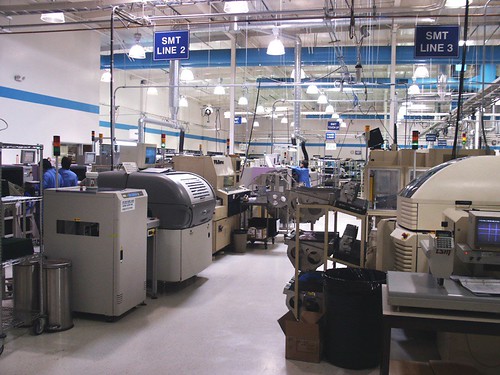
A recent article on TechRepublic shows how Toyota supplier, AW North Carolina (AWNC) spent $1.2m on new Cisco equipment, which has led to significant savings for them. Few charities will invest that amount in a new CRM system, but some of the approach which AWNC took provides us with very useful ideas for the benefits which charities may get from new CRM implementations, often regardless of size.
1) "Downtime at AWNC costs $272,000 an hour, so it's crucial to get systems
up and running as quickly as possible. Any downtime, particularly in
shipping, is incredibly detrimental."
Okay, so it's unlikely that a CRM system being down for an hour at a charity would have quite such high costs! However, downtime due to a poor or unsupported system or inadequate IT infrastructure is not always factored in to a charity's view on whether they need a new CRM/fundraising system.
So consider: what would it mean to your staff if they couldn't access their database for an hour? Probably, it wouldn't be terrible for most fundraisers/staff, they could cope for that time, although Supporter Services would no doubt find it awkward for managing in-coming phone calls. But what about half a day? Now staff will be getting more anxious, a backlog of income processing might build up, supporter services are finding it more difficult and major donor fundraisers can't see their contacts' details. What about a full day? Much harder now: thank you letters might be delayed, management for a forthcoming event becomes much harder, and what would happen if that day happened to be the day when you were due to do your Direct Debit claim?
So it's not just the cost of a new CRM system - all this needs to be considered when looking at investment.
2) "As a result of the new technology, AWNC avoided maintenance costs on the old equipment of $1 million in the first nine months the system was in place"
Again, unlikely for most charities that they will save $1m in nine months due to replacing a CRM/fundraising system, but I have come across several NFPs who are paying existing suppliers ridiculously high annual maintenance costs for what they are getting, even without upgrades and developments. And/or they have to have specialist, higher paid staff for their current, old system because there are so few people who can support it. So even if it is going to cost you £x to invest in a new CRM system, what are your savings going to be in the first 12 months? (In the next 5 years?) Forget "possible extra income" benefits for a moment, these figures are hard cost savings.
3) "About 40% of the savings will be ongoing and realized annually."
We
forget this sometimes, that savings (and benefits of course) will not
just be the first year, but over the following five to seven years. So
in addition to point (2) above on immediate savings, what other costs
will be lowered or made more efficient by a new system? Lower staff costs?
Or maybe, the same staff costs but those staff being far more
efficient, productive and proactive? Time-savings from quicker
processes? Time-savings (and better productivity) from simpler, quicker
development tools? Development you can do in-house now rather than
having to always go to an expensive software supplier?
4) "It was very clear... that the infrastructure was not keeping current with where the world had gone."
We're
all aware that digital is where fundraising is going. Yes, there will
still be plenty of 'traditional' or offline income coming in for some
years to come, but that appears to be declining, and GDPR/DP issues could be
forcing our hand in terms of reducing direct marketing. There is a point
when you do need to review how and whether your existing
CRM/fundraising system can support you and provide additional benefits
with your future fundraising plans because of changes in the outside
world.
5) "It's common in a manufacturing plant to avoid buying new equipment in a misguided attempt to save money, with IT teams not realizing that the operational costs to troubleshoot problems and the associated downtime in a factory environment can result in even higher costs."
I love this! How many of you have suffered from this problem with your antiquated or unsupported fundraising databases?! (And it's kind of reassuring that commercial organisations have this problem too!)
6) "The big push for last year was solidifying the environment, and this year is all about pushing out into the applications and into the manufacturing space to impact yield inventory."
This is just a small point to show that any new CRM implementation does not have to be rolled out to everyone or to manage all potential benefits immediately. Plan for future expansions in the subsequent years after your immediate go-live - you don't need to, and shouldn't try to do everything on day one.
My views on the database market for charities and NFPs: packages, CRM and bespoke developments. In particular, but not limited to, fundraising and membership.
Showing posts with label Innovation. Show all posts
Monday, April 24, 2017
Monday, November 24, 2014
So: what makes us think it will be different this time?
It's a sad fact that so many fundraising/CRM database implementations fail or are not nearly as successful as we hoped. And although there are various potential reasons for this which are central to many of my blog posts, we can also look at this problem in another way - if you have experienced a failed project at your organisation in the past, then ask yourself this: If we are about to launch a brand new CRM procurement and implementation project, what makes us think it will be different this time?
If this strikes a chord with you and you want to ask this question internally at your organisation, then here are some questions you could consider and try to address. Hopefully, they will (at least start to) give you the ability to decide whether or not you have learned from previous projects and tell you a lot about yourselves before you embark on another big project.
- What were the reasons for failure on the last project? (Did we even hold a Lessons Learned meeting?)
- Did we even define success criteria? Were they measurable, achievable, realistic?
- Do we have a proper business case? Has it been ratified by more than just a couple of people?
- Are we asking the same people to run and be involved with the new project? If so, why do we feel they can now do it? Do they have that much better experience now? Do they know all the pit-falls they could encounter this time? Have we sent them on any sort of training or learning programme since?
- Have we got new people involved? Are they any better?! Do we need more people?
- Are our senior managers fully engaged?
- Do we understand what our risk is? Do we know how to mitigate or accept risk?
- How do we really know we have got an appropriate budget this time around?
- How do we really know our planned timescale is possible or realistic? Could it even be too slack?
- Do we have a project manager? What sort of experience do they have?
- Do we have project governance? Do we understand project governance?
- Even if we do feel we have learned lessons, how will we monitor the next project to make sure it stays a success?
- Was our actual data an issue? Do we have new faith in that now?
- How can we be sure that the next salesperson we meet doesn't spin us the same lines as last time?
Maybe I can use a famous Albert Einstein quote to sum-up: "The thinking it took to get us into this mess is not the same thinking that is going to get us out of it."
Monday, November 03, 2014
The new world of cloud storage - do you really need ALL your old data?!
Traditionally, when moving from one fundraising database to a new one, charities tend to migrate all their old data across - or very nearly all. Sometimes, small sub-sets of old or truly unneeded data may be left behind, but in the main, every single donation, communication, appeal record etc and every entity and every field is transferred as is to the new database.
Why? Well, understandably, fundraisers and marketing staff are worried about losing granularity of historic data, of not being able to do true and useful RFV calculations or similar analysis on summary fields, of not being able to look back at why someone responded to appeal X or came to event Y. And the thought of either not keeping their data in the most granular state possible, or even not transferring it at all, has been a complete anathema!
But recently, this is something which is being challenged. This is partly due to cloud CRM systems charging for extra storage, partly due to some performance concerns for complex processes on very large systems and partly to mitigate some of the risks and complications of data migration. And partly it is just good business practise to challenge such assumptions.
But Why?!
But just as pertinent a question for me is: Why - Why do you need ALL your old data? Really - why?! I mean, are you really going to look back at someone's communication history from ten years ago and want to see that a donor was sent a second letter because a particular acknowledgement letter didn't reach them first time? Do you really need to know that someone was invited to an event twelve years ago but didn't respond? I'm not sure if you do…
And although I completely recognise the need to keep a granular donation history for at least a set number of recent years (e.g. at least four years for gift aid claims), at what point are your fundraisers not going to use such data for segmentation and marketing analysis? Five years? Six maybe? In which case, do you really have to be able to see each individual donation for older periods as a separate financial transaction on your new system? Or actually, could a summary be acceptable? e.g. a summary by year/campaign/gift type/whatever is appropriate for you.
Of course, there are some data items you would definitely need to keep, such as first donation information, maybe upgrade details etc, but do you have to have more than that for donations over a certain age?
And if you do, if you have to or if your organisation is too paranoid not to keep such data, then maybe you can store it elsewhere for when (if!) it is needed. For example, a separate data warehouse, maybe a simple SQL Server database, even a separate marketing software system.
And what about any old data which you still have on your system but which almost no-one in your organisation trusts and so doesn't use anyway? Does that really need to be transferred? Really?! And data accuracy in general - just how good is it over a certain period anyway?
Or, Should we be asking, Why Not?
Now. One could of course ask why we shouldn't migrate all data and that's a fair question. Storage does cost but is it so much more? And contemporary systems are so much more efficient now than older systems, why shouldn't we have millions of records in our new database?
Well, maybe because more data does add extra data management, does add complexity when doing segmentation and reports/analysis, can slow down a system when running such processes, can make screens slower to load when they have lots of historic information, can make data migrations more complex etc etc.
I think it is an interesting challenge - one I encourage you to consider!
Why? Well, understandably, fundraisers and marketing staff are worried about losing granularity of historic data, of not being able to do true and useful RFV calculations or similar analysis on summary fields, of not being able to look back at why someone responded to appeal X or came to event Y. And the thought of either not keeping their data in the most granular state possible, or even not transferring it at all, has been a complete anathema!
But recently, this is something which is being challenged. This is partly due to cloud CRM systems charging for extra storage, partly due to some performance concerns for complex processes on very large systems and partly to mitigate some of the risks and complications of data migration. And partly it is just good business practise to challenge such assumptions.
But Why?!
But just as pertinent a question for me is: Why - Why do you need ALL your old data? Really - why?! I mean, are you really going to look back at someone's communication history from ten years ago and want to see that a donor was sent a second letter because a particular acknowledgement letter didn't reach them first time? Do you really need to know that someone was invited to an event twelve years ago but didn't respond? I'm not sure if you do…
And although I completely recognise the need to keep a granular donation history for at least a set number of recent years (e.g. at least four years for gift aid claims), at what point are your fundraisers not going to use such data for segmentation and marketing analysis? Five years? Six maybe? In which case, do you really have to be able to see each individual donation for older periods as a separate financial transaction on your new system? Or actually, could a summary be acceptable? e.g. a summary by year/campaign/gift type/whatever is appropriate for you.
Of course, there are some data items you would definitely need to keep, such as first donation information, maybe upgrade details etc, but do you have to have more than that for donations over a certain age?
And if you do, if you have to or if your organisation is too paranoid not to keep such data, then maybe you can store it elsewhere for when (if!) it is needed. For example, a separate data warehouse, maybe a simple SQL Server database, even a separate marketing software system.
And what about any old data which you still have on your system but which almost no-one in your organisation trusts and so doesn't use anyway? Does that really need to be transferred? Really?! And data accuracy in general - just how good is it over a certain period anyway?
Or, Should we be asking, Why Not?
Now. One could of course ask why we shouldn't migrate all data and that's a fair question. Storage does cost but is it so much more? And contemporary systems are so much more efficient now than older systems, why shouldn't we have millions of records in our new database?
Well, maybe because more data does add extra data management, does add complexity when doing segmentation and reports/analysis, can slow down a system when running such processes, can make screens slower to load when they have lots of historic information, can make data migrations more complex etc etc.
I think it is an interesting challenge - one I encourage you to consider!
Monday, June 23, 2014
Project Premortems: A Great Tool to Help Mitigate Project Failure
It is well known that CRM projects can fail. Just choose a number, any number: 35%? 60%? Whatever the figure really is, it's significant. So I was very interested when another sector consultant, Richard Collings, sent me a link to a fascinating article written some years ago now about a concept called the Project Premortem. And I liked it so much, I thought I should share it.
It works like this: We all know about compiling Lessons Learned after a project has finished (a post-mortem if you like). Instead, a Premortem is held at the start of an implementation (or even during it I guess). It starts by gathering project team members in a room and telling them that "the project has failed catastrophically". Then you ask them to imagine why that has happened. Everyone writes down why they believe the project has failed so badly and then you discuss it. And anything goes. People shouldn't hold back from airing their concerns and should not worry about offending others or upsetting senior managers etc. (Or: if you think that some staff might not be so open/honest with, say, a senior director present in the room, then I guess you could hold multiple such sessions).
The theory is that by doing this, it gives people a chance to air their concerns in a specific, safe environment, when they would not do so in normal working mode. And it makes us think differently too - more imaginatively (and maybe even as a bit of fun!) The scenarios given in the original article are excellent examples to show the sort of things which people might say. For example, the project sponsor "left during the project" and interest in the project waned thereafter; or one I might add: the supplier "under-estimated the work involved with a mission critical function" and therefore the whole project stalled by several months.
I really like this. I am currently working on a large CRM project and we have decided that we will definitely use this technique when we do kick-off the implementation.
As the original article says: "Although many project teams engage in prelaunch risk analysis, the premortem’s prospective hindsight approach offers benefits that other methods don’t… It also reduces the kind of damn-the-torpedoes attitude often assumed by people who are overinvested in a project." And as it goes on to say, "Moreover, in describing weaknesses that no one else has mentioned, team members feel valued for their intelligence and experience, and others learn from them." What a great idea - let's bring premortems to the fore!
Since writing this blog post, I have also heard the wonderful Freakonomics podcast air a recent episode in which the author of the original article, Gary Klein, discusses this whole concept. Well worth a listen.
Tuesday, April 22, 2014
Could a Business Case be Presented as an Infographic?
Recently, Econsultancy.com reported how The Bill & Melinda Gates Foundation had produced its annual (2014) letter, written by Bill Gates himself, as an interactive letter supported by poignant infographics, and as a result it doubled its reach. Last year, Cancer Research UK published their annual report as an animated infographic (see below). And very impressive it was too.
Both of those cases got me thinking: could I use the same idea for presenting a business case for a new fundraising/CRM database?
I thought of this because I have sometimes found that trying to distil what is really important and key in a business case in a simple and concise way can be very difficult. (And yes, okay, I know verbosity is one of my personal problems… but even so). We try to add Management Summaries and a list of key bullet points, spreadsheets with the key figures, even a few charts/graphs, but sometimes it still doesn't seem to be understood by all the people who matter.
So maybe an infographic could do the job better. It would ensure we really had to think about what the most important points are, as you can't have a 20 page infographic, and it would hopefully make it far more visible, easily digestible and, importantly, quick and easy to understand. If necessary, you could even have 3 or 4 infographics - say, one for the key business drivers, one for the benefits, one for resources and one for costs. I would still keep them as concise as possible but that might mean you didn't try to cram too much onto one infographic.
You might still need a full business case document to back this up, but when you only have a few minutes to persuade your manager or board of trustees just why you need a new CRM system and why it is going to cost just a tad more than you had originally thought, then maybe this could help.
Anyone want to try?
- - - - - - - -
CRUK Infographic
Both of those cases got me thinking: could I use the same idea for presenting a business case for a new fundraising/CRM database?
I thought of this because I have sometimes found that trying to distil what is really important and key in a business case in a simple and concise way can be very difficult. (And yes, okay, I know verbosity is one of my personal problems… but even so). We try to add Management Summaries and a list of key bullet points, spreadsheets with the key figures, even a few charts/graphs, but sometimes it still doesn't seem to be understood by all the people who matter.
So maybe an infographic could do the job better. It would ensure we really had to think about what the most important points are, as you can't have a 20 page infographic, and it would hopefully make it far more visible, easily digestible and, importantly, quick and easy to understand. If necessary, you could even have 3 or 4 infographics - say, one for the key business drivers, one for the benefits, one for resources and one for costs. I would still keep them as concise as possible but that might mean you didn't try to cram too much onto one infographic.
You might still need a full business case document to back this up, but when you only have a few minutes to persuade your manager or board of trustees just why you need a new CRM system and why it is going to cost just a tad more than you had originally thought, then maybe this could help.
Anyone want to try?
- - - - - - - -
CRUK Infographic
Monday, April 07, 2014
Why non tech people should apply for (so-called) tech jobs
The three best database managers I have worked with at charities over the last 15 years all have one thing in common: none of them would call themselves a techie. One started her career with horses, one in a press office, another did a humanities degree. In fact, I have found again and again that people who studied humanities seem to make good database people.
And I would love to see more people who are not techies move into the "database arena", for want of a more all-encompassing phrase - yes, even fundraisers! There are several reasons for this:
- There are more and more roles in "database teams" where it is far more important to be business savvy, fundraising-aware, have an understanding of marketing and to be knowledgeable as to what the charity wants, than it is to know what field or function to use in the database. That can be worked on by other database team members and/or learned by the non-tech person.
- There are so many similar attributes which non-technical roles have which could help database teams: communication skills, analytical skills, attention to detail, insight, understanding of specialist areas such as direct marketing. Specific database skills can be taught - the soft skills are far harder to teach.
- Data knowledge does not necessarily have to mean database knowledge. The database is nothing without data - that's the lifeblood of the database. So if you know/like/understand/find data interesting, then you are half way to being a data(base) person.
- The best database trainers are not the ones who understand SQL - the best ones are those who can relate to the fundraisers.
Sunday, December 08, 2013
We’re going to unsubscribe you, unless...
I received a clever email today (at least, I think it's clever!) which has the subject line, "We’re going to unsubscribe you, unless..." At first, because the subject text drew my eye, I thought it must be spam, but then I looked at the sender and realised it was from the British Library (BL), who I am a subscriber to. So why was it clever? Well I think it was smart because of the following:

First, interestingly, "mild panic" set in. (Well, okay, not quite panic, but you know what I mean). What was I going to be missing?! What was I about to be unsubscribed from without me knowing? So I opened the email. And once my heart-rate had returned to normal, I realised it was the BL informing me that because I hadn't opened one of their regular emails for some time, they were going to unsubscribe me unless I specifically clicked on a button to remain subscribed. And I quite liked that. It made me wonder initially why I wasn't opening their emails and if I did really want to continue to be subscribed. So I clicked and did re-subscribe.Why even do this?
Now, I guess some people might question why the BL bother doing this. After all, each email only costs a few pence to send so why not just keep me on the list. After all, one day I might open it and take some action. Which is how I know many fundraisers see such email lists. The more names the better. Never mind if it isn't really what the supporter is interested in reading anymore, and never mind that the open rate is 0.00-whatever. Just keep sending everyone the emails just in case…
However, personally, I think this is a great exercise in promoting supporter choice, which is something I quite believe in. Surely it makes more sense to only be sending emails to people who want to receive them. Surely it provides a better ROI - after all, even if each email only costs a few pence to send, thousands of such emails will add-up each time they are sent, and they are likely to be sent many times during the year. So the total cost will add up.
And, by getting people to re-confirm their subscription, by definition you have someone who has taken a positive action to remain interested, and that in itself could be an interesting segment to approach. Now you know something more about them. Maybe you could send them an initial "welcome back" email with a particular message or options to take? Maybe they could be allocated a different customer journey? As yet, I haven't received anything like that from the BL but I will wait to see. (I was also slightly disappointed that the email click-through was to a generic page on the BL website rather than a 'Great, thanks for doing that - now have you thought about…' type page).
The Technical SideOf course, to do this, it takes one critical technical thing: an email marketing system (EMS) which can monitor if someone doesn't open an email; and alongside that, a database - whether within the EMS or in a separate CRM - which the marketers can query in order to find out which people they should target with such a message - which people have not opened x emails within the last y months/campaigns etc. And of course, a database where, if I am subscribed to several different emails from the organisation, then it needs to be able to not blanket unsubscribe me but just opt me out of this specific email campaign.
It’s a great example of the digital world with a smart database and with some savvy marketing users coming together to try this out. Kudos to the BL.
Sunday, November 10, 2013
Good Database Managers Know When to Say No
It is quite an art saying No. Especially when you are a database manager and your users are continually asking you to do this and that and everything else, and you know that, yes, that latest request is technically possible (as opposed to something just not being possible at all) but, business-wise, data-wise, policy-wise, it is the wrong thing to do...
So, do you say No in such instances?
I applaud any database manager who does say No when they truly believe that it is the wrong approach to take. But it's a hard thing to do. †
Of course, what I hope a database manager can say sometimes is, "No, but…" i.e. no, what you are asking should not be done that way, but on the other hand, you can do it this way. And then hope that most users will understand and appreciate that. An example is how someone might ask for a new field or new code table to be added to a database, when you know that it is better practise to extend the use of an existing field/table.
But it's harder when the question doesn't necessarily have such an easy answer. e.g. Can we add a new screen to show data item x to department y… Can we import these z records from another system…
Both may well be possible technically. You might well be able to create a new form so that department y has a specific view of some data, but if that means that they won't see other relevant data which they should be aware of, or if it means it will be much harder to maintain in the future, then you might need to say No. And although you can explain why not, there isn't such an easy answer to what they can do instead - it might just be that it shouldn't be done full stop.
Similarly with importing records from another database. What for? Who will use them and how often? Will those records still be on another database - if so, how will you keep them all up-to-date? And so on. I have seen countless systems littered with useless records which have been added some years ago just because someone had the bright idea of doing this one particular project…
So stick to your guns, database managers. Remember what Zammo said (for those old enough to know what I'm talking about…)
† BTW, for any fundraisers reading this, who feel that their database manager is always saying No, then I feel for you too! They might be doing so for good reasons, but it could of course be a bad database you have or even a not so savvy database manager…
Sunday, August 12, 2012
CRM Gamification - Useful for Charities? Or Just Not Right?
What is Gamification?
For those who don’t know, Gamification (within this realm) refers to the adoption of using gaming techniques and ideas within business systems. So, for example, within the area of CRM and Sales, salespeople are encouraged to identify more opportunities, have more meetings, close more sales etc by winning points and gaining more awards the more they do. Commonly this is in the form of ‘badges’ and different levels of badge, league tables, points and so on. i.e. it is not just financial, although in theory the financial rewards will come for the better “Gamers”.
Unfortunately, this is why my initial thoughts are that Gamification might not work in the NFP sector for database usage. After all, fundraisers are not paid commission, they are not “just selling something”, they are not competing internally within their charity and they are hopefully already driven by honourable motives to raise as much money for their organisation as they can anyway. And fundraisers often work together and (hopefully!) do not try to undermine colleagues and just raise a few pounds towards their target from a particular prospect when the charity could better benefit by another fundraiser raising a lot more from that same prospect.
On the other hand, I’m certainly not saying that fundraisers aren’t competitive! I know many who are! So maybe there is a way in which Gamification could be used in charity CRM systems too? (An example of Gamification within the realm of campaigning/the public fundraising for you was recently discussed in The Guardian).
User Engagement
One of the key issues for charities is User Engagement/User Adoption of fundraising and CRM systems. As much as we all know how important the database is, and as much as we try to make it user-friendly, quick and easy to use and provide better user interfaces, there are still very few fundraisers who love databases (in the way that that tech folk do!). So could Gamification make users use databases?
Maybe such awards and rewards could be focused differently? Maybe less directly competitive and more recognition-oriented, or even an attempt at fun! Maybe teams could “compete” but not necessarily on financial targets – could there be other goals (KPIs?) we could use? Maybe even something as simple as running reports! Or perhaps volunteers could be encouraged through Gamification more attune to the commercial approach?
I know one organisation who, during their implementation of a new database, introduced an incentive scheme to encourage users to make themselves familiar with the new system: each month for several months, they had a mini-competition/challenge amongst the users whereby staff had to use some aspect of the forthcoming database in order to win a prize. In the early months, this was a simple as getting users to look-up a specific record on the database and email the competition organiser with, say, a donor’s last donation on that record (which of course meant they had to learn and understand the system to find that information), and for that they got a chocolate bar. But by the time they were going live, the challenges were more difficult/involved and the ultimate prize was a day’s leave (just for one person of course!) – something many staff would certainly value.
So I don’t know…
When I first heard about CRM Gamification I was fascinated and desperately wanted to believe charities could use this, but then I thought not. But now I am trying to look more laterally - are there in fact other ways in which we could adopt such processes? Or is the whole approach just wrong in a sector whose very basis could be seen as the antithesis of commercial competitiveness – at least within an organisation.
Any thoughts?
Thursday, August 09, 2012
Learning Lessons from ThankQ in America
A little while ago, fundraising database supplier (and UK company), thankQ started a blog about a new implementation of their software at their first US customer, Scripps College in California. In it, they said they would be "keeping you up to date with everything that’s happening right now (the good and the not so good!) [and would] share the highs and lows." Nice idea but it needed to deliver what it said on the tin. And with their third blog post just written by their projects director, Kevin Weaver, I'm starting to now think it might be quite an interesting read.
I do like the idea: a supplier being open and publishing their experiences and lessons from a very new environment for them. I guess the question is, Will this prove to be a useful tool to assist their own customers and even other charities with their CRM implementations? And could it inspire other suppliers (or even charities?) to do the same?
Okay, so I realise that thankQ's blog could be considered to be almost as much a PR tool as it is a series of open blog posts, but I don't think that necessarily matters. If thankQ keep to their word (and they are a good company for doing that) and highlight the good, the bad and the ugly then that will show openness and honesty and will be good for helping all charities learn, and will by definition also be a good sales tool as well.
And okay, they will of course want to report on the implementation going well in order to make other charities want to consider buying thankQ, but that's understood. It's similar to asking for references when you buy a new database. Any supplier can of course provide a reference from a satisfied client. But when I was a salesman, one of the best questions I was asked by a prospect was for a reference from a client who used to be unhappy but which we had turned round so they were happy now. It's a powerful thing to show how, if something goes wrong, then what you did to correct it.
Of course there is the question as to whether thankQ might not write about every really bad thing that happens and one could hardly blame them for that. (Although I could well be proved wrong?!) That is, if something really had happens of course! I've no reason to believe it will but it's a rare CRM implementation where everything is just hunky dory...
And in this instance they do have the client to potentially keep them in check, as Scripps College can blog and tweet about the project too. Which is of course the beauty of social media - there's nowhere to hide!
So cudos to thankQ for this approach - I'm watching with interest. I hope that thankQ, and the rest of us as a community, really can get some interesting learnings from the blog and "thankQ's journey".
You can read the whole ThankQ blog at: www.thankq.co.uk/stories/stateside.
Any other suppliers up for a bit of similar blogging?
Sunday, January 15, 2012
Infographics: can you produce them directly from a CRM database?
Everyone loves a good infographic. (I somehow assume everyone knows of David McCandless’s Information is Beautiful but if not then check it out now). And the source of infographics – the data – will very often come from an organisation’s (CRM) database. And although lots of good databases can produce useful reports and graphs, I don’t know of any which are used in the charity sector which can produce infographics direct from the database. (I know one who considered it, Lamplight Database Systems, who posted a blog last year with a few ideas).
Now there may be good reasons for this lack of CRM database functionality: I’m sure it isn’t easy to automate something like this; infographics are often an individualistic approach, almost an art form in their own right, and a database probably can’t produce such pictures in that way; infographics are dependent on the creator looking at the data and interpreting it in a way in which an automated system might not be able to; infographics may source data from multiple databases and data repositories; and so on.
But even with those caveats, surely it isn’t beyond the wit of extremely clever and bright designers and programmers to be able to create some form of infographic which could be automated from the database?
For instance, let’s take a comparatively straight forward fundraising income report. We know we can produce that from the database as a report or as pie chart/bar chart etc, but think of how interesting it would be, and the messages you could deliver, if that could be produced simply as an infographic.
And maybe that could be done like this: Maybe the database could have a selection of backgrounds which a user could choose (e.g. a collection box, a church, maybe a map or a selection of photos of people etc – or even an image which the user could upload, that would be even better); then a selection of icons which the user could select instead of the bar graph, different fonts and font sizes, boxes for free text and so on; and ideally let them move these items around on the page in some way. Thus, by combining these different factors, one could produce at least a few varieties of an infographic. Even better if they could then be exported in a format which could be imported into Photoshop or similar so the charity could make it a bit snazzier there.
Even that could give some charities without the skills or resources to create sophisticated infographics the ability to create some basic ones which might still look good on their web site for a particular campaign or in their annual report.
Or am I wrong? Do you use a database which can produce infographics direct from it? Or do you sell one? If so, let me know.
A Challenge to Fundraising & CRM Database Suppliers
But assuming not then… how about this as a bit of a challenge to the database suppliers out there?! Come on you software companies - what do you say?! Can any of you show me that you can produce infographics direct from your database? If you can then let me know and I may produce a follow-up post to this one with the best of them. And surely a good infographic has got to be good for your sales demos hasn’t it?!
Taking a leaf from David McCandless: let’s make things beautiful – even database output.
Now there may be good reasons for this lack of CRM database functionality: I’m sure it isn’t easy to automate something like this; infographics are often an individualistic approach, almost an art form in their own right, and a database probably can’t produce such pictures in that way; infographics are dependent on the creator looking at the data and interpreting it in a way in which an automated system might not be able to; infographics may source data from multiple databases and data repositories; and so on.
But even with those caveats, surely it isn’t beyond the wit of extremely clever and bright designers and programmers to be able to create some form of infographic which could be automated from the database?
For instance, let’s take a comparatively straight forward fundraising income report. We know we can produce that from the database as a report or as pie chart/bar chart etc, but think of how interesting it would be, and the messages you could deliver, if that could be produced simply as an infographic.
And maybe that could be done like this: Maybe the database could have a selection of backgrounds which a user could choose (e.g. a collection box, a church, maybe a map or a selection of photos of people etc – or even an image which the user could upload, that would be even better); then a selection of icons which the user could select instead of the bar graph, different fonts and font sizes, boxes for free text and so on; and ideally let them move these items around on the page in some way. Thus, by combining these different factors, one could produce at least a few varieties of an infographic. Even better if they could then be exported in a format which could be imported into Photoshop or similar so the charity could make it a bit snazzier there.
Even that could give some charities without the skills or resources to create sophisticated infographics the ability to create some basic ones which might still look good on their web site for a particular campaign or in their annual report.
Or am I wrong? Do you use a database which can produce infographics direct from it? Or do you sell one? If so, let me know.
A Challenge to Fundraising & CRM Database Suppliers
But assuming not then… how about this as a bit of a challenge to the database suppliers out there?! Come on you software companies - what do you say?! Can any of you show me that you can produce infographics direct from your database? If you can then let me know and I may produce a follow-up post to this one with the best of them. And surely a good infographic has got to be good for your sales demos hasn’t it?!
Taking a leaf from David McCandless: let’s make things beautiful – even database output.
Monday, April 18, 2011
9 Guaranteed Ways to Improve the Use of Your Database : Part 2
This is the second part of my blog on guaranteed (really!) ways to improve the use of your database. (But please do refer to my first part for a couple of caveats on the Ease, Time and Cost points...)
6. Instigate a structured training (and learning) culture
One of the most common complaints from end-users of CRM systems is that they have not received sufficient training. The training may have come from the person who’s job they were replacing, it may have come from someone else entirely who knows a bit about the system, it may come from someone who has been at the charity for years and is still following processes which are way out of date. Or they may have just been given an old, dog-eared collection of papers and told that is the user manual – or they may not have had any training at all!
If you want your database to be better then you need people to use it as it is intended. And therefore you need to train them. Properly. By people who know what the database should be doing, who know what the latest processes are, who have the time to train someone, who are happy and comfortable training someone - and, of course, training someone who has the time and inclination to learn. Being trained on your organisation’s database should be part of someone’s induction plan when they join your charity.
I also distinguish between a 'training' and a 'learning' culture: individuals should be encouraged to learn more about the system(s) they are using. This isn’t necessarily easy! Why should they bother learning something or asking more about something or wanting to improve something if it doesn’t help them with their job? So make it so that such practise does help them with their job. If they can’t do something on the database then encourage them not to remain quiet but to tell someone. If they have a good idea then get them to tell someone. The more people learn about what is possible on a database then the more they, you and the organisation will get out of it.
7. Create reports (and dashboards) your users and managers really want
If you really want to improve the use of your database, then you need to give users and managers information which they really want. So ask them what information they want, ask them what would really help them in their every-day role and with their strategic role, ask them what is most important to them and what they have always wanted to know! You might want to “manage expectations” around this by explaining that you might not give them what they want tomorrow... but you will try! You might also find that they can’t get such reports because no-one is collecting the data they want. So they can then help you rectify that.
Then create reports which they can use. And dashboards – managers love dashboards.
8. Create a Business Analyst role
This is one of the best ways you can get more out of your data and database, but it is also one of the more expensive. Human Resources always is. But what a Business Analyst (BA) will bring you to your organisation, if you don’t akready have one, might change and improve the way you do things so that they will more than pay back their salary.
Because what a good BA can do is go out to the users and discuss their needs, ask the managers what information they want, examine the procedures and processes you have, work on strategic documents with your staff, analyse data, analyse the database, produce options for change, make recommendations and help implement. They can act as the “bridge” between your database team and your users.
I realise this might sound like some “impossible creature” to some people, but really, they can be one of the most important roles in any organisation. To have someone who understands data and databases and what they can and can’t do, but can talk to your users and understand their business is gold-dust. If you find someone who can do this for you, hang on to them!
I should also say that although I use the term "Business Analyst" and define it here as a specific role, if you have someone who can do this sort of work even if they are formally called the "Database Manager" or any other similar position, then that is just as valuable. It's the skills and process which are important, not the job title per se.
9. Get rid of any Data Ownership hang-ups
I’ve blogged about this before, so to summarise here:
Many charities are now moving away from "data silos" and the concept of "owning one's records". Which is great news and about time. So the next time one of your users/colleagues/staff says to you, "I don’t want my contacts to be stored on a central database because I don't want anyone else to be able to contact them…" then this is the response I recommend you give them:
The fundamental problem with this is that if they don't store their contacts on the central database (and instead, for example, keep them stored in Excel) then, in actual fact, it will be impossible for them to stop anyone else contacting them - assuming that such contacts have - or will have - other relationships with your organisation which are already stored on the central database. For example, if your user is the events manager, then if any of their event registrants are also donors, volunteers, prospects, on other mailing lists etc and as such they are already stored on the central database, then how can the events manager stop them being mailed? No-one using the central database will know that they are also on the separate events spreadsheet. Moreover, they will probably need to be contacted sometimes by other users anyway.
And anyway, it isn’t “my data”, it is the charity’s data. Start using it for the holistic benefit of the charity.
I hope you find all these suggestions useful. They really will improve your database if you put them into practise in a structured and considered way.
And if you have any other suggestions then by all means leave a comment below.
6. Instigate a structured training (and learning) culture
One of the most common complaints from end-users of CRM systems is that they have not received sufficient training. The training may have come from the person who’s job they were replacing, it may have come from someone else entirely who knows a bit about the system, it may come from someone who has been at the charity for years and is still following processes which are way out of date. Or they may have just been given an old, dog-eared collection of papers and told that is the user manual – or they may not have had any training at all!
If you want your database to be better then you need people to use it as it is intended. And therefore you need to train them. Properly. By people who know what the database should be doing, who know what the latest processes are, who have the time to train someone, who are happy and comfortable training someone - and, of course, training someone who has the time and inclination to learn. Being trained on your organisation’s database should be part of someone’s induction plan when they join your charity.
I also distinguish between a 'training' and a 'learning' culture: individuals should be encouraged to learn more about the system(s) they are using. This isn’t necessarily easy! Why should they bother learning something or asking more about something or wanting to improve something if it doesn’t help them with their job? So make it so that such practise does help them with their job. If they can’t do something on the database then encourage them not to remain quiet but to tell someone. If they have a good idea then get them to tell someone. The more people learn about what is possible on a database then the more they, you and the organisation will get out of it.
| Ease: No technical skills, but needs Senior Management support | Time: On-going | Cost: Free |
7. Create reports (and dashboards) your users and managers really want
If you really want to improve the use of your database, then you need to give users and managers information which they really want. So ask them what information they want, ask them what would really help them in their every-day role and with their strategic role, ask them what is most important to them and what they have always wanted to know! You might want to “manage expectations” around this by explaining that you might not give them what they want tomorrow... but you will try! You might also find that they can’t get such reports because no-one is collecting the data they want. So they can then help you rectify that.
Then create reports which they can use. And dashboards – managers love dashboards.
| Ease: Needs technical skills | Time: Each report might take from a day to many days! | Cost: Free if you can do it internally (Otherwise you'll need to pay someone) |
8. Create a Business Analyst role
This is one of the best ways you can get more out of your data and database, but it is also one of the more expensive. Human Resources always is. But what a Business Analyst (BA) will bring you to your organisation, if you don’t akready have one, might change and improve the way you do things so that they will more than pay back their salary.
Because what a good BA can do is go out to the users and discuss their needs, ask the managers what information they want, examine the procedures and processes you have, work on strategic documents with your staff, analyse data, analyse the database, produce options for change, make recommendations and help implement. They can act as the “bridge” between your database team and your users.
I realise this might sound like some “impossible creature” to some people, but really, they can be one of the most important roles in any organisation. To have someone who understands data and databases and what they can and can’t do, but can talk to your users and understand their business is gold-dust. If you find someone who can do this for you, hang on to them!
I should also say that although I use the term "Business Analyst" and define it here as a specific role, if you have someone who can do this sort of work even if they are formally called the "Database Manager" or any other similar position, then that is just as valuable. It's the skills and process which are important, not the job title per se.
| Ease: Can be quite difficult to find someone good | Time: Permanent role | Cost: Expensive, as in you need a full-time employee on a reasonable salary |
9. Get rid of any Data Ownership hang-ups
I’ve blogged about this before, so to summarise here:
Many charities are now moving away from "data silos" and the concept of "owning one's records". Which is great news and about time. So the next time one of your users/colleagues/staff says to you, "I don’t want my contacts to be stored on a central database because I don't want anyone else to be able to contact them…" then this is the response I recommend you give them:
The fundamental problem with this is that if they don't store their contacts on the central database (and instead, for example, keep them stored in Excel) then, in actual fact, it will be impossible for them to stop anyone else contacting them - assuming that such contacts have - or will have - other relationships with your organisation which are already stored on the central database. For example, if your user is the events manager, then if any of their event registrants are also donors, volunteers, prospects, on other mailing lists etc and as such they are already stored on the central database, then how can the events manager stop them being mailed? No-one using the central database will know that they are also on the separate events spreadsheet. Moreover, they will probably need to be contacted sometimes by other users anyway.
And anyway, it isn’t “my data”, it is the charity’s data. Start using it for the holistic benefit of the charity.
| Ease: In theory easy, but you get stubborn individuals! | Time: Instant to instigate, may take time for everyone to buy-in | Cost: Free |
I hope you find all these suggestions useful. They really will improve your database if you put them into practise in a structured and considered way.
And if you have any other suggestions then by all means leave a comment below.
Thursday, April 14, 2011
9 Guaranteed Ways to Improve the Use of Your Database
Each of the following processes will improve the use of your database - really! Some are simpler than others, some are free and some definitely require investment, some require technical skills and some just need a new business approach. But they are guaranteed to bring you benefits if you don't already follow such practises or you haven't implemented such functionality. And you can quote me on that!
I have also tried to indicate for each one how easy it is, how long it would take and how much it would cost. Please bear in mind these will of course vary depending on your specific requirements, your database, your in-house skills and so on. So don't quote me on those figures quite so much...
I have split the blog into 2 posts, so ideas 6-9 will follow in a separate posting.
1. Clean your data (and do a data audit)
It doesn’t matter if you have the best database software in the world – if your data is rubbish then you won’t be able to use the database efficiently. End of story. Because if you have records without key data, incomplete addresses, blank fields where they shouldn’t be blank, duplicate records, inconsistent data in the same field, different use of the same field, if you can’t store specific data items which your users need, unreliable data and so on and so on, then how can your users trust the database, how can they produce reports or do queries or segment the system properly or base decisions on correct data, plan their strategies and do their every day work.
So clean your data. Ideally, do a data audit: create a report which shows the different areas of your database, what fields you have, the type of data, record counts, counts on data items in key fields, data integrity issues and so on. Then you can plan your data cleaning exercise properly and in a structured way.
2. Add data integrity rules
Following on from (1), we need to keep our data clean and one of the best ways to do that is at the point of data entry, and one of the best ways to help enforce good practise for data entry is to implement data integrity rules into the database. So, for example:
3. Don't allow people to use any spreadsheets instead of your database
If you have a database which your staff should be using then don’t allow them to use spreadsheets instead. As soon as the first, external spreadsheet is created, then the data integrity between the two will be lost. Data updates won’t be done, your other users won’t know about specific information now stored on that spreadsheet, you can’t keep tabs of communications with the people on the spreadsheet, there is no security on the spreadsheets etc.
Keep all data which should be on your database on your database. You may need to get a central message from senior management to help you enforce this but it will all be worthwhile.
4. Automate what isn't automated
This will always help your database, whether it is for the database team or the end-users. If you can automate something then it will be quicker, more efficient, more accurate, more timely and really optimise what a database is for.
For example: Gift aid claims, reports, mailings, acknowledgement letters, exports to fulfillment houses, importing data from fulfillment houses, extracting data for your finance system.
5. Integrate it with your web site
If you take online donations, accept online event registrations, let people sign-for newsletters or if you would like to let your supporters update their own address and contact details, opt-in/out to specific communications etc, then you need to update your fundraising/CRM database in one way or another with such data. If you do it manually at the moment then the time and effort is likely to be pretty high.
Integrating your database with your web site so that this can be automated in one way or another will bring great benefits. But it isn’t the simplest thing to do from a technical point of view, nor the cheapest. And you’ll need input and co-operation between different teams so it may not be the easiest in that way either and may take some time.
But if you can automate such integration then you will save so much time and effort internally and add some great data capture, so that the benefits you can get from doing so may well outweigh the cost.
In the next post, I will consider training, reporting and the benefits you can get from a business analyst.
I have also tried to indicate for each one how easy it is, how long it would take and how much it would cost. Please bear in mind these will of course vary depending on your specific requirements, your database, your in-house skills and so on. So don't quote me on those figures quite so much...
I have split the blog into 2 posts, so ideas 6-9 will follow in a separate posting.
1. Clean your data (and do a data audit)
It doesn’t matter if you have the best database software in the world – if your data is rubbish then you won’t be able to use the database efficiently. End of story. Because if you have records without key data, incomplete addresses, blank fields where they shouldn’t be blank, duplicate records, inconsistent data in the same field, different use of the same field, if you can’t store specific data items which your users need, unreliable data and so on and so on, then how can your users trust the database, how can they produce reports or do queries or segment the system properly or base decisions on correct data, plan their strategies and do their every day work.
So clean your data. Ideally, do a data audit: create a report which shows the different areas of your database, what fields you have, the type of data, record counts, counts on data items in key fields, data integrity issues and so on. Then you can plan your data cleaning exercise properly and in a structured way.
| Ease: Not too difficult | Time: Audit: 1-2 weeks. Data Clean: several weeks upwards | Cost: Free if you can do it internally (Otherwise you'll need to pay someone) |
2. Add data integrity rules
Following on from (1), we need to keep our data clean and one of the best ways to do that is at the point of data entry, and one of the best ways to help enforce good practise for data entry is to implement data integrity rules into the database. So, for example:
- Ensure that a drop-down table (a.k.a. look-up or reference table) is used on fields which have a set or finite number of options within their data set. E.g. Counties, ethnicity, appeal code, type of interaction. (And don’t let end-users add their own codes to such tables!)
- Make fields “Required” where they must have data recorded in them (e.g. an individual’s last name, a specific code). But bear in mind that if you do that, then there must be an option for all possibilities. E.g. if you make Post Code required then what does a user add if they really don’t know a contact’s post code?
- Use defaults. For fields where there can be a default, add one. Users can over-write if appropriate.
- Manage rules on date fields; e.g. don’t let dates get added which are after today’s date where this shouldn’t happen; e.g. date of birth.
- Use calculated fields. e.g. Automatically calculate age based on date of birth, as opposed to asking a user to key that data.
- Automatically populate fields based on other fields: e.g. gender based on title (where possible), cost centre based on fund designation.
- Properise fields where possible and appropriate; i.e. with an initial capital letter. e.g. First Name.
| Ease: Often needs technical skills | Time: From a few days to on-going | Cost: Free if you can do it internally (Otherwise you'll need to pay someone) |
3. Don't allow people to use any spreadsheets instead of your database
If you have a database which your staff should be using then don’t allow them to use spreadsheets instead. As soon as the first, external spreadsheet is created, then the data integrity between the two will be lost. Data updates won’t be done, your other users won’t know about specific information now stored on that spreadsheet, you can’t keep tabs of communications with the people on the spreadsheet, there is no security on the spreadsheets etc.
Keep all data which should be on your database on your database. You may need to get a central message from senior management to help you enforce this but it will all be worthwhile.
| Ease: Easy to start! (Can be harder to enforce...) | Time: Immediate... but then on-goin | Cost: Free |
4. Automate what isn't automated
This will always help your database, whether it is for the database team or the end-users. If you can automate something then it will be quicker, more efficient, more accurate, more timely and really optimise what a database is for.
For example: Gift aid claims, reports, mailings, acknowledgement letters, exports to fulfillment houses, importing data from fulfillment houses, extracting data for your finance system.
| Ease: Need technical skills | Time: Depends on task but each will probably take time | Cost: Free if you can do it internally (Otherwise you'll need to pay someone) |
5. Integrate it with your web site
If you take online donations, accept online event registrations, let people sign-for newsletters or if you would like to let your supporters update their own address and contact details, opt-in/out to specific communications etc, then you need to update your fundraising/CRM database in one way or another with such data. If you do it manually at the moment then the time and effort is likely to be pretty high.
Integrating your database with your web site so that this can be automated in one way or another will bring great benefits. But it isn’t the simplest thing to do from a technical point of view, nor the cheapest. And you’ll need input and co-operation between different teams so it may not be the easiest in that way either and may take some time.
But if you can automate such integration then you will save so much time and effort internally and add some great data capture, so that the benefits you can get from doing so may well outweigh the cost.
| Ease: Often difficult | Time: Allow several months from start to finish | Cost: Potentially high |
In the next post, I will consider training, reporting and the benefits you can get from a business analyst.
Monday, January 10, 2011
5 Innovative Challenges for Your Database Team for 2011
If you manage a database team, or you are part of a database team at a charity, then why not challenge yourself this year and do something a bit different and innovative! The suggestions below will take time and commitment and maybe even some financial input, but I believe that you and your organisation would get excellent benefits out of them (and slightly different from the norm). They are probably best suited to charities who have a bit of manpower in their database team and a reasonable sized user-base, but even if your organisation doesn’t fit that model then you could still adapt them to your own structure.
And even if you don’t like my suggestions, what about thinking of alternative but new and different challenges of your own? Share any you come up with in the Comments section below this post.
Enjoy!
5 innovative challenges for your database team
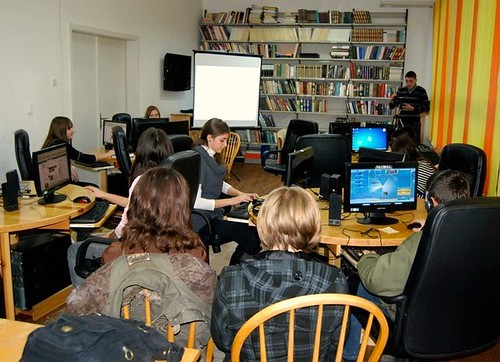
1) Hold an Internal User Conference. i.e. In the same way that your database supplier might hold an annual conference for their customers. Put aside a day (or a half day if a whole day is too much) and have a couple of 'streams' of seminars, invite users to speak at some sessions, invite a keynote speaker (try your supplier, ask a funder, invite me!), consider workshops or one-to-one "consultancy sessions" and of course put aside time for coffee and networking. Yes it will definitely take some serious organisation, yes it could cost to do it and yes it could be a challenge to get managers to let all your users go, but, hey, it wouldn't be a challenge otherwise!
2) Spend a day in a data/database department at a commercial organisation, learning what they do and how they practise database management. We can be very insular in the charity sector, and although I know plenty of NFPs who run wonderfully good database teams, we could definitely learn from for-profit companies too. Ask your fundraisers if any of their contacts, sponsors, funders etc might be up for helping, or just use your own contacts – we all have friends who work in large companies and other sectors. One thing you could consider is not simply selecting a company “similar” to your charity, i.e. a bank or a retail organisation. Why not try somewhere completely different? A leisure centre, a construction company, a vet! Surely we can learn something from other such industries. And if you have a large enough database team, send different people to companies in different sectors and then compare notes.
3) Think of new ways to use all the data fields which you already store in your database. I have done this a few times (admittedly with varying degrees of success!) but it’s always interesting, even if it’s just as an ice-breaker for a meeting. For example, why do we store an individual's first name? Just so we can write to them? Boring! Think of something else. How else could we benefit from knowing someone’s first name? How could we use that data/information? And what about your other fields - Date of birth? A job title, zip code/postcode, first gift date etc etc. Brainstorm. Who knows what it could lead to.
4) Dedupe your entire database, just for once! Now that would be a challenge… Can we ever say that we have no dupes in our database?!
5) Do some brand new data analysis on areas never looked at before on your database. So often, database teams are asked to do specific data analysis by fundraisers because of specific campaigns, or because we/they know (or we think we know) that tried and tested analysis techniques work. Which is fine and should of course be followed. But try instead, for example, to test whether there is any correlation between 2 or more factors/data items on your database which your fundraisers have never thought of using/comparing. Compare fields and data against each other, against time, against demographics, income and so on. This might well involve a lot of data mining to come up with anything new and useful, but if you do find something then that might create a whole new fundraising opportunity or income stream. Fundraisers are not data or database experts – you are; so don’t rely on just being reactive to their requests, be pro-active and think of some ideas yourself.
And even if you don’t like my suggestions, what about thinking of alternative but new and different challenges of your own? Share any you come up with in the Comments section below this post.
Enjoy!
5 innovative challenges for your database team
1) Hold an Internal User Conference. i.e. In the same way that your database supplier might hold an annual conference for their customers. Put aside a day (or a half day if a whole day is too much) and have a couple of 'streams' of seminars, invite users to speak at some sessions, invite a keynote speaker (try your supplier, ask a funder, invite me!), consider workshops or one-to-one "consultancy sessions" and of course put aside time for coffee and networking. Yes it will definitely take some serious organisation, yes it could cost to do it and yes it could be a challenge to get managers to let all your users go, but, hey, it wouldn't be a challenge otherwise!
2) Spend a day in a data/database department at a commercial organisation, learning what they do and how they practise database management. We can be very insular in the charity sector, and although I know plenty of NFPs who run wonderfully good database teams, we could definitely learn from for-profit companies too. Ask your fundraisers if any of their contacts, sponsors, funders etc might be up for helping, or just use your own contacts – we all have friends who work in large companies and other sectors. One thing you could consider is not simply selecting a company “similar” to your charity, i.e. a bank or a retail organisation. Why not try somewhere completely different? A leisure centre, a construction company, a vet! Surely we can learn something from other such industries. And if you have a large enough database team, send different people to companies in different sectors and then compare notes.
3) Think of new ways to use all the data fields which you already store in your database. I have done this a few times (admittedly with varying degrees of success!) but it’s always interesting, even if it’s just as an ice-breaker for a meeting. For example, why do we store an individual's first name? Just so we can write to them? Boring! Think of something else. How else could we benefit from knowing someone’s first name? How could we use that data/information? And what about your other fields - Date of birth? A job title, zip code/postcode, first gift date etc etc. Brainstorm. Who knows what it could lead to.
4) Dedupe your entire database, just for once! Now that would be a challenge… Can we ever say that we have no dupes in our database?!
5) Do some brand new data analysis on areas never looked at before on your database. So often, database teams are asked to do specific data analysis by fundraisers because of specific campaigns, or because we/they know (or we think we know) that tried and tested analysis techniques work. Which is fine and should of course be followed. But try instead, for example, to test whether there is any correlation between 2 or more factors/data items on your database which your fundraisers have never thought of using/comparing. Compare fields and data against each other, against time, against demographics, income and so on. This might well involve a lot of data mining to come up with anything new and useful, but if you do find something then that might create a whole new fundraising opportunity or income stream. Fundraisers are not data or database experts – you are; so don’t rely on just being reactive to their requests, be pro-active and think of some ideas yourself.
Subscribe to:
Posts (Atom)