Showing posts with label Integration. Show all posts

Tuesday, December 20, 2016

12 Key Lessons From My Last CRM Project

On the twelfth day of Christmas, my truelove gave to me... Twelve Key Lessons I Learned From Managing My Last CRM Project


I thought I would finish this set of blog posts with a quick-fire set of some of the most important lessons I learned from the last CRM project I managed. Each point really deserves its own dedicated blog post, but I hope they provide a succinct set of tips in themselves:

  • Configuration not Customisation where possible: I have blogged about this before and it remains true. The more you can Configure and use the software's built-in tools and GUI to configure and define your system, the better. Each bit of Customised code will add cost, time, risk, pain and something you should try to avoid unless you can see real benefits, at least during implementation.
  • Don't try to re-create your existing database: It is so easy to go down the path of replicating exactly what you do now but just in a new CRM system, when what you should be trying to do is use the functionality and approach and benefits of the new CRM system. If you have bought system X then use it as it was meant to be used. Long-term that will set you up so much better.
  • Yes, ask users what they want, but then start with a simple base configuration and go from there: i.e. don't try to do every little single thing which users ask for, don't try to change every form on every screen for n different teams, don't bend and change the software in complicated ways when you are still learning and building it. Instead, get the basic requirements, use the software in as simple way as possible to get a starting point and then show the users that - if there are then things which you really have to change then you can consider them at that point or even post-live.
  • Don’t under-estimate the challenge of data integration: Integration is hard, no matter how you do it. Think of all those external data sources you need to import, that other system you want to share data with/update from your new system. It takes time, effort and money. Some suppliers may have starting points for some things such as JustGiving etc and that's good, but you may still need to change things.
  • Treat reporting as its own workstream: Reports are always one of the things in a project where you start off with great intentions and then as the project goes on, you can find they slip down the order of priority. I would recommend managing them in a dedicated workstream, with a dedicated member of staff leading on them. Remember: reports are one of the key reasons you have a fundraising/CRM system in the first place!
  • Work hard at supplier relationships: At some point in your implementation, it is highly likely that something will go wrong and you will need to discuss something painful with your supplier. The better your relationship with your supplier at that point, the more likely you will be able to come to a mutually satisfactory conclusion. It needs work but it's worth it.
  • Consider a Product Owner/Solution Owner: In a large CRM project with a significant timeline and budget, consider including a role of Solution Owner (aka Product Owner). This is a role for someone who understands not only the charity's requirements and strategies but also fundraising/charity requirements more generally, as well as CRM software and technology. The reason for this is because the implementation of sophisticated, flexible (and often expensive) CRM software systems is of course not just about the software but about building/configuring and using it with the people and processes in mind - and understanding the whole approach, design, dependencies and implications of design. The role provides a central point of contact for design understanding and fundamental decision making.
  • You will always need more people on your team: As the project progresses, you will no doubt find that you could do with more people working on your project, although it could be that you don't know all the exact roles when you start the project. So think about this up-front, budget for it and bring on some roles as you go through the project. Ideally, have a budget for future roles but have an agreement with your project board that you can define the actual roles later. And backfill if you can - always good to up-skill both the people you bring on to the project and the staff who step-up to do the BAU whilst those other people are on the CRM team.
  • Think about the post-live structure of your database support team ahead of time: It could well be that the roles you have in your current database support/CRM team will be different to those which you will need with your new CRM/fundraising system, especially if you are moving from a traditional/proprietary software to a CRM Platform,  Think about this as far ahead as possible and make plans.
  • You can mix-and-match your approaches to cost within the project: There is always the question of whether you should go for a Time and Materials (T and M) or a Fixed Cost budget. In fact, you could mix and match even in the same project. For example, some of the development work might be T and M but the data migration could be a fixed cost. Etc.
  • Post-Live: Use a Roadmap, not Phases. I will point you to my older blog post on this as the principle still stands. I believe that having a roadmap approach to post-live development is far better and more efficient than the concept of Phase 2, Phase 3 etc.
  • The importance of fun in internal comms: When you are engaging all your users, staff and stakeholders with your regular communications (which you have planned, yes?), then think of the one word which many people would describe such comms. Go on, close your eyes now and do it... Okay, got that word? Was it... "Boring"?! Sorry, that is often how it is! So make your internal comms more fun: whether it is with more innovative emails, interactive demos, screens in the staff room, lunchtime meetings with food, competitions with chocolate... It doesn't matter so much what it is, but try to think what would make you read something you didn't want to read and do that.

Monday, December 05, 2016

Implement A Single Source of Truth

On the first day of Christmas, my truelove gave to me... Details on Why a Single Source of Truth is so Important


It has always been important for charities to have a ‘single source of truth’ for their core data, but if anything, it will become even more critical in the years ahead.

What I mean by this is that if you want to know a supporter’s latest address, their most up-to-date communication preferences, who is stewarding them in your charity etc; or if you want to know the average income from your last n appeals, your total registration information for your events; and so on… then you need to know that you can get the correct information by going to one source system.

If you still have more than one database which stores the same information, multiple spreadsheets which have been created by different users, or if your data integration processes from your website or other data sources are not working, then it is highly likely that you will get a different answer depending who you ask or where you look.

You need a single source of truth.

However, do note that this does not mean you necessarily need to have only one database or even the infamous 360 Degree View. You could well have multiple databases but as long as you have a ‘central system’ where your core data is collated then you should be able to get the figures you need. And, of course, you need to ensure that there are not teams in your organisation who have their own spreadsheets “because they're my records…”.

Depending on your database setup, the goal of a single source of truth may not be too difficult - it may be more about consolidating data flows and processes - or it could be much harder f you do have many data repositories and a lack of organisational control/understanding for where data is stored and why. One good option for medium/large organisations is to have a data warehouse where you can collate all your important data and where specialist staff can create reports for your KPIs which everyone will trust and know is right.

Make this need your first organisational New Year resolution.

Monday, January 12, 2015

My Predictions for NFP CRM Systems in 2015

Fortune Teller 

It's that time of year when people predict what's going to happen in the next 12 months and so I thought I would join in. So here goes: these are my predictions for what will happen in the arena of UK NFP fundraising databases and the CRM market in 2015:

1. The increasing adoption of Salesforce and Microsoft CRM Dynamics - especially for the larger charities looking for a new system. In the last 12-18 months, for the tenders for fundraising databases that I know of amongst larger charities, more have been won by a company selling Salesforce or Dynamics - and I think this pattern will continue at the moment. Blackbaud CRM will also be in the mix but it has not been as successful of late here in the UK (outside the Higher Education sector) and ACS's CareNG does not seem to be competing at the same level as the others right now.

So at the moment, for larger charities who are also looking for a development platform, I believe Dynamics and Salesforce will top the sales.

That said, I wouldn't be at all surprised if one or two larger charities implementing CRM systems for fundraising find it tough going. There are still very few sizeable UK charities using such systems for their dedicated fundraising database and I think some may find it takes longer and/or costs more than they expect.
  • As a 'sub-division' prediction on this, I also think that 'templated' versions of Salesforce and Dynamics will grow in popularity - i.e. offerings from third-party suppliers with some built-in charity functionality such as Direct Debit management, Gift Aid etc - both in terms of client adoption and new templates being developed by more companies. Plus Salesforce's own NGO Connect adaptation could be interesting to watch if it is developed for the UK market.
2. The mid-size charity market for fundraising systems will see a battle between Raiser's Edge NXT and Access thankQ CRM. Both Blackbaud and The Access Group are bringing out new products in 2015 as successors to their existing Raiser's Edge and thankQ systems and it will be interesting to see which moves ahead. It looks like The Access Group will release their new offering first so that could give them a head start, but Blackbaud's new technology and financial clout should see them pick up new clients later in the year.

That said, Raiser's Edge NXT still has some questions hanging over it as I have highlighted before in another blog post, so it will be very interesting to see how that does develop.

I also believe that CiviCRM will win deals amongst mid-size charities but it needs one or two more significant implementations in the UK to really get it to be more widely adopted. (And of course Salesforce and Dynamics will also be an option for this level, but for those organisations with 'pure fundraising' needs there would need to be a good reason to be building from 'vanilla' for such systems - hence, again, my prediction for the growth of CRM fundraising templates.)
  •  I also think that Blackbaud's existing Raiser's Edge 7 is not going to disappear for some time. It (like other similar products) still provides solid functionality for charities' operational fundraising requirements, so despite its age and shortcomings it will probably continue to sell for at least this year, and carry on being used for at least the next few years by many existing clients.
3. Extensibility will be increasingly more important. In terms of system flexibility, adaptation and development, charities are now moving on from accepting the limitations that the more traditional fundraising databases have offered historically. The goals, wishes and requirements of fundraisers (and therefore the database team too) means that such restrictions are almost certainly no longer acceptable for mid-size/large NFPs.

Thus the need for the increased power and flexibility of system extensibility has come to the fore. Charities want to be able to change forms and screens, insert entities and fields and add data integrity/business rules etc more easily than they have been able to in the past. And they want to be able to do this themselves, without having to be technical geniuses. But they also want to at least have the option of being able to get down-and-dirty with programming code if they desire to do that and if they are capable of doing so, and to be able to use such code so that they can extend the database beyond what it was originally developed for - but in such a way so that it won't break it in the future when new standard upgrades are released.

The CRM systems are leading the way in this but the new products from Blackbaud and thankQ are catching-up in some (if not all) areas and some degree of extensibility will no longer be a nice-to-have for new implementations.

4. Charities will want to integrate their fundraising/CRM database with their website and other data sources more tightly and with more automation… but they will still find it hard. This fundamental need is not new of course; and my point here is really a bit of an 'anti-prediction' in that although I predict the increasing desire for such integration, I still think it is going to be hard for more automated integration apart for those charities who have a decent budget and good in-house technical skills, or for the more 'common' data sources such as JustGiving.

Ironically, from the point of view of attempting to be Nostradamus, I hope I am wrong about this prediction.

5. Software companies and salespeople will continue to push Mobile/Social Media/Cloud as their innovations. Which is hardly a radical prediction, is it! After all, this is already happening. And of course these technologies do offer the potential of great benefits and the ability to interact with our fundraising/CRM systems.

But why I have highlighted this area is because I want to add that you shouldn't follow these trends blindly and you shouldn't be buying a new system just because it offers such capabilities. Instead, work out why or how such technologies could be used with your database. For example, it is not just a matter of recording tweets in your CRM system (I mean, are fundraisers really going to look through hundreds of tweets on a fundraising database?); it is not just about seeing a supporter's Facebook page from within the CRM (although that can offer some speed of access); and it's not just about accessing your database from your mobile/tablet without a good business reason, no matter how flashy the salespeople make that look. Although, yes, mobile access for event fundraisers at an event, for development staff visiting alumni, for member access - absolutely, that sounds good. So do it where it's right to do so - but not just for the sake of it.


A final note on this: I should add that there are of course many more fundraising databases available (AdvantageNFP, Harlequin, KISSS etc) and CRM systems (Workbooks, SugarCRM etc) - see the itforcharities website for such lists - and my references to the systems above do not mean that they are necessarily right for you or your particular project. If you do look for a new database then you need to do a proper analysis and procurement exercise and select whichever system and supplier is right for your organisation.

Monday, December 01, 2014

Integration Costs: Where to Start - and Where to Finish…?!

Link Wheel Diagram 
Integration is one of those words which can mean so many different things to different people. So for the purposes of this post, I don’t mean integration with third-party software such as Office or PAF software, but rather the need for data exchange or synchronisation between your new system and other data sources/databases. And as such, for any significant new database you will almost certainly have some integration.

As such, the sort of examples which you may therefore want to consider when integrating your database with other data sources include: receiving online donations, event registrations or any other data from your own website; data from JustGiving, VMG and other peer-to-peer fundraising websites; other supporter engagement websites (e.g. Engaging Networks); data importing/exchange with fulfilment houses; and data exporting to finance systems.

Sadly, the costs for such integrations can start to add up and they ain't necessarily cheap. So, a few key things to consider are:
  • Have you identified all your external data sources? Do so, in order that you can definitely decide on the best approach(es) for integration, so you can prioritise and of course to make sure you don't miss any critical data feeds.
  • When implementing a new CRM system, just because something was integrated in your existing (legacy) database, doesn't mean it will be easy to integrate it in your new CRM, at least not necessarily on day one.
  • Do you really need real-time integration? People often say they do, but how critical is it? The reason you need to ask is because real-time integration usually means higher costs and more complex integration
  • As such, 'batch process' integration is still more popular than real-time for most charities, and even for many corporates.
  • Custom-coded integrations are barriers to change: especially for small organisations. This is because they are more complex and more specialist to create and far more time-consuming and expensive to change later. Keep it simple for future simplicity.
  • You don’t need to make exclusive choices on integration - you could do one integration in one way (e.g. integrating your website and your database using web services) and several other integrations another way (e.g. batch imports from csv files).
  • Watch out for "integration transaction" costs when implementing APIs. If you do go down the route of using API services for integration then some systems (e.g. some cloud CRM systems) will charge extra if you go over x transactions per day. And although the starting point of charging can often seem like it only kicks-in with high volumes, a single "integration transaction" through an API is not necessarily, say, a single financial transaction (donation) from a website; i.e. using an API to add a single donation to your database might involve multiple API transactions.

Monday, October 27, 2014

Why online giving platforms and your own fundraising database are not best friends

Drifting Platform 
The IoF/CFG recently published a new report, "A practical guide to selecting and using online giving platforms" and I was pleased to see that the data collected from such platforms and, to a degree, the integration with your fundraising/CRM databases was acknowledged as a factor. However, I think such integration is sometimes promoted as being easier than it really is; and sadly, integrating or importing said data into your own fundraising database is often much more awkward, time consuming and costly than charities realise.

There are therefore a number of things I think you should consider if you do want to get the data from your online giving platform into your own fundraising system:

First, the data basics
Just because a platform provides a file of donors/donation data in an Excel/csv format doesn’t mean you can import it quickly into your fundraising database; e.g.:
  • You need to consider duplicates - how will you identify if an online donor is already on your fundraising database? And even if you can, can you easily update data correctly? i.e. if you do find a duplicate then is there any data which you should update on your own database? Or should not overwrite?
  • Some fields in your downloaded file may need to be split (or even concatenated); e.g. name, address fields.
  • Some fields may exist in your downloaded file but not in a way which can directly be added to your database (e.g. Gift Aid declaration data/flags, opt-in/out flags).
  • Other fields not in the downloaded file may need to be added to a file before you can update a record on your database (e.g. source, fund/campaign codes) etc.
  • Gift Aid flags need to be carefully updated so there is no double-claiming in the future.
  • Then you have regular giving and how to distinguish/code/incorporate these, and match income when it comes in...
  • And you have the issue of Soft Credits and how to apply those to who…
There are also sponsored events to consider, which are of course where so much data comes from the online giving platforms. It's all very well including sponsors who have ‘opted in’ to receive more information from you, but if it takes more time/effort to import then what are the expected benefits? Are those people really interested in your organisation or just the person they sponsored? What is the real likelihood of getting a further donation from them?

And the reason all this is important is because if you do need to manipulate and change the files you are downloading from the online giving platforms, then someone in your charity (i.e. usually someone in your database team... if you have one...) has to do that. Some charities are better than others at doing that and some do automate such processes in Access/Excel macros etc, but I know many who still do at least some manual work, and some who do considerably more than "just a bit".

Some (potentially) better options
There are of course more automated ways of importing all this data. e.g. JustGiving provides an API which means you could import such data much more efficiently. And some of the fundraising packages and some of the fundraising templates now provided for Salesforce/Dynamics even have 'out of the box' functionality written for you to do this. Which is definitely a good start. But remember that even those pre-defined processes might not always do exactly as you want.

And if any online giving platform says “oh, we have an API so you can integrate us with your database…” then, well, just be aware - it ain’t necessarily as easy as it sounds! If you have internal programmers and techies then great, that’s an option. If not, it will cost you money.

The benefit and curse of multiple online giving platforms
Of course, the kicker is that for all the above points, you need to consider all of them separately for each online giving platform because each platform's data and file format will be different… That's why database teams groan (inwardly) when they hear about the "next, great online giving platform", because they know where the buck will stop in terms of getting that data into your own fundraising database.

And talking of bucks, this final step of getting the data into your own system is sometimes not considered when looking at the total cost of different systems. Sadly, it does seem to be assumed by some charities that if a database team can do one such solution then they can do another without any additional cost/work. And as I am saying, this is not the case.

Don't get me wrong: I love the fact these platforms exist and it has revolutionised fundraising. But to maximise future fundraising benefits, you need to get data from those platforms into your fundraising database and use that for future marketing. And that is not always as easy as it sounds.

Tuesday, August 26, 2014

Do you really need real-time integration?

Time Jumper 

For some reason, when users request integration it often seems to have to be "real-time" integration. This may just be because 'real-time' is a bit of a buzzword, or because it is used without really being fully understood, or it may be because someone (a salesperson?!) once told them they simply had to have this... But if you quiz them more deeply then I would suspect that very few applications which charities run have to truly be "real time".

And the reason that is important is because real-time = really more complex and expensive.

First off, it is worth defining real-time within this context: real-time for a charity could be when, say, someone makes a donation on your website and then that donation is transferred 'immediately' into your fundraising/CRM system. But even here, 'immediately' could be several seconds which for us as a charity pretty much is real-time - as opposed to, say, a share-price system or a car's ABS system which has to react within nanoseconds. The important thing to note is what real-time does not do which is that it does not simply pass the data to a 'queue' of similar transactions which is then transferred into your CRM system sometime later using a 'batch process' of some sort.

So, if we consider this definition, then when do we as charities really need real-time integration between another system and our fundraising/CRM system? The above example of online donations or event registrations is a good case in point: if a donor was to phone your supporter care team within moments of making an online donation then maybe real-time (or near real-time) would be very important. But although I know that scenario does happen, it's rare. And there could quite feasibly be a simpler, cheaper workaround for that such as your supporter care team having access to, say, a web portal to your online donation/event management system. I'm not saying that is definitely the best approach, but it should be considered if a real-time option is prohibitively expensive or complex. If it's not - and actually, these days, such real-time integration between CMS and CRM is increasingly more straight forward - then go ahead, knock yourself out with it.

But I would really question the need for real-time for many other applications. For example: if you are only getting a handful of online transactions a day and no-one needs to know about (or is available to know about) them instantly anyway; if you have a fulfilment house processing your campaign cheques; if you are receiving files from CAF; and so on. In those instances, it is probably perfectly acceptable to have batch process integration. And batch integration doesn't have to be daily, which is how it is often thought of. If it is automated then it could be every n hours etc. But it will (almost certainly) be a lot easier and cheaper to implement and maintain.

Monday, March 31, 2014

Integration: One of the NFP Sector's Top Technology Trends for the Next Few Years

API calls 
The Access Group recently published their top 5 tech trends for charities with one of them being Integration. This is something which I completely agree with. Not integration as in integrating a database with Word/Excel or with PAF software etc, but integration of systems and data flows. For example: integrating your fundraising database and your website; integrating data files to/from your fulfilment house(s); integrating third-party giving websites with your database; integrating your database and your finance system. And so on.

Why? Because these are some of the best uses of technology in order to get some huge benefits. Automation, time-saving, efficiencies, better use of staff time, data accuracy, data up-to-dateness, quicker decision making, better and quicker reporting, better and quicker analysis, smoother changes for new systems, even improving your competitive edge; and so on. There are just so many things which data/system integration of this ilk can help.

Unfortunately to achieve this is not always so easy. Even with today's more contemporary, open systems. Most charities do not have the resources of commercial organisations who can throw money and teams at such problems, buying in such skills if necessary. And not just for the initial implementation of such integrations, but the on-going maintenance and future changes too. Most charities will of course have limited budgets and resources and unfortunately the time and effort needed to implement integration in any better way than "importing a csv file" often restricts them from doing so. Hence, the "importing a csv file" route is still so common.

But hope is on the increasingly nearer horizon. Systems are standardising, APIs are more available and third-party integration tools are more accessible and far more flexible and smarter than in years past. Even native data loaders in the latest fundraising/CRM systems are better than they used to be if you do have to go down that route.

And I think charities and NFPs are starting to really understand the benefits of such integration, and therefore they are committing budget and resources to such tasks. And that's fantastic. I really hope that over the next few years we are increasingly going to see huge steps in improving integration at NFPs. Assuming so, that is going to bring some wonderful benefits.

Sunday, February 12, 2012

Integration – what does it mean?!

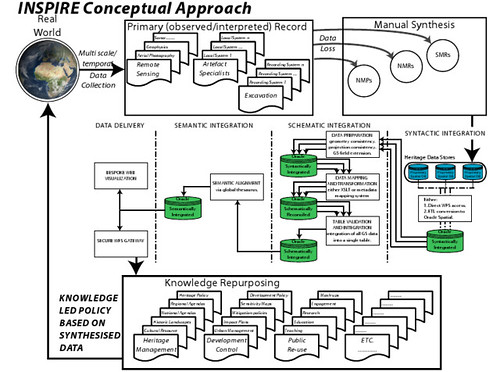
INSPIRE Conceptual Approach 
If I had a dollar for every time someone said to me, “Can I integrate my database with…” I’d be a rich man by now. And if I’d said yes each time, and then tried to do it, I’d probably be a gibbering wreck by now - and spending all my riches on psychiatrist fees. Because, unfortunately, "integration" is one of the most abused, mis-understood and mis-interpreted words in IT vocabulary. Stop 5 people in a fundraising office and ask them what integration means to them and you’ll get at least 7 ½ answers.

Integration can mean so many different things to different people. From the comparatively simple requirements of automating a thank you letter straight out of your database into Microsoft Word or implementing a one-way transfer of data between a fundraising database and a finance system; or just enabling someone to look-up an address in a third-party PAF software and populate the address fields in the database; through to a full-blown, real-time, automated, synchronised, two way (or more) integration between two or even multiple systems (your fundraising database, box office system, online activist web site, events management system…) – right up to the highly acclaimed, highly sought after Single Supporter View. (BTW, can’t your database manager do this? They’ve got a couple of spare hours next Tuesday…)

So take care. When anyone says the I word, find out exactly what they mean and what they really want. As so often with IT systems, the first thing to ask is, Why? What are the benefits? What would it mean if we do “integrate” the systems? How would we use that data? And if it is more than a simple data transfer, if we do have 2+ systems with the same “contacts” on both, how will we keep the data synchronised and up-to-date? And what is the cost?!!

But don’t get me wrong – I also love integration. The benefits of an ‘integration’ exercise when it is done well and with thought are great. Just take care you – and everyone else – understands and agrees exactly what you all mean.

Tuesday, May 17, 2011

Lessons Learned from Implementing Single Supporter Systems (Part 2)

This is the second part of a blog post on the lessons I've learned as a project manager, implementing single supporter systems at a number of charities over the last few years. You can see part one here if you haven't already read it.
 
Lesson 5: Four Technology Lessons
As I mentioned, the technology within your new system may be the simpler bit, but that doesn’t mean to say it is always simple! And, as per a common theme of this post, there are of course many, many technological lessons to learn from implementing Single Supporter Systems; but here are 4 key lessons:

i)                    Keep it Vanilla. Fundamentally, what this means is that, as much as possible, you implement the database in the first instance without any - or with minimal - “Customisation”; although “Configuration” is fine. There are just so many great benefits which you will get from doing this, such as: improving the simplicity of implementation, lower risk, a faster implementation, a lower cost implementation and much more. I have written a whole separate blog post on Keeping it Vanilla, so please do go read it if you want to learn more!

ii)                   Data Migration is tough, but it is just technology. Again, I have written a brief, separate post with my top 3 data migration lessons, but because you could be migrating data from multiple source systems into your new single system, it has to be something you take very seriously.

iii)                 Integration is tough. In fact, it can be the most difficult technology part of some Single Supporter Systems. Everything from database/web integration and integrating with third party software, through to integrating data feeds in from other sources (e.g. fulfilment houses, third party web sites) and passing data through to other systems (e.g. finance systems). So, my advice is start on these as early as possible in the project, get your supplier involved or a dedicated expert who can work on this, and see such integration as a specific work item within your implementation; i.e. do not treat it just as yet another task which has to be done. It is of course, but it is highly likely to be a much harder one.

iv)                 Implement reporting in the initial implementation. I have been part of projects where this has been done and where it has not been done, and there is no doubt that the better approach is where it was actioned. It is such an important part of the initial implementation and of having the system at all – after all, there is no point in having a database if you can’t get the data out! But, it is often easy to overlook or forget. I would even consider having the reporting requirements as a separate workstream within the project.

Lessons 6: You need a Project Manager
I’m hoping this is something I shouldn’t need to say, but just to make sure: you need a Project Manager. And unless your Single Supporter System is remarkably small, you need a dedicated Project Manager. Because your implementation will take time, effort, co-ordination, liaison with many interested people and parties and a heck of a lot of work; and it just isn’t possible to do that for any significant system without a dedicated individual.

For more thoughts, on this, read my post on the Top 10 Benefits of Project Management.


Lesson 7: Just because you now have a joined-up, Single Supporter CRM system, does not mean you can now do joined-up CRM.

So you have your completed Single Supporter System, which of course means you are ready to “do” centralised CRM, yes? Well, no. Because although your new system will of course give you the tools to manage your contacts centrally, it does not mean you are ready and have the processes and protocols in place to implement this.

It’s all about the Change Management.

The best example I can give is this: if previously, your different departments or teams were all writing to and emailing their contacts without worrying about what the other departments/teams were doing, then this won’t change automatically just because you have a new system. You will still need to literally sit down and discuss this and plan your communications and contact management strategy from a centralised point of view. And it won’t necessarily be easy!

So, again, plan ahead, plan separate Change Management streams within the project, recognising that the technology is the deliverer and driver and not the creator of answers. That is down to that good ol’ fashioned thing called human decision. Although of course we hope that the new system can support and implement such decisions – that would certainly be quite nice…