Showing posts with label Business Case. Show all posts

Monday, April 24, 2017

Learning From How a Toyota Supplier Saved $1 million by Updating Its Tech Infrastructure

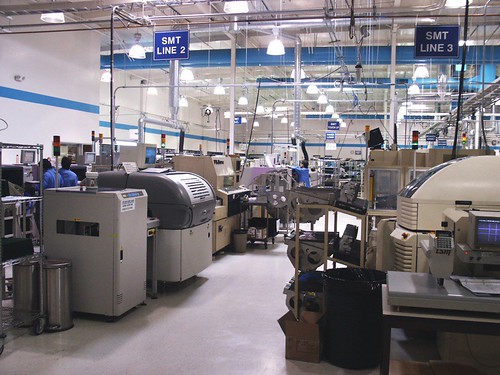
Production floor  
My second post in an on-going series of blogs on lessons we can learn from commercial sector technology implementations.


A recent article on TechRepublic shows how Toyota supplier, AW North Carolina (AWNC) spent $1.2m on new Cisco equipment, which has led to significant savings for them. Few charities will invest that amount in a new CRM system, but some of the approach which AWNC took provides us with very useful ideas for the benefits which charities may get from new CRM implementations, often regardless of size.


1) "Downtime at AWNC costs $272,000 an hour, so it's crucial to get systems up and running as quickly as possible. Any downtime, particularly in shipping, is incredibly detrimental."

Okay, so it's unlikely that a CRM system being down for an hour at a charity would have quite such high costs! However, downtime due to a poor or unsupported system or inadequate IT infrastructure is not always factored in to a charity's view on whether they need a new CRM/fundraising system.

So consider: what would it mean to your staff if they couldn't access their database for an hour? Probably, it wouldn't be terrible for most fundraisers/staff, they could cope for that time, although Supporter Services would no doubt find it awkward for managing in-coming phone calls. But what about half a day? Now staff will be getting more anxious, a backlog of income processing might build up, supporter services are finding it more difficult and major donor fundraisers can't see their contacts' details. What about a full day? Much harder now: thank you letters might be delayed, management for a forthcoming event becomes much harder, and what would happen if that day happened to be the day when you were due to do your Direct Debit claim?

So it's not just the cost of a new CRM system - all this needs to be considered when looking at investment.

2) "As a result of the new technology, AWNC avoided maintenance costs on the old equipment of $1 million in the first nine months the system was in place"

Again, unlikely for most charities that they will save $1m in nine months due to replacing a CRM/fundraising system, but I have come across several NFPs who are paying existing suppliers ridiculously high annual maintenance costs for what they are getting, even without upgrades and developments. And/or they have to have specialist, higher paid staff for their current, old system because there are so few people who can support it. So even if it is going to cost you £x to invest in a new CRM system, what are your savings going to be in the first 12 months? (In the next 5 years?) Forget "possible extra income" benefits for a moment, these figures are hard cost savings.

3) "About 40% of the savings will be ongoing and realized annually."

We forget this sometimes, that savings (and benefits of course) will not just be the first year, but over the following five to seven years. So in addition to point (2) above on immediate savings, what other costs will be lowered or made more efficient by a new system? Lower staff costs? Or maybe, the same staff costs but those staff being far more efficient, productive and proactive? Time-savings from quicker processes? Time-savings (and better productivity) from simpler, quicker development tools? Development you can do in-house now rather than having to always go to an expensive software supplier?

4) "It was very clear... that the infrastructure was not keeping current with where the world had gone."

We're all aware that digital is where fundraising is going. Yes, there will still be plenty of 'traditional' or offline income coming in for some years to come, but that appears to be declining, and GDPR/DP issues could be forcing our hand in terms of reducing direct marketing. There is a point when you do need to review how and whether your existing CRM/fundraising system can support you and provide additional benefits with your future fundraising plans because of changes in the outside world.

5) "It's common in a manufacturing plant to avoid buying new equipment in a misguided attempt to save money, with IT teams not realizing that the operational costs to troubleshoot problems and the associated downtime in a factory environment can result in even higher costs."

I love this! How many of you have suffered from this problem with your antiquated or unsupported fundraising databases?! (And it's kind of reassuring that commercial organisations have this problem too!)

6) "The big push for last year was solidifying the environment, and this year is all about pushing out into the applications and into the manufacturing space to impact yield inventory."

This is just a small point to show that any new CRM implementation does not have to be rolled out to everyone or to manage all potential benefits immediately. Plan for future expansions in the subsequent years after your immediate go-live - you don't need to, and shouldn't try to do everything on day one.

Tuesday, April 22, 2014

Could a Business Case be Presented as an Infographic?

Recently,  Econsultancy.com reported how The Bill & Melinda Gates Foundation had produced its annual (2014) letter, written by Bill Gates himself, as an interactive letter supported by poignant infographics, and as a result it doubled its reach. Last year, Cancer Research UK published their annual report as an animated infographic (see below). And very impressive it was too.

Both of those cases got me thinking: could I use the same idea for presenting a business case for a new fundraising/CRM database?

I thought of this because I have sometimes found that trying to distil what is really important and key in a business case in a simple and concise way can be very difficult. (And yes, okay, I know verbosity is one of my personal problems… but even so). We try to add Management Summaries and a list of key bullet points, spreadsheets with the key figures, even a few charts/graphs, but sometimes it still doesn't seem to be understood by all the people who matter.

So maybe an infographic could do the job better. It would ensure we really had to think about what the most important points are, as you can't have a 20 page infographic, and it would hopefully make it far more visible, easily digestible and, importantly, quick and easy to understand. If necessary, you could even have 3 or 4 infographics - say, one for the key business drivers, one for the benefits, one for resources and one for costs. I would still keep them as concise as possible but that might mean you didn't try to cram too much onto one infographic.

You might still need a full business case document to back this up, but when you only have a few minutes to persuade your manager or board of trustees just why you need a new CRM system and why it is going to cost just a tad more than you had originally thought, then maybe this could help.

Anyone want to try?

- - - - - - - -

CRUK Infographic

Tuesday, March 27, 2012

Should you ever invest in a short-term CRM solution?

Thorpes Bridge Junction 
Every now and then I am asked by a charity if I think it is all right if they buy a database as a “short term solution”. And for short-term, they usually mean “cheap”. This is normally asked because, for whatever reason, they (say they) can’t invest at this moment in what they feel would be a long-term database but they have to have something now.

My instinct is nearly always to say No, that’s not a good idea. But I have been thinking recently if I am always right to say that:

Why I say No
I normally say no to short-term solutions for a number of reasons:
  • It will still take a fair amount of your time and effort, assuming you are doing at least a semblance of a requirements gathering and procurement process, and just because you intend to spend less or only see it as being needed short-term, that doesn’t mean it will necessarily take less time or require less effor. In fact, if you are going to put in this time, why not do it “properly” and get a "proper", hopefully long term solution.
  • It is quite likely it will cost you more in the long run. Not only will you have to repeat the above process at a later date (i.e. the needs analysis and procurement), but you will have to invest initially in a database and then invest again at a later date – with all the associated professional services – and of course have to pay a second time for data migration. That means it is extremely likely that you will pay more in the long term than you would do if you spent the time, effort and money now to get your ideal system now.
  • Short-term can be an excuse for doing things cheaply and therefore not comprehensively – or to put it bluntly – badly. I am often told it “doesn’t matter” because it is “only short-term” and “we will do it properly” when we are ready. That just means poor decisions all round: a potentially poor system, a non-thought through process and on-going business processes and quite possibly, a system which won’t support your fundraising needs even in the short-term.
  • Short-term solutions frequently become long-term solutions… How many times have you implemented any sort of system or process as a “short term solution” only to find you are still using it months or years later.
It’s worth asking, Why can’t you get the investment for a long-term solution?
If you are having to think short-term because you haven’t got the budget for a long term solution, then it might be worth going back to your business case and trying to show why it is so important that you do get the correct and necessary budget for your particular needs. Do you need to show your SMT/trustees the benefits you will get? I would always encourage this first.

What about the “But there is new technology happening soon…” question
One reason I am sometimes told that an organisation only wants to invest short-term is because there is some great new technology which is just about to be launched in a few months... Maybe so. The thing is, new technology is being launched every day! If we wait and wait for “the next big thing” then we will wait forever. You have to do a well structured procurement process, invest in a system which (as much as possible) will be "future-proofed" and invested in by the supplier for the foreseeable future and take the plunge.

So, is there ever a reason to say Yes to a short-term solution?
I guess there are a few scenarios I can think of where I would consider saying Yes to short-term:
  • If you invest a small amount in a product in the first place which you intend to invest more in later. In fact, this is quite common and in some instances perfectly good business sense. If you need to start using the database in one department/team and then build-up the system across other teams in your organisation then why not. If you only have a small budget now but you can get started with this and apply for a larger budget for the next year, then yes, this is an option. You still need to do all that in a ‘proper, structured’ way, so that you know you are buying a system which will be scalable in the future, but if so then that could be fine. This is therefore not the same as just "buying short term" because what you doing is planning long term in a good, structured way but simply investing less initially.
  • If you are, say, a small fundraising department who needs a system now, but where the long term strategy of your charity is a broader organisation-wide CRM system. In which case, as long as your charity recognises they will be spending money later on integrating/moving you to a new system, then short-term thinking could be appropriate.
  • There are of course a few good, low-cost fundraising and membership databases for charities and it is better to consider those in a well thought-through process than just buy one for the sake of it.
But what if I really have no budget for a new database?
I know, this is always a potential problem, especially for smaller organisations. And the temptation is therefore to just "get something in now" because we have to have something, and to worry about it later. But, if this really is due to severe budget restrictions, then this doesn't mean you still can't go about procuring a new database using a good process. Read my recent blog post, What should you do if you really have zero budget for a new CRM or Fundraising database?

Sunday, March 18, 2012

What is the definition of a successful project?

Cheers..!!It’s very easy to glibly say a database or CRM project (or any IT project come to that) is or is not successful. Is success really just measured using “the obvious”: being on scope, on budget and on time? No – what really measures the success of a project is the value of the project, the benefits you get out of it. That's how to define and assess a successful project.

Because even if a project is under budget then what does that mean, how does that really help if you don’t get any value out of it! If a budget is run on time when if it has taken 2 years to do it but any other similar project would take 4 months, then is that really successful? Did you even define the scope in the first place or have you just got what you thought was right?

Make sure you know why you are doing the project in the first place, what benefits you really expect to get and how you are going to measure them. And if that sounds like it has come from the book of the bleedin’ obvious then I’m delighted that you think that! Because trust me, there are so many projects that aren’t run that way that if you do manage your project with such abilities then you are half way there already to making it a success.

Wednesday, February 15, 2012

What should you do if you really have zero budget for a new CRM or Fundraising database?

As much as I always promote having an appropriate budget for your fundraising or CRM database, and as much as I try to enforce the understanding that free software doesn’t mean zero cost, I also realise that sometimes, in particular for smaller charities of course, you just don’t have a budget for a new system. So what should you do then?

Below are the key things I believe you need to consider and act on in such circumstances. They won’t cost you anything except your time and attention. Although even with that said, I struggle to truly say the whole implementation will be free. There are always additional costs: you will still need PCs, an internet connection, probably hosting for your database, maybe additional software and so on – so you either need to have a great benefactor or be a great fundraiser/negotiator, otherwise you will still need to spend money on those things.

Do note that these tips are primarily aimed at organisations who really don’t and cannot expect to have an appropriate budget for their database – so if you are a charity of any reasonable size but you are struggling to acquire a budget for a new system then, even though the following may help you, my first piece of advice is to re-visit your business case and determine why it isn’t deemed to be so important at your organisation. There is no point – for any size organisation – in getting any system, free or paid-for, which is not right for you, even if it is the cheapest one, even if it is free.

1. Get the basics right before you start looking for a new system
Remember that any database software is an enabler to help your fundraising strategy. Ensure you know what your strategy is now and for the next few years in order that you will know which CRM system is appropriate for you and what you need from it. And remember too that the database software is only one aspect of any database implementation – don’t think that you can just install a database and that will solve all your answers! i.e. a database is only as good as the data in it (i.e. how you collect it, data consistency/accuracy etc), it will only be used as well as your staff are trained to use it and with appropriate processes, and you will still need fast enough hardware and, if appropriate, a fast enough internet connection.

2. Treat your process for getting your new system as a ‘formal procurement process’, even if you’re not spending any money on it
I would still advise you create a document showing your requirements, I would still advise you research and find out about possible suppliers and, if appropriate, people who can help you (see below), even try prototyping one or two of the systems (assuming they're free, c.f. below), create a plan, engage the rest of your organisation and so on. Don’t just start using the first free system you find just because it is free.

3. Ideally, use a well-used package or CRM system – not a bespoke development
One of the key problems which charities have suffered from over the years is when a (well meaning) volunteer or “someone’s friend” has created a bespoke database in Access/Filkemaker etc. The problem with this is that they may not be around forever, they won’t necessarily understand your needs and they are re-inventing the wheel.

I would therefore look at systems such as Salesforce (free for the first 10 users), Zoho, CiviCRM, SugarCRM. They will all need time and assistance with setting up (see below) but they are all good, established systems; and they all have good online communities to help you. This means that if you or any other key people in your organisation leave in the future, then someone else will be able to pick-up your implementation much more easily than if it was a bespoke development. And you will get support and future enhancements. They are also good systems so that if in the future you increase your needs (and budget) then you will be able to build on them potentially without needing to change system again.

4. Keep it simple
Complexity (and over-complexity) brings cost. If you are looking for a free system then I will generally assume you do not need sophistication. If you do require more advanced solutions then free may not be right for you. So keep it simple: it will be quicker to implement, easier to use, easier to support and change in the future and you will get better results. And that has to be your ultimate goal.

5. If you don’t understand databases, don’t set it up yourself
Whilst I normally don’t advocate the use of volunteers for any significant database implementation, if you have never used a database before or you don’t know best practises in this area or what they can really do for you, then find someone who does and get them to help you. You may have a database-savvy staff member in which case they may be able to help. Otherwise/additionally, there are a number of places you can find free support and assistance from professional IT staff, including IT4Communities, the Do-it Volunteering database or even the WCIT. Or for really small charities, maybe even approach your local college for students requiring work experience? And don’t forget your trustees for contacts and input!

6. Document everything – the configuration of your new system and your processes
During and after the implementation, if you get someone to document what they have done then anyone else following them will be able to make changes and support your databasse much more easily. If you get someone to create proper, written down processes for you, then you will be able to use the system more efficiently and your current and future new staff can be trained.

7. Commit to the project
I have come across too many organisations who have started to use a free database without really committing to it, and in no time it has become a white elephant (all be it a no/low-cost one). But that won’t help you, your charity, your fundraising or ultimately the cause you are trying to support. So don’t think that just because you are spending no money on it, it will all work beautifully, immediately, first time and without any of your time. You won’t be able to press one button and get the database to tell you who are your best donors, or send a targeted email campaign or find out who you should be speaking to next week if you don’t do the groundwork. Sorry! Commit - it's really worth it.


Friday, May 27, 2011

What Should be in a Business Case for CRM software?

Many charities do not create a proper business case before procuring a new database. And by a business case, I don’t simply mean a few bullet points which show why a new database is needed – I mean a comprehensive document, structured in an appropriate way which addresses all aspects of a business decision. If you do this, then you will be far more likely to succeed: you will understand your key requirements, success criteria, user involvement, constraints, risks and more; and when the project is completed, you will be able to measure its success against the criteria laid out in your business case.

So, what should a full business case encompass? Consider including the following:
  • Management Summary 
  • Project Background
  • Document Purpose
  • Document Audience
  • Business Problem / Key Issues
  • Project Objectives
  • Alignment with Strategic Objectives
  • Benefits
  • Scope (inclusions and exclusions)
  • Project Approach
  • Project Deliverables
  • Stakeholders
  • Budget
  • Timings
  • Risk Assessment
  • Resources
  • Assumptions
  • Constraints
Whether all these areas are needed and how much detail you need to include will depend on your specific project: it’s size, complexity, reach, risks, potential impact and so on. But do one – it is one of the best things you can do to focus senior managers’ minds on the real and fundamental issues involved. Especially when you ultimately ask for a budget.

(The above text is taken from my ebook, "101 Tips  on How to Buy Fundraising Software and Charity CRM Systems". To read another 100 tips, you can purchase the book here).

Monday, May 16, 2011

Lessons Learned from Implementing Single Supporter Systems (Part 1)

one I have helped implement and been the project manager on a number of Single Supporter Systems over the last few years, and last week, I gave a presentation about some of the lessons I have learned from doing so at the Institute of Fundraising Technology Group conference. This post incorporates the details I discussed at that session plus a bit more. 

I have split the post into 2 parts because there is quite a lot to say, although as I mentioned at the conference, I can sum up my lessons learned thus: it’s the people and processes which are the difficult parts, the technology is the simpler bit. Although do note I said simpler, not simple…

Lesson 1: What is a Single Supporter System?
For the purposes of this blog, I am going to define a Single Supporter System as something which enables you to see everything about a defined set of constituents in one place. I use those words carefully as the actual system (the 'something') could be a single database or it might be a ‘marketing view’ of several source databases. I’m not going to go into the technical issues and the pros and cons of all such approaches in this post, but the heart of my lessons learned will be the same regardless of how you do it technically.

I also have a slight assumption that if you are building a Single Supporter System then you have, or have had multiple existing systems, or you may have one system but you are now implementing it with new and different departments or teams who have never used it before. That said, if you are planning a new CRM system which is just for one team, such as Fundraising, then most of these lessons will be equally applicable.

It is interesting that it can be difficult to define a Single Supporter System and there are many similar terms and words which we could use instead, all of which could be easily inter-changeable. For a bit of fun, click on this diagram and you will see what I mean! My favourite is “360 degree customer relationship management database”; that’s some TLA…

That said, there is also a serious point to mentioning all these buzzwords, because one lesson I have learned is that it is often better to give the system a more “user friendly” name than The Single Supporter System or the name of the software package you are using. A short, well-understood moniker can help users’ understanding and acceptance, especially if it is an organisation-wide database and not just in one department such as fundraising.

The other key point which you need to define immediately is that middle word in all these phrases: is it supporter, donor, contact etc. Again, this is important from a comprehension and acceptance point of view amongst all the users, but more critically, we have to define just what records are going to be stored on the system and which are not. That may sound obvious but if you do not define your scope right at the start of the project then you will heading down a long, dark path of confusion.

Lesson 2: Define a (Strong) Business Case
Following on from my last point, let’s take a step back. Not only do we need to define the make-up of the system but there are lots more things we need to define and agree on first. And for this, we need a Business Case – i.e. not just something we say, but a properly structured and well defined document.

There are many reasons why and it requires a whole separate blog post to discuss [and indeed at the IoF conference, there was a separate seminar examining this] but for me, and especially from my experience as a project manager, one of the key reasons for having a Business Case for a Single Supporter System is so that we can absolutely define the scope and benefits of the project; so that if, during the implementation, someone in the organisation says that their database should also be included in the new system, then, if it wasn’t in the original Business Case then I can very simply say that isn’t something we are doing. Or, if they really think it should be, then they can ask for the Business Case to be reviewed, and if that is agreed to, then, if the Business Case subsequently changes, then we can decide if the Business Case still holds water and thus if the project should still continue.

So my three key reasons for having a business case for such projects are:
-         To define the scope of contacts/records being held in the system (as discussed above);
-         To define the functionality;
-         To set the objectives and measurable benefits we are aiming to get from the system;
The Business Case also needs to have top level management support, the more senior the better.

A quick word on the fact I said the benefits should be measurable. I know this is difficult but we have to do it. If we don't then how can we truly say if a project is successful or if it has reached the goals and benefits it set out to achieve.

Please note that there are many more reasons for having a Business Case and many other things which should be included in a Business Case – this post is just to emphasise the key ones I think are useful for a Single Supporter System. For a very interesting discussion on this very point, have a look at the IoF Technology Group’s LinkedIn Group discussion board.

Lesson 3: Manage User Engagement
So if I think that the people are the harder aspect of implementing such systems, then what can we do to manage user engagement?

I have actually written several other blog posts about this, so I am going to sign-post to them here:

-         16 Ways to Improve User Buy-in, and

I do want to emphasise the second post. Because when it comes to Single Supporter Systems, we cannot afford for individuals to be maintaining their own data silos (typically, spreadsheets…). They may well have good reasons for wanting to ensure they control communication to their contacts (e.g. VIPs, major donors, MPs etc) but this does not mean they should not store their data centrally. The fundamental reason being that if they don't store their contacts on the central database then, in actual fact, it will be impossible for them to stop anyone else contacting them - assuming that such contacts have - or will have - other relationships with your organisation which are already stored on the central database. In addition, more and more, organisations are understanding that the concept of "my records" is not helping the charity holistically – and the end of the day, it is the organisation’s data, not yours.

Lesson 4: We need to Define our Business Processes
This is a classic, now quite old “cartoon” which shows the evolvement of IT practises. Click on it and have a look if you have never seen it before! It is frighteningly accurate too many times!

And it emphasises an important point: it isn’t easy defining business processes but it is necessary in order to implement a new system – especially a Single Supporter System where it is imperative that everyone uses the system in the same way. It is also very hard sometimes for users to sign-off processes when they are written-up and given back to them, especially if/when they are written up in “tech speak” and/or “system-specific speak” even if the document detailing the processes tries not to be technical. We have to recognise this and need to work very hard to make such documents as understandable as possible to such users. I have also found that mocking-up the system to actually show users how it will look can help this process.

We also have to remember that a new system gives us the chance to ask the question, “Why do we do the following process as we do now anyway…?” And in my experience, it is likely that the answer will fall into one of 3 categories:
i)                    We investigated and it is the best way of doing the process;
ii)                   Er, dunno, we’ve just always done it that way…;
iii)                 Because our existing computer system made us do it that way.

A new system is thus a great catalyst for us to address the above and decide on what is the best approach for the new system. And over the years, I have come round to thinking that the following works best: you should, where possible, fit your business processes around the database you buy – and not fit the database around your processes. This does presume that you are implementing a package of some sort and not creating a bespoke solution.

Why? Many reasons again, but the key benefits are:
-         The database has been designed (hopefully) using good practise and has evolved over the years for many other organisations to use, so why can’t you use it that way too?
-         You’ve bought the software, so use it! If you decide to start customising and changing it left, right and centre then is it the right system anyway?
-         It is more future-proofed; when new releases come out, there are no customisations to break, no bespoke practises to change.
-         It is (usually) cheaper and quicker to change your processes than the software. Usually…
-         And, for Single Supporter Systems, you are likely to have many different views from lots of different people as to how we should be doing something; so having a base of ‘this is how we do it’ can be useful.

I also realise that rules are there to be broken so although the above is always my opening gambit, it does not mean you should always follow this rigidly. I recognise that there are some business processes which really have to follow certain processes (e.g. batch entry, gift aid processing) but I have to presume at this point that your initial procurement was good enough to have ensured that such important processes could be done as you needed them to be. So, if you haven’t done your procurement yet and you are reading this, then take note!

Part 2 of this post will cover the following areas: Technology,  Project Management and a final key point which brings it altogether.