Monday, July 07, 2014

Should I change my processes to match the database or make the database change to match mine?

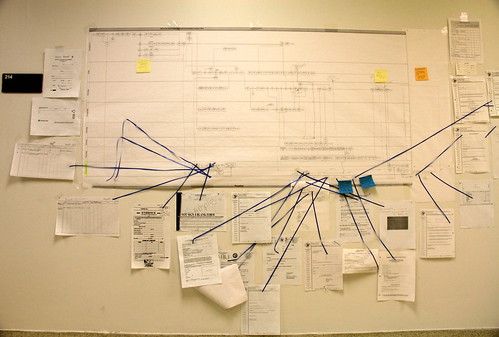
D.A.R.E. To Change, Process Flows, Office of the Cook County Medical Examiner 

This is a very common question I am asked: When I get a new database, should I change my processes to match the database and how it works, or should I make the database change to meet our processes? My views have actually changed on this over the last ten years and my own beliefs are now as follows:

First, It Depends...
First, there are a few "it depends" factors in this answer; the most important being:
  • Why your current processes are as they are. In my experience, there are three common answers when I ask "why do you do process X that way?": (i) "I've no idea, we've always done it that way…"; (ii) "Because the current database makes us do it that way"; and (iii) "We've thought it through carefully and this is the best approach for us". Sadly, the latter answer is rare and the first two, and a combination/variation of those is more likely.
  • Legal issues; e.g. gift aid, monitoring restricted funds etc. In these instances, the processes are going to have to reflect what is legally required anyway (although even here there could well be different ways to approach some of them).
  • The type of database you are implementing; i.e. fundamentally whether it is a vertical-sector (traditional) fundraising database package, or if it is one of the newer breed of generic CRM systems. Although this difference is blurring a bit as I will explain below.
Why Wouldn't You Review Your Processes?
Secondly, when you implement a new database, whatever you buy, reviewing your processes is one of the most useful things you can do. As I said above, unless you already know you are in the "This is definitely the best process for us" category (which is rare), then this is a great opportunity to review why you do something, how, what's good about it, what's bad, what takes time, what could be automated, what you don't need to do and so on. And then you can take all that knowledge to the database implementation so that you can review the best way forward with your new system.

What if you are implementing a Traditional (vertical-sector) Fundraising Database package? e.g. Raiser's Edge, thankQ, Redbourn etc.
Many of these systems have been designed and adapted with many years of experience of what the NFP sector requires. And most which are still being sold today (if not all) are still selling and being used because they do the fundamentals perfectly well. And therefore, if you are buying into them as a software package, as a system, then it would seem to make sense to me to adapt your processes to how the packages have been designed. If you aren't going to do that, then why have you bought that package in the first place? There may be tweaks to do, but I wouldn't recommend changing the systems themselves except for the bare minimum and definitely within any parameters which the supplier suggests.

What about "generic CRM systems" such as Microsoft Dynamics and Salesforce, which you are implementing from a "vanilla" version (i.e. 'out of the box')?
These systems will give you an incredible amount of flexibility - which unfortunately is a double-edged sword. On the one hand, that means you can probably adapt the system to whatever process you prefer (within reason), so if your process review identifies some potentially great benefits by doing a process a whole new way, then this might be a great opportunity. Although that will also have the potential of higher cost, longer time, more arguments (sorry!) and a more complicated system than you might have needed. You need to be very good at keeping a lid on the amount of change you plan. And also: if you can do (nearly) anything then where do you start?! How will you know if your new process really is the best approach? How far should you go when changing the database system? And if you end up with vast swathes of changes then do not underestimate the Change Management you will need to introduce to your organisation. 

What about generic CRM system with a "fundraising/membership template"? e.g. Supporter360, Silverbear.
There are now quite a few "templates" which suppliers have created to sit on top of Dynamics and Salesforce in particular. In this instance, you are probably somewhere between still being able to change your processes if you really want to, but because the templates will have their own starting point, it would still be sensible to be using them as a starting point for reviewing your processes. Otherwise, as with packages, why buy them?

So What Is My Final Answer...?
My personal belief is to keep change as simple as possible, to use the software as it is supposed to be used as much as possible and if necessary, to start simple with the changes and fine tune them (or change them more dramatically) over time. i.e. Unless there are good reasons not to, adapt your processes to the software.

As I've discussed before, it is only after you really get to know your new software that you will truly understand what it can do, how and the benefits it can bring, so I wouldn't advocate spending huge amounts of time and money on it until you know what you really want from it.

Monday, June 23, 2014

Project Premortems: A Great Tool to Help Mitigate Project Failure

Doctors at the General Assembly 

It is well known that CRM projects can fail. Just choose a number, any number: 35%? 60%? Whatever the figure really is, it's significant. So I was very interested when another sector consultant, Richard Collings, sent me a link to a fascinating article written some years ago now about a concept called the Project Premortem. And I liked it so much, I thought I should share it.

It works like this: We all know about compiling Lessons Learned after a project has finished (a post-mortem if you like). Instead, a Premortem is held at the start of an implementation (or even during it I guess). It starts by gathering project team members in a room and telling them that "the project has failed catastrophically". Then you ask them to imagine why that has happened. Everyone writes down why they believe the project has failed so badly and then you discuss it. And anything goes. People shouldn't hold back from airing their concerns and should not worry about offending others or upsetting senior managers etc. (Or: if you think that some staff might not be so open/honest with, say, a senior director present in the room, then I guess you could hold multiple such sessions).

The theory is that by doing this, it gives people a chance to air their concerns in a specific, safe environment, when they would not do so in normal working mode. And it makes us think differently too - more imaginatively (and maybe even as a bit of fun!) The scenarios given in the original article are excellent examples to show the sort of things which people might say. For example, the project sponsor "left during the project" and interest in the project waned thereafter; or one I might add: the supplier "under-estimated the work involved with a mission critical function" and therefore the whole project stalled by several months.

I really like this. I am currently working on a large CRM project and we have decided that we will definitely use this technique when we do kick-off the implementation.

As the original article says: "Although many project teams engage in prelaunch risk analysis, the premortem’s prospective hindsight approach offers benefits that other methods don’t… It also reduces the kind of damn-the-torpedoes attitude often assumed by people who are overinvested in a project." And as it goes on to say, "Moreover, in describing weaknesses that no one else has mentioned, team members feel valued for their intelligence and experience, and others learn from them." What a great idea - let's bring premortems to the fore!


Since writing this blog post, I have also heard the wonderful Freakonomics podcast air a recent episode in which the author of the original article, Gary Klein, discusses this whole concept. Well worth a listen.

Monday, June 16, 2014

The hardest part of a database implementation is the post-live period

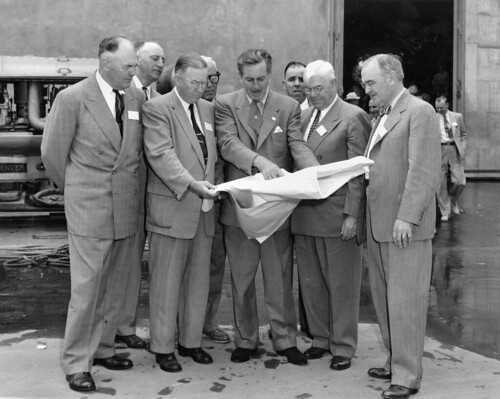
Walt Disney shows Disneyland plans to Orange County officials, Dec. 1954 

This has become a little bit of a hackneyed expression these days. To say that the you won't experience the hardest part of implementing your new CRM system or fundraising database until it goes live. "That's when the real work starts," you'll be told. But for good reason - because very often it's true.

Why is this?
  • Only at this point do you truly find out how the software is working for you. You can test forever and get as many users involved as possible during the implementation but it's not quite the same as once your staff are using the new system in anger.
  • Your implementation project was hopefully funded correctly, but sometimes there is less budget or even no budget for future work after go-live. Yet, many implementations/systems will still require more work on them at that time. Some of that work may have been planned for a future roadmap but some may only have been decided during the implementation, for example, if you had to cut-back on (or change) the scope. 
  • Resources (people) in particular will be 'back to normal' but potentially with different demands and requirements.
  • There will be an impact on your users such as pressure on your database team, potential drop in productivity for some areas of use on the new system, processes still being optimised and so on. Read my recent blog post on The Immediate Effect of CRM System Change On Staff for a more detailed discussion on all that.
  • There are bound to be things you didn't know about, you had thought you had tested but slipped through the net, that users didn't tell you correctly etc, and it's only when you go live that these issues will surface. Or things may have justifiably changed anyway, which will still cause issues.
  • The enthusiasm and adrenaline which the implementation project had may wane. 
  • The benefits which were envisaged/promised before the project commenced might not turn out to happen. Some may be understandable or yet happen soon, but others could have been over-sold or had too much expectation.
So what can you do?
  • If possible, keep some of the implementation project team for 'as long as possible' after go-live. Three months is a decent rule of thumb for the average sized fundraising database; hopefully by that time most key issues will have raised their head.
  • Prepare for some of the above as much as possible! At least those points you can prepare for, such as resources, expectations, impact. 
  • Understand resource implications in particular.
  • Have a plan for how to handle the new things you didn't know about - not the things themselves but a process for how to manage them when they crop up.
  • Explain all this to your SMT early as possible in a project - even during procurement. Get their understanding, acceptance, awareness and support - whether financially or otherwise.
  • And my personal belief is that doing a "Phase 2,3,4 etc" implementation is not the best approach. Instead, use a 'rolling development' plan with a roadmap. Read my separate blog on this: Why it is a Bad Idea to have “Phase 2” of a CRM Implementation (andPhase 3, 4, 5…)

Monday, June 09, 2014

When Users Don't Know What They Want: Keep it Simple

I have previously blogged about my belief that you should keep database implementations as simple as possible, configuring as much as possible and not customising etc. This post is a subtle but important variation on that: this post is based on my observation that much of the time end-users don't actually know what they want or what they could have - or even (completely understandably) what the software can do - and yet we continually ask them. (And even good business analysts may not always get to the crux of the matter). Unsurprisingly, perhaps, we therefore sometimes get a system which, when it goes live, is either far more complex than the user wanted, is not really what they expected, or you even get told, "Oh, actually, that bit wasn't really that important at all. In fact, we don't really do that anymore…"

So: why not give users the basics to start with, the as-close-to-vanilla as possible, and then adapt that later once they do start to really know what they want, once they understand the software and what it can do.

E.g.: Let's keep the forms simple, the data entry straight forward, the processes matching how the software has been designed. And if that means that a user has to do two or three clicks to achieve something rather than one, then that isn't such a terrible thing to have to do in the first place.

This should mean quicker, simpler, less risky, cheaper database implementations. And implementations which are likely to succeed. And happier users.


Thereafter, once we have gone live and the users realise what they have got, then they will realise what they have is either fine or, no, they really could do with process x being streamlined further or data items a and b being linked together. Great. Then do it.

Of course, this approach does require a strong project manager or solution owner, a good project board to support the PM when necessary and a clear, open approach to explain to the users that this is what we are doing.

Do note I'm not suggesting you just say No the whole time and hide all the really funky things the users actually do want and end up giving them the very bare bones possible. You can think a bit past that! Just be open and inclusive.

And of course, as I have written before, if you do take such an approach and if during your analysis and implementation you do find processes which would benefit from more automation or a more sophisticated approach - and which can be proved to have benefits to be that way - then by all means do it. Ultimately that is one of the great benefits of a CRM system so I am not saying don't do it at all. Just keep it under control.

Monday, June 02, 2014

The Immediate Effect of CRM System Change On Staff

Changed Priorities Ahead sign 
Recently on LinkedIn, there was a question which asked: "Does anyone have any indicators that would give me a steer in terms of what would be normal to expect when you bring in a new [CRM] system which changes the way people work?" I loved this question as it is so insightful and recognises that clearly this is going to be one of the key impacts and factors in the success or otherwise of the new system. I gave an answer online at the time, but here are my extended thoughts:
  • You should expect more calls to your help desk in the short-term. Users will inevitably need to ask how to do things, even if they have had good training. As well as comprehensive and appropriate training, floor-walking during the initial days of go-live can also help.
  • There will be more pressure on your Database Team (or equivalent) in the short-term. There is bound to be so much going on that your poor database team will probably have (or feel they have) twice as much to do now with this wonderful new system than they ever did before. Some of that might be true! Hopefully it will calm down as everyone learns the new system and its capabilities, but in some instances it might well be that there is more work for the database team even as the new system progresses.
  • It is quite possible to see a drop in productivity in the first instance for some areas such as batch donation processing - this might sound awful and ultimately you of course want it to go the other way, but there's no getting away from the issue that some people might find a new system slower to use at first.
  • No matter how much you've tested and re-tested, something will go wrong! And no matter how much you did some great business analysis to get the users' requirements, something may have been forgotten! I say this as a (mostly) serious point because I think it's a good thing to warn users in advance (i.e. during implementation) that this might be the case…
  • Some people may not have the functionality they used to have with the legacy system and they especially need careful managing. i.e. there may well be people who actually do lose something they used to have perfectly with the old system. Work with them closely to make the transition as painless as it can be.
  • Some processes may not be optimised yet. Not a problem, they can be optimised over the coming weeks - but be aware, don't think every process will immediately be better and be open to reviewing such processes and even having to re-consider if/how some should be managed differently.
  • If you do have any areas with many more problems than you expected, encourage users to always report everything to the help desk/database team as appropriate. If they don't then it won't get fixed. I know this sounds obvious but some staff might not bother and either just not use function x or start to find workarounds. And then you're right back to where you started…
  • BUT there will hopefully be good things too! Some users will (hopefully) love the new system, so they are great people to use as advocates for some quick-win stories for everyone else. Getting reports, information & insight that you couldn't get before is great.
Oh - and somebody, somewhere is going to say, "I don't know why we had to get rid of the old system…"